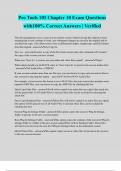
Pro Tools 101 Chapter 10 Exam Questions with100% Correct Answers | Verified
Pro Tools 101 Chapter 10 Exam Questions with100% Correct Answers | Verified This file management saves a copy of your current session without closing the original session, meaning that as you continue to work, any subsequent changes are saved in the original and do not affect the copy. Also allows you to save at different bit depths, sample rates, and file formats from the original - answerSave Copy In Save As - answercreates a copy of the Pro Tools session only, this command will "rename" the copy of the session you have created When you "Save As" a session, are your audio and video files copied? - answerNope!! What option should you ALWAYS select to "Save Copy In" to preserve the session media data? - answerAll Audio Files = CHECK! If your session contains more than one file type, you can choose to copy only non-native files in this session by selecting this option. - answer"All Non-WAV Audio Files" For example, if your session file format is set to WAV files, but your session also includes some imported AIFF files, you can choose to copy the AIFF files by checking this box Don't Copy Fade Files - answerwill not be copied if no audio files are copied (the check box will be grayed out). If All Audio Files is selected, these files can be excluded by selecting this check box Don't Copy Rendered Files - answerthese files will not be copied if no audio files are copied (the option will be grayed out). If all Audio Files is selected, these files can be excluded by checking this bo
Written for
- Institution
- Pro Tools 101
- Course
- Pro Tools 101
Document information
- Uploaded on
- January 16, 2024
- Number of pages
- 4
- Written in
- 2023/2024
- Type
- Exam (elaborations)
- Contains
- Questions & answers
Subjects
-
pro tools 101 chapter 10 exam questions with100 c

Also available in package deal