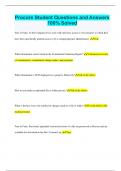
Procore Student Questions and Answers 100% Solved
Procore Student Questions and Answers 100% Solved True or False: At the Company level, users will only have access to view projects to which they have been specifically granted access to by a company/project administrator. True What information can be found in the Commitment Summary Report? A financial overview of commitments, commitment change orders, and payments What information is NOT displayed on a project's Home tab? All of the Above How do you make an uploaded file or folder private? All of the Above What is the best way to be notified of changes made to a file or folder? Use the built-in file tracking feature True or False: Previously uploaded versions/revisions of a file are preserved in Procore and are available for download in the file's Version Log. True How do you add a document to a project? All of the Above True or False: There is no way to validate whether or not a user (who has access to view the file) has downloaded the file from Procore. False True or False: If you upload a multi-page drawing set (as a single PDF), Procore will automatically split up the set into individual drawings. True Once a drawing has been reviewed and published, which of the following data fields can still be edited/changed? All of the drawing fields listed above When you review uploaded drawings and manually correct/edit the auto-filled drawing title and/or number, Procore can dynamically readjust its processing algorithm for the remaining drawings based on your changes. True When reviewing an uploaded drawing, you can perform the following actions, EXCEPT: Add markups to the drawing You can upload drawings from the following locations, EXCEPT: the project's Emails tool By default, when reviewing an uploaded drawing, the preview window displays a zoomed in view of which corner of a drawing? bottom-right True or False: When you click the "Clear" link after performing a keyword search, both the search and filter settings are reset to their defaults. False True or False: The only way to make your personal markups visible to others users is by publishing them so that they become visible on the drawing's "Published" layer. True What happens when you click the icon above? It will download a PDF of the current drawing revision to your computer True or False: When you click a project's Drawings tool, you should expect to see the project's "current set" of drawings. (i.e. The most recently uploaded revisions of each drawing.) True What is the best way to view the changes between different revisions of an uploaded drawing? Use the "Compare Revisions" feature to view highlighted changes Who can view drawing markups on the "Personal" layer? Only You Why are some action buttons inactive and gray? Because certain actions require that you first select one or more spec sections before the button becomes orange/clickable True or False: When you upload a project's specifications into Procore, you must upload them into a specifications set. True True or False: Before an uploaded spec book is viewable in the Specifications log page, each spec section must first be reviewed and published. True Which technology is used to intelligently process uploaded specifications into appropriate divisions and spec sections? Optical Character Recognition (OCR) True or False: You can only upload a spec book into Procore if it's saved as a PDF file. True In order to create a new RFI, you must provide a value for the following fields, EXCEPT: Cost of Impact True or False: If you plan to make changes to the RFI before it's officially distributed to the assignee, you should place the RFI in "Draft" mode. True True or False: If an assignee does not respond to an RFI before the due date, the person who created the RFI is responsible for sending email reminders. False True or False: By default, persons or companies listed in either the "Responsible Contractor" or "Question Received From" fields will not receive email notifications about the RFI unless they are added to the "Distribution" list. True How can a user respond to an RFI so that the response is automatically saved in Procore? All of the Above Who can view a private RFI? All of the Above True or False: If you respond to an RFI via email, any of the email's attachments will automatically be saved and associated with the RFI in Procore. True Who can NOT respond to a submittal in Procore? Any user who can view the submittal in Procore How can you include users on future submittal notification emails if they are not assigned to the submittal as a designated approver? Add them to the submittal's distribution list True or False: You can relate spec sections to submittals in Procore. True True or False: When creating a new submittal package, you can add existing submittals as well as create new submittals that will automatically be added to the package. True True or False: Any users in the Submittal Workflow section, including both submitters and approvers, will need 'Standard' and above permissions on the Submittals tool. True True or False: The response form will only appear on the submittal if the submittal's ball in court is assigned to the user viewing the submittal. True True or False: You can only distribute a submittal once. False A project's weather information can be logged from the following resources, EXCEPT: The weather channel True or False: You cannot change the order in which the different daily logs are listed. F True or False: The Manpower Log Report can be used to record site activity of individuals as well as companies. T True or False: When you use the Copy Daily Log feature to create a new log entry, you will not be allowed to make changes to the new log entry. F How can you set up a project's budget in Procore? Both A & B After a budget is locked, how can its line items be modified? Both A and B In order to create a new line item in your budget, the following values must be provided, EXCEPT: Projected Budget True or False: New line items that are added to a locked budget will automatically have an "Original Budget" value of zero dollars. T True or False: Budget modifications are used to transfer funds between line items. True
Written for
- Institution
- Procore Student
- Course
- Procore Student
Document information
- Uploaded on
- September 11, 2023
- Number of pages
- 8
- Written in
- 2023/2024
- Type
- Exam (elaborations)
- Contains
- Questions & answers
Subjects
-
procore student questions and answers 100 solved

Also available in package deal