

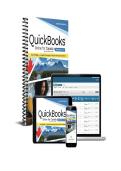
, TESTBANK FOR QuickBooks Online for Canada Basics, Academic Year
2025-2026 Watkin
Important Notes
The file includes the complete test bank, organized chapter by chapter.
A sample of selected pages has been provided for preview.
All available appendices and Excel files (if included in the original resources) are
provided.
We continuously update our files to ensure you receive the latest and most accurate
editions.
New editions are added regularly – stay connected for updates!
⚠️Note on Answer Keys: If the answer key is not included within the chapter
questions, you will find the complete answers and solutions at the end of each
chapter.
✅ Why Buy From Us?
📚 Complete & organized chapter-by-chapter – no missing content, no guessing.
⚡ Instant digital delivery – get your file the moment you pay, no waiting.
📅 Always up to date – we track new editions so you always get the latest version.
💬 Friendly support – real humans ready to help, anytime you need us.
🔒 Safe & secure – thousands of satisfied students trust us every semester.
🛡️Our Guarantees
💰 Money-Back Guarantee: Not satisfied? We offer a full refund – no questions asked.
🔄 Wrong File? No Problem: Contact us and we will replace it immediately with the
correct version, free of charge.
⏰ 24/7 Support: We are always here – reach out anytime and expect a fast response.
,Chapters 1–6 and 8–10
Name:
Class:
Date:
Chapter 1: Getting Started with QuickBooks Online
1. The QuickBooks Online environment is best described as _____.
A. a social network
B. cloud based
C. a test drive
D. behind the scenes
2. Dolly uses QuickBooks Online and is upgrading to a new computer. What do you
tell her?
A. You’ll have to reinstall the software and rebuild your company file.
B. Since QBO is cloud software, all you have to do is sign in to your account from
the new computer.
C. It’s best to upgrade your system at the end of a fiscal period to ensure the
financial reports remain accurate.
D. Downloading your data will take time, so do it over a long weekend.
3. What is the accounting equation?
A. Equity = New Income/Loss + Capital
B. Profit = Assets - Accounts Payable
C. Assets = Liabilities + Equity
D. Revenue = Equity * Assets
4. Match each QBO subscription type to the business function it’s best suited for.
A. Easy Start 1. operates with Euros and Pesos and supports
B. Essentials multiple users
C. Plus 2. tracks project profitability and inventory
D. Advanced 3. uses cash basis reporting and supports one
user only
4. allows up to 25 users
QuickBooks Online for Canada Page 1 of 11
,Test Bank
5. Identify each feature as available in QuickBooks Online, QuickBooks Desktop or both.
Put “X” in the appropriate
column for each row.
Online Desktop Both
A. built using lists, transaction forms and functions
B. requires software installation
C. requires Internet access
D. financial management solution for businesses
E. supports advanced raw materials inventory
tracking
F. no data files to transfer or store
G. continually enhanced with new features
Chapter 2: Setting Up a New Company File
6. What is the Chart of Accounts?
A. the list of accounts that makes up the general ledger and is the foundation of the
company file
B. the menu of products and services that the company offers its customers
C. a full list of accounts the company has with its frequently used suppliers and
vendors
D. the list of customers who purchase a company’s products and services on
account
7. Soar, Inc., is an ongoing business with many historical transactions. What do you advise
regarding recording these transactions in the company’s newly converted QBO company
file?
A. All historical transactions will migrate to QBO regardless of the prior accounting
software used.
B. Prepare a journal entry for all historical transactions impacting income
statement accounts.
C. You can create a new transaction form for each opening balance.
D. It’s best to keep those old transactions in a separate file, such as an Excel
workbook.
8. Match each account type with its associated detail type.
A. Asset 1. Credit Card
B. Liability 2. Office Supplies
C. Income 3. Machinery & Equipment
D. Expense 4. Sales
QuickBooks Online for Canada Page 2 of 11
,Test Bank
9. Match each user type to the privileges associated with it.
A. Standard user 1. can access only financial statements
B. Company admin 2. can update only their timesheet
C. Reports only 3. can access all parts of QuickBooks
D. Time tracking only Online and view the audit log
4. can have varying degrees of access;
permissions can be customized
10. Somaya wants to move her company data from an accounting software other than QBDt
to QBO. What do you advise?
A. Use the comprehensive migration tool in QBO for the conversion.
B. Export the data from the accounting software into Excel using the sample
template.
C. Hire some part time help because you will have to manually enter all the data.
D. Migrate the content to QBDt and then migrate it to QBO using the sample
template.
11. How do you set up sales tax for the provinces in which you do business if they are
somewhere other than where your business is located?
A. Use the Manage Sales Tax function.
B. Indicate the sales tax for all applicable provinces at the time of initial company
setup.
C. You need to get the add-on app for this sales tax function.
D. QBO can only service one tax agency.
Chapter 3: Working with General Ledger Accounts
12. What is an uncollectible receivable?
A. a sale made on account that the business does not expect to collect payment for
B. a purchase made on account that the business is not planning on paying
C. a discount provided to the customer due to a defective or damaged product
D. a voided invoice for an incomplete sale
13. When is the best time to set up sales tax in your company file?
A. When the tax agency charges you with failure to file
B. When you sell your first taxable product or service
C. When you set up the company file; be sure to activate all tax agencies
D. When you register for and have been assigned a sales tax number
QuickBooks Online for Canada Page 3 of 11
,Test Bank
14. When you set up an account for a new company vehicle, select _____ as the account type.
A. Expense
B. Current Asset
C. Equity
D. Property, Plant and Equipment
15. Which item would be classified as other income?
A. an emergency government subsidy payment
B. sales from a new product line
C. sales returns
D. a refund from a supplier
16. Identify each account as being reported on the balance sheet (BS) or the income statement (IS).
A. Cost of Goods Sold
B. Accounts Receivable
C. Prepaid Rent
D. Product Revenue
E. Accumulated Depreciation
F. Depreciation Expense
G. Interest Income
H. Retained Earnings
17. Which statement accurately describes how the transfer transaction form can be used to pay off
the corporate credit card balance?
A. It can’t be used to pay the credit card bill.
B. It is limited to transferring funds between income statement accounts.
C. You need to create a bill or expense to pay off the credit card balance before using it.
D. You can use it to transfer money from a chequing account to a credit card liability
account.
18. Match each term to its best description.
A. asset 1. what a business is earning
B. liability 2. accumulation of capital and net income/loss
C. equity 3. debts a business owes
D. revenue 4. what a business spends
E. expense 5. things a business owns
19. What is a long-term liability?
A. an obligation that will take more than one year to pay off
B. an obligation that is in default due to non-payment
C. an obligation that is due before year end
D. an obligation that the business has no intention of paying
QuickBooks Online for Canada Page 4 of 11
,Test Bank
Chapter 4: Working with Customers
20. Which “behind-the-scenes” image shows what happens when you record the receipt of a
payment?
A.
B.
C.
D.
21. Match each situation with the appropriate action or result.
A. customer pays cash at the time of sale 1. set up sub-customers
B. customer appears twice in the 2. create a sales receipt
Customers list 3. merge the customers
C. customer is associated with multiple jobs 4. create an invoice
D. customer is billed for the completed job
22. You just started using QuickBooks to manage your existing business. Your customer list is in
Excel. What is the most efficient method to get the list into QBO?
A. Manually enter each customer.
B. Use the Import Data tool to import Excel or CSV files.
C. Copy or paste text into QBO data fields.
D. Enter customer information as needed.
QuickBooks Online for Canada Page 5 of 11
,Test Bank
23. What transaction form is being initiated in this example journal entry?
A. Sales Receipt
B. Invoice
C. Make Deposit
D. Receive Payment
24. How do you process a refund to a customer for a purchase?
A. Void the sales receipt.
B. Delete the invoice.
C. Create a credit memo.
D. Edit the original deposit.
25. What is a benefit that is unique to the Project function in QBO Plus?
A. You can evaluate a project’s profitability.
B. You can track expenses by jobs via the sub-customer.
C. You can convert an expense into a billable item with a markup.
D. You can create estimates and progress invoices.
Chapter 5: Working with Suppliers
26. Which “behind-the-scenes” image shows what happens when you pay a bill?
A.
B.
C.
D.
QuickBooks Online for Canada Page 6 of 11
,Test Bank
27. What is NOT a way you can add suppliers into QBO?
A. Use the Import Data tool to pull in suppliers from an Outlook PST file.
B. Import them from an Excel or CSV file.
C. Add them manually in the Suppliers list.
D. Add them as you create supplier transactions.
28. Henry wants to view the transactions for each supplier and their unpaid balance. What standard
report should he run?
A. Bill Payment List
B. Expenses by Supplier Summary
C. Accounts Payable Aging Detail
D. Transaction List by Supplier
29. Ale opens the Pay Bills transaction form to pay a supplier and checks the Print Later box. Why?
A. She will be setting up and printing the cheque directly from QBO.
B. She’s out of toner.
C. She will go to the bank to get a printout.
D. The funds are not yet due to the supplier.
30. You purchased an item that needs to be billed to a customer job with a 10% markup. What is the
most efficient way to include this item on the customer’s invoice?
A. Add the item to the Products and Services list.
B. Enable the option to make expenses billable and then enter the markup amount.
C. Manually add it to the customer’s invoice.
D. Though it’s not efficient, complex transactions must be entered via a journal entry.
Chapter 6: Managing Banking
31. Blaire contracted with a local print shop to print her weekly sales flyers and other advertising
materials. Every month, the print shop will deduct the cost of the month’s printing from her
company’s chequing account. How can Blaire ensure the transactions are categorized properly?
A. Create a bank rule.
B. Set up a bank feed with the print shop.
C. Keep an expense log for printing costs.
D. Don’t let the print shop make automatic deductions; they should send a monthly bill.
32. Elijah wants to make sure what he enters into QuickBooks matches what’s on his bank
statement. He should perform a(n) _____.
A. bank match
B. account match
C. reconciliation
D. discrepancy search
QuickBooks Online for Canada Page 7 of 11
, Test Bank
33. Match the Accounting app areas to the functions they provide.
A. Bank Transactions 1. Set up QBO to automate your common
B. Rules transactions.
C. Receipts 2. Review and manage transactions fed into
your QBO file.
3. Here you upload receipts for approval
and posting.
34. The bank download brought over transactions that were previously reconciled. How do you
address these transactions?
A. Exclude
B. Void
C. Delete
D. Ignore
35. Classify each bank feed feature as being associated with direct connections, importing
transactions or both.
Put “X” in the appropriate
column for each row.
Direct Import Both
Connect
A. automatically updates
B. no link to financial institution
C. user has greater control over frequency of uploads
D. establishes a direct secure connection with financial
institution
E. imports bank transactions to automate data entry
F. creates a read-only connection, leaving bank records
unaltered by changes in QBO
G. requires a bank export file
36. Which adjective describes the reconciliation reports?
A. intuitive
B. static
C. interactive
D. predictive
QuickBooks Online for Canada Page 8 of 11
2025-2026 Watkin
Important Notes
The file includes the complete test bank, organized chapter by chapter.
A sample of selected pages has been provided for preview.
All available appendices and Excel files (if included in the original resources) are
provided.
We continuously update our files to ensure you receive the latest and most accurate
editions.
New editions are added regularly – stay connected for updates!
⚠️Note on Answer Keys: If the answer key is not included within the chapter
questions, you will find the complete answers and solutions at the end of each
chapter.
✅ Why Buy From Us?
📚 Complete & organized chapter-by-chapter – no missing content, no guessing.
⚡ Instant digital delivery – get your file the moment you pay, no waiting.
📅 Always up to date – we track new editions so you always get the latest version.
💬 Friendly support – real humans ready to help, anytime you need us.
🔒 Safe & secure – thousands of satisfied students trust us every semester.
🛡️Our Guarantees
💰 Money-Back Guarantee: Not satisfied? We offer a full refund – no questions asked.
🔄 Wrong File? No Problem: Contact us and we will replace it immediately with the
correct version, free of charge.
⏰ 24/7 Support: We are always here – reach out anytime and expect a fast response.
,Chapters 1–6 and 8–10
Name:
Class:
Date:
Chapter 1: Getting Started with QuickBooks Online
1. The QuickBooks Online environment is best described as _____.
A. a social network
B. cloud based
C. a test drive
D. behind the scenes
2. Dolly uses QuickBooks Online and is upgrading to a new computer. What do you
tell her?
A. You’ll have to reinstall the software and rebuild your company file.
B. Since QBO is cloud software, all you have to do is sign in to your account from
the new computer.
C. It’s best to upgrade your system at the end of a fiscal period to ensure the
financial reports remain accurate.
D. Downloading your data will take time, so do it over a long weekend.
3. What is the accounting equation?
A. Equity = New Income/Loss + Capital
B. Profit = Assets - Accounts Payable
C. Assets = Liabilities + Equity
D. Revenue = Equity * Assets
4. Match each QBO subscription type to the business function it’s best suited for.
A. Easy Start 1. operates with Euros and Pesos and supports
B. Essentials multiple users
C. Plus 2. tracks project profitability and inventory
D. Advanced 3. uses cash basis reporting and supports one
user only
4. allows up to 25 users
QuickBooks Online for Canada Page 1 of 11
,Test Bank
5. Identify each feature as available in QuickBooks Online, QuickBooks Desktop or both.
Put “X” in the appropriate
column for each row.
Online Desktop Both
A. built using lists, transaction forms and functions
B. requires software installation
C. requires Internet access
D. financial management solution for businesses
E. supports advanced raw materials inventory
tracking
F. no data files to transfer or store
G. continually enhanced with new features
Chapter 2: Setting Up a New Company File
6. What is the Chart of Accounts?
A. the list of accounts that makes up the general ledger and is the foundation of the
company file
B. the menu of products and services that the company offers its customers
C. a full list of accounts the company has with its frequently used suppliers and
vendors
D. the list of customers who purchase a company’s products and services on
account
7. Soar, Inc., is an ongoing business with many historical transactions. What do you advise
regarding recording these transactions in the company’s newly converted QBO company
file?
A. All historical transactions will migrate to QBO regardless of the prior accounting
software used.
B. Prepare a journal entry for all historical transactions impacting income
statement accounts.
C. You can create a new transaction form for each opening balance.
D. It’s best to keep those old transactions in a separate file, such as an Excel
workbook.
8. Match each account type with its associated detail type.
A. Asset 1. Credit Card
B. Liability 2. Office Supplies
C. Income 3. Machinery & Equipment
D. Expense 4. Sales
QuickBooks Online for Canada Page 2 of 11
,Test Bank
9. Match each user type to the privileges associated with it.
A. Standard user 1. can access only financial statements
B. Company admin 2. can update only their timesheet
C. Reports only 3. can access all parts of QuickBooks
D. Time tracking only Online and view the audit log
4. can have varying degrees of access;
permissions can be customized
10. Somaya wants to move her company data from an accounting software other than QBDt
to QBO. What do you advise?
A. Use the comprehensive migration tool in QBO for the conversion.
B. Export the data from the accounting software into Excel using the sample
template.
C. Hire some part time help because you will have to manually enter all the data.
D. Migrate the content to QBDt and then migrate it to QBO using the sample
template.
11. How do you set up sales tax for the provinces in which you do business if they are
somewhere other than where your business is located?
A. Use the Manage Sales Tax function.
B. Indicate the sales tax for all applicable provinces at the time of initial company
setup.
C. You need to get the add-on app for this sales tax function.
D. QBO can only service one tax agency.
Chapter 3: Working with General Ledger Accounts
12. What is an uncollectible receivable?
A. a sale made on account that the business does not expect to collect payment for
B. a purchase made on account that the business is not planning on paying
C. a discount provided to the customer due to a defective or damaged product
D. a voided invoice for an incomplete sale
13. When is the best time to set up sales tax in your company file?
A. When the tax agency charges you with failure to file
B. When you sell your first taxable product or service
C. When you set up the company file; be sure to activate all tax agencies
D. When you register for and have been assigned a sales tax number
QuickBooks Online for Canada Page 3 of 11
,Test Bank
14. When you set up an account for a new company vehicle, select _____ as the account type.
A. Expense
B. Current Asset
C. Equity
D. Property, Plant and Equipment
15. Which item would be classified as other income?
A. an emergency government subsidy payment
B. sales from a new product line
C. sales returns
D. a refund from a supplier
16. Identify each account as being reported on the balance sheet (BS) or the income statement (IS).
A. Cost of Goods Sold
B. Accounts Receivable
C. Prepaid Rent
D. Product Revenue
E. Accumulated Depreciation
F. Depreciation Expense
G. Interest Income
H. Retained Earnings
17. Which statement accurately describes how the transfer transaction form can be used to pay off
the corporate credit card balance?
A. It can’t be used to pay the credit card bill.
B. It is limited to transferring funds between income statement accounts.
C. You need to create a bill or expense to pay off the credit card balance before using it.
D. You can use it to transfer money from a chequing account to a credit card liability
account.
18. Match each term to its best description.
A. asset 1. what a business is earning
B. liability 2. accumulation of capital and net income/loss
C. equity 3. debts a business owes
D. revenue 4. what a business spends
E. expense 5. things a business owns
19. What is a long-term liability?
A. an obligation that will take more than one year to pay off
B. an obligation that is in default due to non-payment
C. an obligation that is due before year end
D. an obligation that the business has no intention of paying
QuickBooks Online for Canada Page 4 of 11
,Test Bank
Chapter 4: Working with Customers
20. Which “behind-the-scenes” image shows what happens when you record the receipt of a
payment?
A.
B.
C.
D.
21. Match each situation with the appropriate action or result.
A. customer pays cash at the time of sale 1. set up sub-customers
B. customer appears twice in the 2. create a sales receipt
Customers list 3. merge the customers
C. customer is associated with multiple jobs 4. create an invoice
D. customer is billed for the completed job
22. You just started using QuickBooks to manage your existing business. Your customer list is in
Excel. What is the most efficient method to get the list into QBO?
A. Manually enter each customer.
B. Use the Import Data tool to import Excel or CSV files.
C. Copy or paste text into QBO data fields.
D. Enter customer information as needed.
QuickBooks Online for Canada Page 5 of 11
,Test Bank
23. What transaction form is being initiated in this example journal entry?
A. Sales Receipt
B. Invoice
C. Make Deposit
D. Receive Payment
24. How do you process a refund to a customer for a purchase?
A. Void the sales receipt.
B. Delete the invoice.
C. Create a credit memo.
D. Edit the original deposit.
25. What is a benefit that is unique to the Project function in QBO Plus?
A. You can evaluate a project’s profitability.
B. You can track expenses by jobs via the sub-customer.
C. You can convert an expense into a billable item with a markup.
D. You can create estimates and progress invoices.
Chapter 5: Working with Suppliers
26. Which “behind-the-scenes” image shows what happens when you pay a bill?
A.
B.
C.
D.
QuickBooks Online for Canada Page 6 of 11
,Test Bank
27. What is NOT a way you can add suppliers into QBO?
A. Use the Import Data tool to pull in suppliers from an Outlook PST file.
B. Import them from an Excel or CSV file.
C. Add them manually in the Suppliers list.
D. Add them as you create supplier transactions.
28. Henry wants to view the transactions for each supplier and their unpaid balance. What standard
report should he run?
A. Bill Payment List
B. Expenses by Supplier Summary
C. Accounts Payable Aging Detail
D. Transaction List by Supplier
29. Ale opens the Pay Bills transaction form to pay a supplier and checks the Print Later box. Why?
A. She will be setting up and printing the cheque directly from QBO.
B. She’s out of toner.
C. She will go to the bank to get a printout.
D. The funds are not yet due to the supplier.
30. You purchased an item that needs to be billed to a customer job with a 10% markup. What is the
most efficient way to include this item on the customer’s invoice?
A. Add the item to the Products and Services list.
B. Enable the option to make expenses billable and then enter the markup amount.
C. Manually add it to the customer’s invoice.
D. Though it’s not efficient, complex transactions must be entered via a journal entry.
Chapter 6: Managing Banking
31. Blaire contracted with a local print shop to print her weekly sales flyers and other advertising
materials. Every month, the print shop will deduct the cost of the month’s printing from her
company’s chequing account. How can Blaire ensure the transactions are categorized properly?
A. Create a bank rule.
B. Set up a bank feed with the print shop.
C. Keep an expense log for printing costs.
D. Don’t let the print shop make automatic deductions; they should send a monthly bill.
32. Elijah wants to make sure what he enters into QuickBooks matches what’s on his bank
statement. He should perform a(n) _____.
A. bank match
B. account match
C. reconciliation
D. discrepancy search
QuickBooks Online for Canada Page 7 of 11
, Test Bank
33. Match the Accounting app areas to the functions they provide.
A. Bank Transactions 1. Set up QBO to automate your common
B. Rules transactions.
C. Receipts 2. Review and manage transactions fed into
your QBO file.
3. Here you upload receipts for approval
and posting.
34. The bank download brought over transactions that were previously reconciled. How do you
address these transactions?
A. Exclude
B. Void
C. Delete
D. Ignore
35. Classify each bank feed feature as being associated with direct connections, importing
transactions or both.
Put “X” in the appropriate
column for each row.
Direct Import Both
Connect
A. automatically updates
B. no link to financial institution
C. user has greater control over frequency of uploads
D. establishes a direct secure connection with financial
institution
E. imports bank transactions to automate data entry
F. creates a read-only connection, leaving bank records
unaltered by changes in QBO
G. requires a bank export file
36. Which adjective describes the reconciliation reports?
A. intuitive
B. static
C. interactive
D. predictive
QuickBooks Online for Canada Page 8 of 11


