Observation Record
Learner name Osman Hassan
Partner name(s): Mateusz Kulikowski
Qualification: BTEC L3 IT
Unit number and title: Unit 25 – Maintaining Computer Systems
Description of activity undertaken (please be as specific as possible)
P5 - Assess Systems performance
CPU
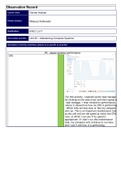
For this activity, I opened up the task manager
by clicking on the search bar and then typing in
task manager. I then clicked on performance,
where it showed me how my CPU is performing
. Which tells me how slow or fast my computer
will run. This is an important maintenance task
as this will tell me the speed at which the CPU
runs, at which I can see if its speed is
appropriate. If I don’t run this maintenance
task, my computer will continue to run slow,
and I won’t see how it is performing.
, I/O
for this activity, I am checking my hard drives
Usage. This time I click on the disk -
underperformance, and it shows me its usage.
From this screenshot, I can see from the first
graph the hard drives activity over a 60 second
period. Below I can see the transfer speed over
60 seconds. This is another important
maintenance task as it gives vital information
to users or engineers about the percentage of
drive active time, the average speed that it
takes the hard drive to respond to a request,
and read and writes speeds. Lastly, the
capacity of how much can be stored. Without
it, users may not know what’s wrong with their
hard drives.
Memory For this activity, I am checking the memory
performance. I do this by clicking on the
memory box under the performance tab. It
tells me the RAM usage by the systems and
applications and how much space there is. This
is an important maintenance task as it allows
users or technicians to assess how much space
is needed or the amount of RAM used by
applications. This is useful if a computer
constantly crashes because of running too many
applications at the same time. This will show
that more RAM is needed to handle the
processes.
Pages In this activity, I am checking how much virtual
memory I currently have. I am currently
assessing the kernel memory status. Under
Learner name Osman Hassan
Partner name(s): Mateusz Kulikowski
Qualification: BTEC L3 IT
Unit number and title: Unit 25 – Maintaining Computer Systems
Description of activity undertaken (please be as specific as possible)
P5 - Assess Systems performance
CPU
For this activity, I opened up the task manager
by clicking on the search bar and then typing in
task manager. I then clicked on performance,
where it showed me how my CPU is performing
. Which tells me how slow or fast my computer
will run. This is an important maintenance task
as this will tell me the speed at which the CPU
runs, at which I can see if its speed is
appropriate. If I don’t run this maintenance
task, my computer will continue to run slow,
and I won’t see how it is performing.
, I/O
for this activity, I am checking my hard drives
Usage. This time I click on the disk -
underperformance, and it shows me its usage.
From this screenshot, I can see from the first
graph the hard drives activity over a 60 second
period. Below I can see the transfer speed over
60 seconds. This is another important
maintenance task as it gives vital information
to users or engineers about the percentage of
drive active time, the average speed that it
takes the hard drive to respond to a request,
and read and writes speeds. Lastly, the
capacity of how much can be stored. Without
it, users may not know what’s wrong with their
hard drives.
Memory For this activity, I am checking the memory
performance. I do this by clicking on the
memory box under the performance tab. It
tells me the RAM usage by the systems and
applications and how much space there is. This
is an important maintenance task as it allows
users or technicians to assess how much space
is needed or the amount of RAM used by
applications. This is useful if a computer
constantly crashes because of running too many
applications at the same time. This will show
that more RAM is needed to handle the
processes.
Pages In this activity, I am checking how much virtual
memory I currently have. I am currently
assessing the kernel memory status. Under