

Version 1.0
CMIT 351 Project 2
Name: Timothy Banaag
Course: CMIT 351 7386 Switching, Routing, and Wireless Essentials
Date: December 11th, 2022
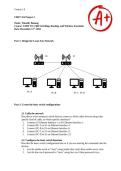
Part 1: Design the Local Area Network
R1 S1
PC-A PC-B PC-C PC-D
Part 2: Create the basic switch configurations
2.1 Cable the network
Describe in a few sentences which devices connect to which other devices using what
specific kind of cable, on which specific interfaces?
1. I connect S1 Ethernet Interface 1 to R1 Ethernet Interface 1.
2. I connect PC-A to S1 on Ethernet Interface 4.
3. I connect PC-B to S1 on Ethernet Interface 6.
4. I connect PC-C to S1 on Ethernet Interface 11.
5. I connect PC-D to S1 on Ethernet Interface 13.
2.2. Configure the basic switch functions
Describe the basic switch configuration here as if you are entering the commands into the
devices.
1. I set the enable secret to “class” using enable then conf t then enable secret class.
2. I set the line con 0 password to “cisco” using line con 0 then password cisco.
CMIT 351 Project 2
Name: Timothy Banaag
Course: CMIT 351 7386 Switching, Routing, and Wireless Essentials
Date: December 11th, 2022
Part 1: Design the Local Area Network
R1 S1
PC-A PC-B PC-C PC-D
Part 2: Create the basic switch configurations
2.1 Cable the network
Describe in a few sentences which devices connect to which other devices using what
specific kind of cable, on which specific interfaces?
1. I connect S1 Ethernet Interface 1 to R1 Ethernet Interface 1.
2. I connect PC-A to S1 on Ethernet Interface 4.
3. I connect PC-B to S1 on Ethernet Interface 6.
4. I connect PC-C to S1 on Ethernet Interface 11.
5. I connect PC-D to S1 on Ethernet Interface 13.
2.2. Configure the basic switch functions
Describe the basic switch configuration here as if you are entering the commands into the
devices.
1. I set the enable secret to “class” using enable then conf t then enable secret class.
2. I set the line con 0 password to “cisco” using line con 0 then password cisco.


