1
Skills taken form common past papers examples
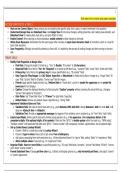
ACCESS EXAM FOCUS & SKILLS
Work on the Correct Object: Always ensure you are modifying the specific table, form, query, or report mentioned in the question.
Understand Design View vs. Datasheet View: Use Design View for structural changes, setting properties, and creating new elements, and
Datasheet View for viewing data, data entry, and quick filters or totals.
Enable Content: When opening an Access database, enable content to allow changes to be made.
Utilize Exam Resources: Remember that the exam paper often includes an input mask character sheet at the bottom, which is crucial for
input mask questions.
Save Frequently: Although not explicitly stated as a direct skill, it is implied by the process of making changes and then moving to the next
task.
TABLES SKILLS
Modify Field Properties in Design View:
o Field Size: Change the length of a field (e.g., "Year" to Double, "ID number" to 13 characters).
o Required Field: Set a field to "Yes" for "Required" so it cannot be left blank (e.g., "surname" field, "name" field, "ticket sold" field).
o Primary Key: Set a field as the primary key for unique identification (e.g., "ID number" field).
o Data Types for Files/Images: Use OLE Object, Hyperlink, or Attachment for fields storing files or images (e.g., "Image" field, "ID
copy" field, "picture" field for ID photo, "license card" field for image).
o Format: Apply specific display formats (e.g., Medium Date for "travel date", use the > symbol for uppercase and < symbol for
lowercase for text display).
o Caption: Change the displayed heading of a field using the "Caption" property without renaming the actual field (e.g., changing
"picture" field caption to "ID photo").
o Date Picker: Set "Show Date Picker" to "If Never" for date fields if specified.
o Default Value: Remove any default values if specified (e.g., "rating" field).
Implement Validation Rules and Text:
o Validation Rule: Set rules to restrict data entry (e.g., years Between 1995 And 2022, ratings Between 1 And 5 or >=1 And <=5,
dates >= #Date1# And <= #Date2#).
o Validation Text: Provide an appropriate message that appears if the validation rule is violated (e.g., for "Year" field, "date" field).
Create Input Masks: Define specific data entry formats using operators (e.g., > for uppercase, L for compulsory letters, 0 for
compulsory digits, 9 for optional digits, & for symbols). Place text like "@TVL" in double quotes within the mask (e.g., "MPAI rating",
"member number" with lowercase first letter and "@TVL", "license number" with compulsory numbers, capital letters, and an optional digit).
Set up Combo Boxes (Lookup Wizard):
o Convert a field to a combo box using the Lookup Wizard.
o Choose to type in values (Value List) or get values from a table/query.
o Add values, separating them with semicolons (e.g., "Action;Adventure;Drama" for "genre" field, adding "Safari" to "experience" field).
o Allow multiple values if required (e.g., for "experience" field).
Organize Fields: Insert or move fields to a specified position (e.g., "ID copy" field below "surname", "picture" field below "ID field", "license
card" above "license number").
Format Datasheet View: Change grid line color (e.g., to Black) and display options (e.g., only horizontal grid lines), and adjust "sunken"
or "raised" appearance.
, 2
Display Query Totals in Datasheet View: Use the "Totals" button in Datasheet View to display quick aggregate information (e.g., average
or max outstanding amounts) at the bottom of the column.
Skills taken form common past papers examples
ACCESS EXAM FOCUS & SKILLS
Work on the Correct Object: Always ensure you are modifying the specific table, form, query, or report mentioned in the question.
Understand Design View vs. Datasheet View: Use Design View for structural changes, setting properties, and creating new elements, and
Datasheet View for viewing data, data entry, and quick filters or totals.
Enable Content: When opening an Access database, enable content to allow changes to be made.
Utilize Exam Resources: Remember that the exam paper often includes an input mask character sheet at the bottom, which is crucial for
input mask questions.
Save Frequently: Although not explicitly stated as a direct skill, it is implied by the process of making changes and then moving to the next
task.
TABLES SKILLS
Modify Field Properties in Design View:
o Field Size: Change the length of a field (e.g., "Year" to Double, "ID number" to 13 characters).
o Required Field: Set a field to "Yes" for "Required" so it cannot be left blank (e.g., "surname" field, "name" field, "ticket sold" field).
o Primary Key: Set a field as the primary key for unique identification (e.g., "ID number" field).
o Data Types for Files/Images: Use OLE Object, Hyperlink, or Attachment for fields storing files or images (e.g., "Image" field, "ID
copy" field, "picture" field for ID photo, "license card" field for image).
o Format: Apply specific display formats (e.g., Medium Date for "travel date", use the > symbol for uppercase and < symbol for
lowercase for text display).
o Caption: Change the displayed heading of a field using the "Caption" property without renaming the actual field (e.g., changing
"picture" field caption to "ID photo").
o Date Picker: Set "Show Date Picker" to "If Never" for date fields if specified.
o Default Value: Remove any default values if specified (e.g., "rating" field).
Implement Validation Rules and Text:
o Validation Rule: Set rules to restrict data entry (e.g., years Between 1995 And 2022, ratings Between 1 And 5 or >=1 And <=5,
dates >= #Date1# And <= #Date2#).
o Validation Text: Provide an appropriate message that appears if the validation rule is violated (e.g., for "Year" field, "date" field).
Create Input Masks: Define specific data entry formats using operators (e.g., > for uppercase, L for compulsory letters, 0 for
compulsory digits, 9 for optional digits, & for symbols). Place text like "@TVL" in double quotes within the mask (e.g., "MPAI rating",
"member number" with lowercase first letter and "@TVL", "license number" with compulsory numbers, capital letters, and an optional digit).
Set up Combo Boxes (Lookup Wizard):
o Convert a field to a combo box using the Lookup Wizard.
o Choose to type in values (Value List) or get values from a table/query.
o Add values, separating them with semicolons (e.g., "Action;Adventure;Drama" for "genre" field, adding "Safari" to "experience" field).
o Allow multiple values if required (e.g., for "experience" field).
Organize Fields: Insert or move fields to a specified position (e.g., "ID copy" field below "surname", "picture" field below "ID field", "license
card" above "license number").
Format Datasheet View: Change grid line color (e.g., to Black) and display options (e.g., only horizontal grid lines), and adjust "sunken"
or "raised" appearance.
, 2
Display Query Totals in Datasheet View: Use the "Totals" button in Datasheet View to display quick aggregate information (e.g., average
or max outstanding amounts) at the bottom of the column.