

Page | 1
SALESFORCE ADMIN CERTIFICATION:
PRODUCTIVITY & COLLABORATION
QUESTIONS WITH DETAILED VERIFIED
ANSWERS
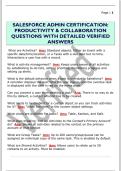
What are Activities? Ans: Standard objects. Either an Event with a
specific date/time/location, or a Tasks with a due date but no time.
Interactions a user has with a record.
What is activity management? Ans: Keeps users aware of all activities
by establishing to-do lists, setting priorities, monitoring progress and
setting up alerts.
What is the default behavior when a task is overdue in Salesforce? Ans:
A reminder displays the next time the user logs in, and the overdue task
is displayed with the date in red on the home page.
Can you prevent a user from deleting a task? Ans: There is no way to do
this by default, a custom solution has to be created.
What needs to be enabled for a custom object so you can track activities
for it? Ans: "Allow Activities" in the custom object settings.
What views are available for tasks? Ans: Table, Kanban, and Split.
What does enabling "Roll Up Activities to the Contact's Primary Account"
do? Ans: Shows all activities related to the contact on the primary
account of that contact
What are Group Tasks? Ans: Up to 200 users/group/queue can be
assigned an individual copy of the same task. This is enabled by default.
What are Shared Activities? Ans: Allows users to relate up to 50
contacts to an activity. Must be enabled.
, Page | 2
Who can view events that are marked as private? Ans: The owner and
any user with the "View All Data" or "Modify All Data" permission
What is an event series? Ans: These are repeating events.
How do you enable users to add attendees to their events? Ans: Add the
"Attendees" field to the Event page layout.
Who can be added as an attendee to an event? Ans: Users, contacts,
leads, or person accounts.
How do you enable event series' for your users? Ans: Add the "Repeat"
field to the Event page layout.
How do you enable users to create multiday events? Ans: Select "Enable
Multiday Events" in Setup under Activity Settings
What is a productivity feature of the Activity component? Ans: Users can
send emails directly from the component.
What kinds of calendars does Salesforce offer? Ans: Public and private.
What is a public calendar? Ans: A public calendar manages group
activities or resources and is shared with public groups or roles.
How do resource calendars work? Ans: In Setup under "Public Calendar
and Resources", admins can add resources such as conference rooms or
projectors. Then users can add that resource as an attendee to your
event to avoid double-booking.
What does "Create Calendar from Salesforce Object" allow you to do?
Ans: Create a calendar from a standard or custom object. Select the
fields you want to display and customize by applying a list view.
When does Salesforce archive activities? Ans: Activities get
automatically archived when: 1) An event ended more than 1 year ago 2)
A closed tasks due date is more than 1 year ago 3) A closed task was
created more than 1 year ago if there is no due date.
SALESFORCE ADMIN CERTIFICATION:
PRODUCTIVITY & COLLABORATION
QUESTIONS WITH DETAILED VERIFIED
ANSWERS
What are Activities? Ans: Standard objects. Either an Event with a
specific date/time/location, or a Tasks with a due date but no time.
Interactions a user has with a record.
What is activity management? Ans: Keeps users aware of all activities
by establishing to-do lists, setting priorities, monitoring progress and
setting up alerts.
What is the default behavior when a task is overdue in Salesforce? Ans:
A reminder displays the next time the user logs in, and the overdue task
is displayed with the date in red on the home page.
Can you prevent a user from deleting a task? Ans: There is no way to do
this by default, a custom solution has to be created.
What needs to be enabled for a custom object so you can track activities
for it? Ans: "Allow Activities" in the custom object settings.
What views are available for tasks? Ans: Table, Kanban, and Split.
What does enabling "Roll Up Activities to the Contact's Primary Account"
do? Ans: Shows all activities related to the contact on the primary
account of that contact
What are Group Tasks? Ans: Up to 200 users/group/queue can be
assigned an individual copy of the same task. This is enabled by default.
What are Shared Activities? Ans: Allows users to relate up to 50
contacts to an activity. Must be enabled.
, Page | 2
Who can view events that are marked as private? Ans: The owner and
any user with the "View All Data" or "Modify All Data" permission
What is an event series? Ans: These are repeating events.
How do you enable users to add attendees to their events? Ans: Add the
"Attendees" field to the Event page layout.
Who can be added as an attendee to an event? Ans: Users, contacts,
leads, or person accounts.
How do you enable event series' for your users? Ans: Add the "Repeat"
field to the Event page layout.
How do you enable users to create multiday events? Ans: Select "Enable
Multiday Events" in Setup under Activity Settings
What is a productivity feature of the Activity component? Ans: Users can
send emails directly from the component.
What kinds of calendars does Salesforce offer? Ans: Public and private.
What is a public calendar? Ans: A public calendar manages group
activities or resources and is shared with public groups or roles.
How do resource calendars work? Ans: In Setup under "Public Calendar
and Resources", admins can add resources such as conference rooms or
projectors. Then users can add that resource as an attendee to your
event to avoid double-booking.
What does "Create Calendar from Salesforce Object" allow you to do?
Ans: Create a calendar from a standard or custom object. Select the
fields you want to display and customize by applying a list view.
When does Salesforce archive activities? Ans: Activities get
automatically archived when: 1) An event ended more than 1 year ago 2)
A closed tasks due date is more than 1 year ago 3) A closed task was
created more than 1 year ago if there is no due date.


