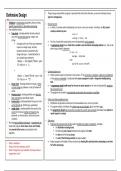
o Things may go wrong whilst a program is executed that could not be foreseen, so we must anticipate misuse
Defensive Design (plan for contingencies).
o Validation is checking data inputted by the user meets o Division by zero:
specific requirements or rules before processing. • In maths, no number when multiplied by zero returns a non-zero number - therefore, the ALU cannot
o Five validation checks: compute a division by zero.
• Type check - checking whether the data entered
was of the correct data type (eg. integer, real,
string).
• This line of code while syntactically correct will potentially crash a program.
▪ A program will crash if the input statement
• A programmer should always check that a variable is not zero before attempting division by it - this can be
requires an integer input, but data done using a simple if statement.
inputted cannot be converted to the
integer data type - it would be better to
use a simple input statement.
▪ o Communication error:
• Online systems require connections to host servers - if the connection is dropped, unable to be established
or the server is overloaded, it could potentially cause a program to crash or hang when loading/saving
data.
• Range check - checking whether the input is within
• A programmer should enable ways for the user to cancel requests or for them to fail gracefully, reporting
a correct range (eg. between 1 and 10/ between A
the connection error.
and Z).
• The program may be able to automatically resume when the connection is available.
• Presence check - checking whether some data has
been entered (eg. reject blank inputs). o Printer and other peripheral errors:
• Format check - checking whether the input is in the
• Peripherals can generate a whole host of unforeseeable errors, such as in printers.
correct format (eg. dd/mm/yyyy, postcodes).
• If a program outputs a hardcopy, the printer may run out of paper, ink or may have a jam.
• Length check - checking whether the input has the
• The programmer should not assume that an output to a printer was successful and always have options to
correct (or min/max) number of characters (eg.
reprint reports or receipts.
password, car licence plates, national insurance
numbers). o Disk errors:
o By using input validation techniques, a programmer can:
• Programs that read and write to files need to handle many types of exceptions, including:
make their program more robust, more user friendly,
▪ the file/folder not being found
and prevent further errors occurring later in the
▪ the disk being out of space (otherwise the program will crash)
algorithm.
▪ the data in the file being corrupt
▪ the end of the file being reached (causing an error)
o • Robust programs will handle all these situations by checking files and data before attempting to use them
What is validation?
o for further processing.
What are the five validation checks?
o What 3 things does input validation techniques allow a
programmer to do?
Defensive Design (plan for contingencies).
o Validation is checking data inputted by the user meets o Division by zero:
specific requirements or rules before processing. • In maths, no number when multiplied by zero returns a non-zero number - therefore, the ALU cannot
o Five validation checks: compute a division by zero.
• Type check - checking whether the data entered
was of the correct data type (eg. integer, real,
string).
• This line of code while syntactically correct will potentially crash a program.
▪ A program will crash if the input statement
• A programmer should always check that a variable is not zero before attempting division by it - this can be
requires an integer input, but data done using a simple if statement.
inputted cannot be converted to the
integer data type - it would be better to
use a simple input statement.
▪ o Communication error:
• Online systems require connections to host servers - if the connection is dropped, unable to be established
or the server is overloaded, it could potentially cause a program to crash or hang when loading/saving
data.
• Range check - checking whether the input is within
• A programmer should enable ways for the user to cancel requests or for them to fail gracefully, reporting
a correct range (eg. between 1 and 10/ between A
the connection error.
and Z).
• The program may be able to automatically resume when the connection is available.
• Presence check - checking whether some data has
been entered (eg. reject blank inputs). o Printer and other peripheral errors:
• Format check - checking whether the input is in the
• Peripherals can generate a whole host of unforeseeable errors, such as in printers.
correct format (eg. dd/mm/yyyy, postcodes).
• If a program outputs a hardcopy, the printer may run out of paper, ink or may have a jam.
• Length check - checking whether the input has the
• The programmer should not assume that an output to a printer was successful and always have options to
correct (or min/max) number of characters (eg.
reprint reports or receipts.
password, car licence plates, national insurance
numbers). o Disk errors:
o By using input validation techniques, a programmer can:
• Programs that read and write to files need to handle many types of exceptions, including:
make their program more robust, more user friendly,
▪ the file/folder not being found
and prevent further errors occurring later in the
▪ the disk being out of space (otherwise the program will crash)
algorithm.
▪ the data in the file being corrupt
▪ the end of the file being reached (causing an error)
o • Robust programs will handle all these situations by checking files and data before attempting to use them
What is validation?
o for further processing.
What are the five validation checks?
o What 3 things does input validation techniques allow a
programmer to do?