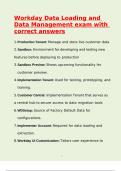
Workday Data Loading and
Data Management exam with
correct answers
1.Production Tenant: Manage and store live customer data
x x x x x x x
2.Sandbox: Environment for developing and testing new
x x x x x x x
features before deploying to production
x x x x
3.Sandbox Preview: Shows upcoming functionality for
x x x x x x
customer preview. x
4.Implementation Tenant: Used for testing, prototyping, and
x x x x x x x
training.
5.Customer Central: Implementation Tenant that serves as
x x x x x x x
a central hub to secure access to data migration tools
x x x x x x x x x
6.WDSetup: Source of Factory Default Data for
x x x x x x x
configurations.
7.Implementer Account: Required for data loading and
x x x x x x x
extraction.
8.Workday UI Customization: Tailors user experience to
x x x x x x x
1x/x
14
, specific needs. x
9.Home Cards: Provide context and guidance for user tasks.
x x x x x x x x
10.Workspace: Tool for managing home cards. x x x x x
11.Assistant: Digital chatbot for task assistance.
x x x x x
12.Security Group: Defines roles for implementers in tenant.
x x x x x x x
13.Administrator Role: Manages user tenants and sets up
x x x x x x x x
accounts.
14.User Role: Full access to implementation tools.
x x x x x x
15.Security Administrator Role: Configures policies and
x x x x x x
manages account ac- cess + IDs
x x x x x
16.Tenant Health Dashboard: Displays deployment tool, user
x x x x x x x
setup, and multi-fac- tor status.
x x x x
17.Deployment Stages: Plan: establish project management
x x x x x x
based on scope, first deployment stage and initialization
x x x x x x x x
of Foundation tenant
x x
Architect/Configure: collaborate on requirements & deploy x x x x x x
Workday design using prototypes, last deployment stages
x x x x x x x
2x/x
14
Data Management exam with
correct answers
1.Production Tenant: Manage and store live customer data
x x x x x x x
2.Sandbox: Environment for developing and testing new
x x x x x x x
features before deploying to production
x x x x
3.Sandbox Preview: Shows upcoming functionality for
x x x x x x
customer preview. x
4.Implementation Tenant: Used for testing, prototyping, and
x x x x x x x
training.
5.Customer Central: Implementation Tenant that serves as
x x x x x x x
a central hub to secure access to data migration tools
x x x x x x x x x
6.WDSetup: Source of Factory Default Data for
x x x x x x x
configurations.
7.Implementer Account: Required for data loading and
x x x x x x x
extraction.
8.Workday UI Customization: Tailors user experience to
x x x x x x x
1x/x
14
, specific needs. x
9.Home Cards: Provide context and guidance for user tasks.
x x x x x x x x
10.Workspace: Tool for managing home cards. x x x x x
11.Assistant: Digital chatbot for task assistance.
x x x x x
12.Security Group: Defines roles for implementers in tenant.
x x x x x x x
13.Administrator Role: Manages user tenants and sets up
x x x x x x x x
accounts.
14.User Role: Full access to implementation tools.
x x x x x x
15.Security Administrator Role: Configures policies and
x x x x x x
manages account ac- cess + IDs
x x x x x
16.Tenant Health Dashboard: Displays deployment tool, user
x x x x x x x
setup, and multi-fac- tor status.
x x x x
17.Deployment Stages: Plan: establish project management
x x x x x x
based on scope, first deployment stage and initialization
x x x x x x x x
of Foundation tenant
x x
Architect/Configure: collaborate on requirements & deploy x x x x x x
Workday design using prototypes, last deployment stages
x x x x x x x
2x/x
14