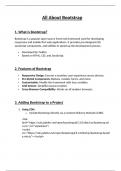
All About Bootstrap
1. What is Bootstrap?
Bootstrap is a popular open-source front-end framework used for developing
responsive and mobile-first web applications. It provides pre-designed CSS,
JavaScript components, and utilities to speed up the development process.
Developed by Twitter.
Based on HTML, CSS, and JavaScript.
2. Features of Bootstrap
Responsive Design: Ensures a seamless user experience across devices.
Pre-Styled Components: Buttons, modals, forms, and more.
Customizable: Modify the framework with Sass variables.
Grid System: Simplifies layout creation.
Cross-Browser Compatibility: Works on all modern browsers.
3. Adding Bootstrap to a Project
1. Using CDN:
o Include Bootstrap directly via a Content Delivery Network (CDN).
<link
href="https://cdn.jsdelivr.net/npm/bootstrap@5.3.0/dist/css/bootstrap.mi
n.css" rel="stylesheet">
<script
src="https://cdn.jsdelivr.net/npm/bootstrap@5.3.0/dist/js/bootstrap.bundl
e.min.js"></script>
, 2. Local Installation:
o Download Bootstrap from the official website or use npm.
npm install bootstrap
4. Bootstrap Grid System
The grid system is based on a 12-column layout and uses flexbox for alignment.
1. Structure:
o Rows are divided into columns using classes like .col-, .col-sm-, .col-
md-, etc.
<div class="container">
<div class="row">
<div class="col-md-6">Column 1</div>
<div class="col-md-6">Column 2</div>
</div>
</div>
2. Responsive Breakpoints:
o .col-: Extra small (default).
o .col-sm-: Small (≥576px).
o .col-md-: Medium (≥768px).
o .col-lg-: Large (≥992px).
o .col-xl-: Extra large (≥1200px).
5. Bootstrap Components
1. Buttons:
o Pre-styled button classes: .btn, .btn-primary, .btn-danger.
<button class="btn btn-primary">Primary Button</button>
1. What is Bootstrap?
Bootstrap is a popular open-source front-end framework used for developing
responsive and mobile-first web applications. It provides pre-designed CSS,
JavaScript components, and utilities to speed up the development process.
Developed by Twitter.
Based on HTML, CSS, and JavaScript.
2. Features of Bootstrap
Responsive Design: Ensures a seamless user experience across devices.
Pre-Styled Components: Buttons, modals, forms, and more.
Customizable: Modify the framework with Sass variables.
Grid System: Simplifies layout creation.
Cross-Browser Compatibility: Works on all modern browsers.
3. Adding Bootstrap to a Project
1. Using CDN:
o Include Bootstrap directly via a Content Delivery Network (CDN).
<link
href="https://cdn.jsdelivr.net/npm/bootstrap@5.3.0/dist/css/bootstrap.mi
n.css" rel="stylesheet">
<script
src="https://cdn.jsdelivr.net/npm/bootstrap@5.3.0/dist/js/bootstrap.bundl
e.min.js"></script>
, 2. Local Installation:
o Download Bootstrap from the official website or use npm.
npm install bootstrap
4. Bootstrap Grid System
The grid system is based on a 12-column layout and uses flexbox for alignment.
1. Structure:
o Rows are divided into columns using classes like .col-, .col-sm-, .col-
md-, etc.
<div class="container">
<div class="row">
<div class="col-md-6">Column 1</div>
<div class="col-md-6">Column 2</div>
</div>
</div>
2. Responsive Breakpoints:
o .col-: Extra small (default).
o .col-sm-: Small (≥576px).
o .col-md-: Medium (≥768px).
o .col-lg-: Large (≥992px).
o .col-xl-: Extra large (≥1200px).
5. Bootstrap Components
1. Buttons:
o Pre-styled button classes: .btn, .btn-primary, .btn-danger.
<button class="btn btn-primary">Primary Button</button>