

Module 1.3
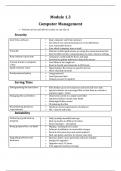
Computer Management
Preform at best and deliver results we can rely on
Security
Anti-Virus software Keep computer safe from malware
Set software to auto download new virus definitions
Scan removable devices
Scan whole computer once a week
Firewalls Monitors which applications are using the communication link
Basic firefall restricts communication to most common settings
Keep software up to date Companies continually fix flaws and bugs
Essential to update software to keep data secure
Current trends in computer Less likely to be caught out
crime Read on Feedly and subscribe to RSS feeds
Apply common sense Opportunities that seem too good to be true
Never click link in email
Good password policy Long password
Avoid personal info
Change password regularly
Saving Time
Defragmenting the hard drive Files broken up in several pieces and stored all over disk
Special software to rearranges files so that they are stored in
sequence again - faster
Managing files and folders Documents stored in a single root folder
Separated folders inside main folder
Meaningful folder names
OS indexing the files
Remembering hardware Hardware meet requirements of software
requirements Not – slow & will crash
Reliability
Following a good back up Daily/weekly/monthly back ups
program Back up media on different location
Secure backups – encryption
Being prepared for a re-build Wiping / starting from scratch
Software installation on removable storage
Records of license keys and serial numbers
Back ups policy and how to restore your data
Upgrading software and Becomes faster, more powerful, and more reliable
hardware Budget for upgrades
Upgrade every 3-5 years
First upgrade memory/storage
Computer Management
Preform at best and deliver results we can rely on
Security
Anti-Virus software Keep computer safe from malware
Set software to auto download new virus definitions
Scan removable devices
Scan whole computer once a week
Firewalls Monitors which applications are using the communication link
Basic firefall restricts communication to most common settings
Keep software up to date Companies continually fix flaws and bugs
Essential to update software to keep data secure
Current trends in computer Less likely to be caught out
crime Read on Feedly and subscribe to RSS feeds
Apply common sense Opportunities that seem too good to be true
Never click link in email
Good password policy Long password
Avoid personal info
Change password regularly
Saving Time
Defragmenting the hard drive Files broken up in several pieces and stored all over disk
Special software to rearranges files so that they are stored in
sequence again - faster
Managing files and folders Documents stored in a single root folder
Separated folders inside main folder
Meaningful folder names
OS indexing the files
Remembering hardware Hardware meet requirements of software
requirements Not – slow & will crash
Reliability
Following a good back up Daily/weekly/monthly back ups
program Back up media on different location
Secure backups – encryption
Being prepared for a re-build Wiping / starting from scratch
Software installation on removable storage
Records of license keys and serial numbers
Back ups policy and how to restore your data
Upgrading software and Becomes faster, more powerful, and more reliable
hardware Budget for upgrades
Upgrade every 3-5 years
First upgrade memory/storage



