• Wrong document? Swap it for free
  • Written by students who passed
  • Immediately available after payment
  • Read online or as PDF
Sell
Where do you study
Your language
Document preview thumbnail
Preview 1 out of 4 pages
Exam (elaborations)

GFEBS BI Test Questions with Correct Answers

Document preview thumbnail
Preview 1 out of 4 pages

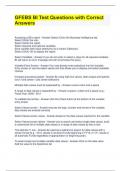
GFEBS BI Test Questions with Correct Answers Accessing a BEx report - Answer-Select (Click) the Business Intelligence tab. Select (Click) the role. Select (Click) the report. Select required and optional variables. Save variable field value selections as a Variant (Optional). Select (Click) OK to display the report. Select Variables - Answer-If you do not enter or select a value for all required variables, BI will return an error message and will not process the query. Variable Entry Screen - Answer-You may directly enter selections into the Variable Entry screen or use the select values tool that allows you to display and select available choices Increase processing speed - Answer-By using high-low values, date ranges and specific fund / fund center / cost center selections Multiple data values must be separated by - Answer-a semi-colon and a space A range of data values is separated by - Answer-a space, a dash and a space (e.g., Fiscal Year: To validate the entries - Answer-click the Check button at the bottom of the variable entry screen Select Values screen - Answer-ensures the type, number and format of the variable data values are entered correctly Select Values screen varies - Answer-based on the data values required for the variable Select Values screen allows - Answer-you to search and select single data values, build a customized list of multiple data values or a range of data values by key or text


Document information

Uploaded on
May 13, 2024
Number of pages
4
Written in
2023/2024
Type
Exam (elaborations)
Contains
Questions & answers
$8.99

Wrong document? Swap it for free Within 14 days of purchase and before downloading, you can choose a different document. You can simply spend the amount again.
Written by students who passed
Immediately available after payment
Read online or as PDF

Seller avatar
Reputation scores are based on the amount of documents a seller has sold for a fee and the reviews they have received for those documents. There are three levels: Bronze, Silver and Gold. The better the reputation, the more your can rely on the quality of the sellers work.
BrightByte
3.0
(3)
Sold
51
Followers
12
Items
3323
Last sold
1 week ago


Why students choose Stuvia

Created by fellow students, verified by reviews

Quality you can trust: written by students who passed their tests and reviewed by others who've used these notes.

Didn't get what you expected? Choose another document

No worries! You can instantly pick a different document that better fits what you're looking for.

Pay as you like, start learning right away

No subscription, no commitments. Pay the way you're used to via credit card and download your PDF document instantly.

Student with book image

“Bought, downloaded, and aced it. It really can be that simple.”

Alisha Student

Working on your references?

Create accurate citations in APA, MLA and Harvard with our free citation generator.

Working on your references?

Frequently asked questions

Whoops! We can’t load your doc right now. Try again or contact support.