After Effects Exam Questions And Answers Rated A+ New Update Assured Satisfaction
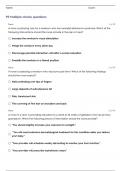
What formats will allow you to render a sequence of frames in 32bpc - TIFF, Cineon Which two features are supported when you render a movie using the OpenGL render engine - Layer Styles, 2D motion blur What is the purpose of the command Composition > Pre render - Render and save the RAM preview to disk You have added a composition to the Render Queue, chosen an Output Module, and clicked Render. How do you view how much time it is taking to render each frame of me composition - Twirl down me Current Render in the Render Queue panel, and look under Frame Time > Average You have imported a video clip of unknown size and duration. You have heighted the clip in the Project panel. What should you do to create a composition that will automatically be the right size and duration - Choose File > New Comp from Selection You have opened a template project and made various changes to it. Which is the most efficient way to save it as a new template for future use - Choose File > Save a Copy as XML to create a new copy How do you quickly invoke the composition navigator flowchart - Shift key You want to disable thumbnails in the Project in the Project panel to conserve system resource in a large project. Which option in the After Effects Preferences dialog lets you complete this task - Display What happens when you insert a dynamically-liked composition into a Premiere Pro timeline, and play it back within Premiere Pro - After Effects renders the linked composition on a frame-by-frame basic during playback in Premiere Pro Which two statements about importing native R3D (RED) files into After Effects are true - -Source Settings color adjustments don't preserve overbright values.-Files are interpreted as containing 32-bpc colors in a non-linear You want to ensure that Adobe Illustrator files appear correctly in After Effects, what should you do when saving files from Illustrator - Choose File > Save and select Create PDF Compatible File in the Illustrator Options dialog box Which two features and data are presented (passed through) when exporting a composition to XFL format, for import to Adobe Flash - PNG files, FLV video clip You want to keyframe the Position property of an After Effects layer on only its X value. Which will restrict the Position property to only the x value - Keyframe the X value for the Anchor Point property You are working on a composition containing a multiple layered Photoshop document. You modify the Photoshop layers within Photoshop, and then save it. Which three layer changes will be reflected in the timeline when you return to After Effects - -Size -Opacity -Rotation You want to Keyframe the Scale, Position, Anchor Point, and Rotation of several objects as a group. You also want to maintain the ability to animate them independently of each other. Which After Effects option will make this possible - Null Object When animating the Scale property of a Solid that has been used in several Compositions you notice that the edges of the Solid are soft and fuzzy. Which option will restore sharp edges only to the Solid in the current Composition - Enable the Continuously Rasterize switch in the Timeline You have a composition containing multiple animated layers, the top most of which is a type layer with large, bold letters. You want to use the shape of those letters as a matte such that it masks all the layers beneath it. Which Blending Mode should you choose from the Timeline to achieve this - Stencil Alpha You are aligning layer in a composition. Which option is used by the Align Panel as the reference for aligning the layers - Layer Anchor PointsYou will be shooting footage on location against a green screen that will need to be keyed out in After Effects. Which set of actions will help After Effects create a clean key from the footage - Shoot uncompressed footage and then blur the footage before keying it in After Effects You want to remove the visible edges from the alpha channels of two touching/intersecting layers that are being animated. Which blend mode should you choose - Alpha Add You have created a Text Layer at the top of a composition timeline containing multiple layers. Which action enables the Text Layer to create transparency for all layers below it in the composition timeline - Apply the Stencil Alpha mode to the Text Layer
Written for
- Institution
- After Effects
- Course
- After Effects
Document information
- Uploaded on
- April 21, 2024
- Number of pages
- 9
- Written in
- 2023/2024
- Type
- Exam (elaborations)
- Contains
- Questions & answers