Unit 2
Assignment 1.1 Computer Systems
Buyers Guide
Main Hardware:
The CPU
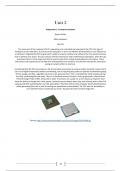
The main part of the computer that it’s operations are controlled and executed is the CPU, this type of
hardware can be referred to as a brain to the computer. In terms of software the brain/CPU is very efficient as
a calculator. Originally the CPU is good with numbers, however without any software the CPU would not know
how to perform any action. The cpu contains internal instructions with mathematical operations, when the cpu
processes there is a four stage cycle that is used as steps from coding and decoding to instructions. These
instructions may require pieces of data that is being taken from memory, this will then execute the instruction
giving an output written to memory.
Considering that the CPU can produce a lot of heat while processing. So using a smaller transistor means that it
can run at higher frequencies without overheating, due to requiring less power to operate and therefore giving
off less energy. All chips, regardless of process size, generate heat. This is combated by metal casing covering
the chip, conducting the heat away. There is a maximum amount of heat a chip can generate, referred to as
Thermal Design Power (TDP), measured in watts. Processors are usually run a set frequency, however most
have the ability to change their clock speeds. Some processors detect when they aren’t being used to their full
capacity and then automatically turns the speed down. Therefore this lets the computer have full performance
whilst generating less heat as well as turning the speed down automatically. The CPU also has the ability to
turn itself off incase it overheats too much. This gives the CPU overall a longer life.
Source: http://www.powerbookmedic.com/xcart1/images/D/6614084.gif
27
, The Motherboard
The motherboard is usually referred to as a mainboard or a system board. But really the motherboard is a
printed circuit board with the main purpose for computers or expandable systems. This allows communication
between all components in a system, here is a list of all possible communication:
CPU holder - This holds the cpu.
RAM holder - This is what you can insert the ram into.
PCI sockets - Can hold graphics card.
Transistors - Supplies power to the motherboard.
Clock battery - Battery provides power for the real time clock on the computer.
Expansion slot - Enables to have more capability.
Chipset - Manages data flow.
Main power connector - Where the main power flows through.
Front panel - The front of the motherboard in the computer.
Back panel - The back of the motherboard in the computer.
Clock generator - Gives the timing signal and changes the speed for the other components.
The motherboard is mostly needed for all computers in order to allow communication through all
components/hardware in order to keep the computer or system active. Without the motherboard then the
computer will never work.
Source:
https://upload.wikimedia.org/wikipedia/commons/thumb/d/dd/MicroATX_Motherboard_with_AMD_Athl
on_Processor_2_Digon3.jpg/220px-MicroATX_Motherboard_with_AMD_Athlon_Processor_2_Digon3.jpg
28
, The Case
Usually the computer case can be known as the Tower, base unit, cabinet, system unit and a computer chassis.
The main role of a computer case it to hold every single component inside to keep them secure and reduce
any fair chance of damage to these components with a slight chance of any trip hazards.
Source: http://www.corsair.com/~/media/corsair/product%20photos/cases/obsidian-
series/350d/small/350d_hero_down.png
The internal storage
If there is a device as such inside a computer, these are usually refereed to as ‘Internal’. This is mainly applied
to internal storage. These internal storage are linked to a hard disk, and is specially needed for use with the
operating system as well as the input and output hardware.
Source: http://assets.hardwarezone.com/img/2012/11/WDBlack_CoverOn_Right_4TB_LoRes_M.jpg
29
, Hard Drive
With a hard drive, in all computers they have their own characteristics for example:
Reliability
Durability
Speed
Capacity
Portability
Cost of storage
Data Access
In terms of a hard disk drive, these are usually shortened by users around the world as hard drives. But the
way a hard drive and a hard disk drive works opposite to each other, being that the hard drive only stores data
in a computer whilst a hard disk drive will read and write the data on the PC.
Source: https://upload.wikimedia.org/wikipedia/commons/thumb/f/f8/Laptop-hard-drive-exposed.jpg/220px-
Laptop-hard-drive-exposed.jpg
Optical
What an optical storage is, is data that is regularly stored on a readable storage medium. All of the data that is
read through the optical medium are recorded through using marks within patterns that will be outputted
back to the user with light, we can see through the naked eye. What this means is using a laser light that will
specifically focus on an optical disk that is continuously spinning in order to read the information and present it
to the user. There is a list of storage devices that are similar but they work in their own way:
CD-ROMs
DVD-ROMs
DVD-RAMs
WORM cartridges
Removable storage media (Flash drives)
Source: https://www.quietpc.com/images/products/lo-bluray-drive-large.jpg
30
Assignment 1.1 Computer Systems
Buyers Guide
Main Hardware:
The CPU
The main part of the computer that it’s operations are controlled and executed is the CPU, this type of
hardware can be referred to as a brain to the computer. In terms of software the brain/CPU is very efficient as
a calculator. Originally the CPU is good with numbers, however without any software the CPU would not know
how to perform any action. The cpu contains internal instructions with mathematical operations, when the cpu
processes there is a four stage cycle that is used as steps from coding and decoding to instructions. These
instructions may require pieces of data that is being taken from memory, this will then execute the instruction
giving an output written to memory.
Considering that the CPU can produce a lot of heat while processing. So using a smaller transistor means that it
can run at higher frequencies without overheating, due to requiring less power to operate and therefore giving
off less energy. All chips, regardless of process size, generate heat. This is combated by metal casing covering
the chip, conducting the heat away. There is a maximum amount of heat a chip can generate, referred to as
Thermal Design Power (TDP), measured in watts. Processors are usually run a set frequency, however most
have the ability to change their clock speeds. Some processors detect when they aren’t being used to their full
capacity and then automatically turns the speed down. Therefore this lets the computer have full performance
whilst generating less heat as well as turning the speed down automatically. The CPU also has the ability to
turn itself off incase it overheats too much. This gives the CPU overall a longer life.
Source: http://www.powerbookmedic.com/xcart1/images/D/6614084.gif
27
, The Motherboard
The motherboard is usually referred to as a mainboard or a system board. But really the motherboard is a
printed circuit board with the main purpose for computers or expandable systems. This allows communication
between all components in a system, here is a list of all possible communication:
CPU holder - This holds the cpu.
RAM holder - This is what you can insert the ram into.
PCI sockets - Can hold graphics card.
Transistors - Supplies power to the motherboard.
Clock battery - Battery provides power for the real time clock on the computer.
Expansion slot - Enables to have more capability.
Chipset - Manages data flow.
Main power connector - Where the main power flows through.
Front panel - The front of the motherboard in the computer.
Back panel - The back of the motherboard in the computer.
Clock generator - Gives the timing signal and changes the speed for the other components.
The motherboard is mostly needed for all computers in order to allow communication through all
components/hardware in order to keep the computer or system active. Without the motherboard then the
computer will never work.
Source:
https://upload.wikimedia.org/wikipedia/commons/thumb/d/dd/MicroATX_Motherboard_with_AMD_Athl
on_Processor_2_Digon3.jpg/220px-MicroATX_Motherboard_with_AMD_Athlon_Processor_2_Digon3.jpg
28
, The Case
Usually the computer case can be known as the Tower, base unit, cabinet, system unit and a computer chassis.
The main role of a computer case it to hold every single component inside to keep them secure and reduce
any fair chance of damage to these components with a slight chance of any trip hazards.
Source: http://www.corsair.com/~/media/corsair/product%20photos/cases/obsidian-
series/350d/small/350d_hero_down.png
The internal storage
If there is a device as such inside a computer, these are usually refereed to as ‘Internal’. This is mainly applied
to internal storage. These internal storage are linked to a hard disk, and is specially needed for use with the
operating system as well as the input and output hardware.
Source: http://assets.hardwarezone.com/img/2012/11/WDBlack_CoverOn_Right_4TB_LoRes_M.jpg
29
, Hard Drive
With a hard drive, in all computers they have their own characteristics for example:
Reliability
Durability
Speed
Capacity
Portability
Cost of storage
Data Access
In terms of a hard disk drive, these are usually shortened by users around the world as hard drives. But the
way a hard drive and a hard disk drive works opposite to each other, being that the hard drive only stores data
in a computer whilst a hard disk drive will read and write the data on the PC.
Source: https://upload.wikimedia.org/wikipedia/commons/thumb/f/f8/Laptop-hard-drive-exposed.jpg/220px-
Laptop-hard-drive-exposed.jpg
Optical
What an optical storage is, is data that is regularly stored on a readable storage medium. All of the data that is
read through the optical medium are recorded through using marks within patterns that will be outputted
back to the user with light, we can see through the naked eye. What this means is using a laser light that will
specifically focus on an optical disk that is continuously spinning in order to read the information and present it
to the user. There is a list of storage devices that are similar but they work in their own way:
CD-ROMs
DVD-ROMs
DVD-RAMs
WORM cartridges
Removable storage media (Flash drives)
Source: https://www.quietpc.com/images/products/lo-bluray-drive-large.jpg
30