
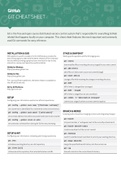
GIT CHEAT SHEET
Git is the free and open source distributed version control system that's responsible for everything GitHub
related that happens locally on your computer. This cheat sheet features the most important and commonly
used Git commands for easy reference.
INSTALLATION & GUIS STAGE & SNAPSHOT
With platform specific installers for Git, GitHub also provides the Working with snapshots and the Git staging area
ease of staying up-to-date with the latest releases of the command
line tool while providing a graphical user interface for day-to-day git status
interaction, review, and repository synchronization.
show modified files in working directory, staged for your next commit
GitHub for Windows
git add [file]
https://windows.github.com
add a file as it looks now to your next commit (stage)
GitHub for Mac
https://mac.github.com git reset [file]
unstage a file while retaining the changes in working directory
For Linux and Solaris platforms, the latest release is available on
the official Git web site. git diff
Git for All Platforms diff of what is changed but not staged
http://git-scm.com
git diff --staged
diff of what is staged but not yet committed
SETUP git commit -m “[descriptive message]”
Configuring user information used across all local repositories commit your staged content as a new commit snapshot
git config --global user.name “[firstname lastname]”
set a name that is identifiable for credit when review version history
git config --global user.email “[valid-email]”
BRANCH & MERGE
Isolating work in branches, changing context, and integrating changes
set an email address that will be associated with each history marker
git branch
git config --global color.ui auto
list your branches. a * will appear next to the currently active branch
set automatic command line coloring for Git for easy reviewing
git branch [branch-name]
create a new branch at the current commit
SETUP & INIT git checkout
Configuring user information, initializing and cloning repositories
switch to another branch and check it out into your working directory
git init git merge [branch]
initialize an existing directory as a Git repository merge the specified branch’s history into the current one
git clone [url] git log
retrieve an entire repository from a hosted location via URL show all commits in the current branch’s history
Git is the free and open source distributed version control system that's responsible for everything GitHub
related that happens locally on your computer. This cheat sheet features the most important and commonly
used Git commands for easy reference.
INSTALLATION & GUIS STAGE & SNAPSHOT
With platform specific installers for Git, GitHub also provides the Working with snapshots and the Git staging area
ease of staying up-to-date with the latest releases of the command
line tool while providing a graphical user interface for day-to-day git status
interaction, review, and repository synchronization.
show modified files in working directory, staged for your next commit
GitHub for Windows
git add [file]
https://windows.github.com
add a file as it looks now to your next commit (stage)
GitHub for Mac
https://mac.github.com git reset [file]
unstage a file while retaining the changes in working directory
For Linux and Solaris platforms, the latest release is available on
the official Git web site. git diff
Git for All Platforms diff of what is changed but not staged
http://git-scm.com
git diff --staged
diff of what is staged but not yet committed
SETUP git commit -m “[descriptive message]”
Configuring user information used across all local repositories commit your staged content as a new commit snapshot
git config --global user.name “[firstname lastname]”
set a name that is identifiable for credit when review version history
git config --global user.email “[valid-email]”
BRANCH & MERGE
Isolating work in branches, changing context, and integrating changes
set an email address that will be associated with each history marker
git branch
git config --global color.ui auto
list your branches. a * will appear next to the currently active branch
set automatic command line coloring for Git for easy reviewing
git branch [branch-name]
create a new branch at the current commit
SETUP & INIT git checkout
Configuring user information, initializing and cloning repositories
switch to another branch and check it out into your working directory
git init git merge [branch]
initialize an existing directory as a Git repository merge the specified branch’s history into the current one
git clone [url] git log
retrieve an entire repository from a hosted location via URL show all commits in the current branch’s history


