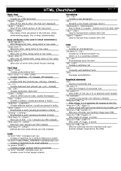
HTML Cheatsheet
page 1 of 2
Basic Tags Formatting
<html> </html> <p> </p>
Creates an HTML document Creates a new paragraph
<head> </head> <br>
Sets off the title & other info that isn't displayed AInserts a line break (carriage return)
<body> </body> <blockquote> </blockquote>
Sets off the visible portion of the document Puts content in a quote - indents text from both sides
<title> </title> <div> </div>
Puts name of the document in the title bar; when Used to format block content with CSS
bookmarking pages, this is what is bookmarked <span> </span>
Used to format inline content with CSS
Body attributes (only used in email newsletters)
<body bgcolor=?>
Sets background color, using name or hex value Lists
<body text=?> <ul> </ul>
Sets text color, using name or hex value Creates an unordered list
<body link=?> <ol start=?> </ol>
Sets color of links, using name or hex value Creates an ordered list (start=xx,
<body vlink=?> where xx is a counting number)
Sets color of visited links, using name or hex value <li> </li>
<body alink=?> Encompasses each list item
Sets color of active links (while mouse-clicking) <dl> </dl>
Creates a definition list
Text Tags <dt>
<pre> </pre> Precedes each defintion term
Creates preformatted text <dd>
<h1> </h1> --> <h6> </h6> Precedes each defintion
Creates headlines -- H1=largest, H6=smallest
<b> </b> Graphical elements
Creates bold text (should use <strong> instead) <hr>
<i> </i> Inserts a horizontal rule
Creates italicized text (should use <em> instead) <hr size=?>
<tt> </tt> Sets size (height) of horizontal rule
Creates typewriter-style text <hr width=?>
<code> </code> Sets width of rule (as a % or absolute pixel length)
Used to define source code, usually monospace <hr noshade>
<cite> </cite> Creates a horizontal rule without a shadow
Creates a citation, usually processed in italics <img src="URL" />
<address> </address> Adds image; it is a separate file located at the URL
Creates address section, usually processed in italics <img src="URL" align=?>
<em> </em> Aligns image left/right/center/bottom/top/middle (use CS
Emphasizes a word (usually processed in italics) <img src="URL" border=?>
<strong> </strong> Sets size of border surrounding image (use CSS)
Emphasizes a word (usually processed in bold) <img src="URL" height=?>
<font size=?> </font> Sets height of image, in pixels
Sets size of font - 1 to 7 (should use CSS instead) <img src="URL" width=?>
<font color=?> </font> Sets width of image, in pixels
Sets font color (should use CSS instead) <img src="URL" alt=?>
<font face=?> </font> Sets the alternate text for browsers that can't
Defines the font used (should use CSS instead) process images (required by the ADA)
Links
<a href="URL">clickable text</a>
Creates a hyperlink to a Uniform Resource Locator
<a href="mailto:EMAIL_ADDRESS">clickable text</a>
Creates a hyperlink to an email address
<a name="NAME">
Creates a target location within a document
<a href="#NAME">clickable text</a>
Creates a link to that target location
page 1 of 2
Basic Tags Formatting
<html> </html> <p> </p>
Creates an HTML document Creates a new paragraph
<head> </head> <br>
Sets off the title & other info that isn't displayed AInserts a line break (carriage return)
<body> </body> <blockquote> </blockquote>
Sets off the visible portion of the document Puts content in a quote - indents text from both sides
<title> </title> <div> </div>
Puts name of the document in the title bar; when Used to format block content with CSS
bookmarking pages, this is what is bookmarked <span> </span>
Used to format inline content with CSS
Body attributes (only used in email newsletters)
<body bgcolor=?>
Sets background color, using name or hex value Lists
<body text=?> <ul> </ul>
Sets text color, using name or hex value Creates an unordered list
<body link=?> <ol start=?> </ol>
Sets color of links, using name or hex value Creates an ordered list (start=xx,
<body vlink=?> where xx is a counting number)
Sets color of visited links, using name or hex value <li> </li>
<body alink=?> Encompasses each list item
Sets color of active links (while mouse-clicking) <dl> </dl>
Creates a definition list
Text Tags <dt>
<pre> </pre> Precedes each defintion term
Creates preformatted text <dd>
<h1> </h1> --> <h6> </h6> Precedes each defintion
Creates headlines -- H1=largest, H6=smallest
<b> </b> Graphical elements
Creates bold text (should use <strong> instead) <hr>
<i> </i> Inserts a horizontal rule
Creates italicized text (should use <em> instead) <hr size=?>
<tt> </tt> Sets size (height) of horizontal rule
Creates typewriter-style text <hr width=?>
<code> </code> Sets width of rule (as a % or absolute pixel length)
Used to define source code, usually monospace <hr noshade>
<cite> </cite> Creates a horizontal rule without a shadow
Creates a citation, usually processed in italics <img src="URL" />
<address> </address> Adds image; it is a separate file located at the URL
Creates address section, usually processed in italics <img src="URL" align=?>
<em> </em> Aligns image left/right/center/bottom/top/middle (use CS
Emphasizes a word (usually processed in italics) <img src="URL" border=?>
<strong> </strong> Sets size of border surrounding image (use CSS)
Emphasizes a word (usually processed in bold) <img src="URL" height=?>
<font size=?> </font> Sets height of image, in pixels
Sets size of font - 1 to 7 (should use CSS instead) <img src="URL" width=?>
<font color=?> </font> Sets width of image, in pixels
Sets font color (should use CSS instead) <img src="URL" alt=?>
<font face=?> </font> Sets the alternate text for browsers that can't
Defines the font used (should use CSS instead) process images (required by the ADA)
Links
<a href="URL">clickable text</a>
Creates a hyperlink to a Uniform Resource Locator
<a href="mailto:EMAIL_ADDRESS">clickable text</a>
Creates a hyperlink to an email address
<a name="NAME">
Creates a target location within a document
<a href="#NAME">clickable text</a>
Creates a link to that target location