
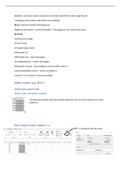
Optellen: som (door zwart kruisje door te trekken wordt het verder uitgerekend)
=vandaag ( niks invullen is de datum van vandaag)
Pg 25: overzicht toetsen die handig zijn
Gegevens selecteren-> control inhouden -> kan gegevens van overal selecteren
Pg 35-36
Control home: begin
Ctrl end: eind
Ctrl spatie balk: kolom
Shift spatie: rij
Shift spatie Ctrl +: rijen toevoegen
Ctrl spatiebalk ctrl +: kolom toevoegen
Shift spatie Control -: rij verwijderen (control shift control -)
Control spatiebalk control -: kolom verwijderen
Control G+ F4 om direct te kunnen zoeken.
Reeks maken (pg 46-47)
Lineair is plus, groei is maal
Reeks met constante waarde
Versleep de waarden druk op de knop onderaan, daar kan men kiezen voor cellen
kopieren
Een lineaire reeks maken (+)
In dit geval druk op reeks:
,Een groeireeks maken (*)
Aangepaste lijsten:
Eerste 3 selecteren shift inhouden en zwart kruisje naar beneden.
Dan druk je op reeks (automatisch aanvullen)
Eenvoudige formules
Oefening 9 pagina 56
Som: + (som)
Verschil: -
Tegengestelde : -..
quotidient: /
macht: ^ (macht)
Product: x *
1.2. Functies gebruiken pg 58
Aantal.als ( selecteren: “<10”) -> wat is het aantal dat kleiner is dan 10
=vandaag -> de dag van vandaag
=afronden
Max: grootste waarde
Min: kleinste waarde
Gemiddelde: gemiddelde waarde
Kleinste: om het zoveelste kleinste getal te weten.
Grootste: (…1 -> 1ste getal dat het grootste is)
012 Factuur
Functie bij subtotaal= som van de bedragen
Korting= subtotaal * 5%
Totaal: subtotaal – korting
Btw: totaal * 6%
Te betalen: Totaal + btw
Oefn 13 over gemiddelde, max en min
, Oefening 15 pg 70
Procentuele stijging van 12,50
Oefening 17 pg 70
Procentuele toename: 2020/2010 -1
Oefening 18
Omzet: =B5/$B$13
Budget 2021: som budget 2021* C
% Stijging: budget 2021/2020 -1
=vandaag ( niks invullen is de datum van vandaag)
Pg 25: overzicht toetsen die handig zijn
Gegevens selecteren-> control inhouden -> kan gegevens van overal selecteren
Pg 35-36
Control home: begin
Ctrl end: eind
Ctrl spatie balk: kolom
Shift spatie: rij
Shift spatie Ctrl +: rijen toevoegen
Ctrl spatiebalk ctrl +: kolom toevoegen
Shift spatie Control -: rij verwijderen (control shift control -)
Control spatiebalk control -: kolom verwijderen
Control G+ F4 om direct te kunnen zoeken.
Reeks maken (pg 46-47)
Lineair is plus, groei is maal
Reeks met constante waarde
Versleep de waarden druk op de knop onderaan, daar kan men kiezen voor cellen
kopieren
Een lineaire reeks maken (+)
In dit geval druk op reeks:
,Een groeireeks maken (*)
Aangepaste lijsten:
Eerste 3 selecteren shift inhouden en zwart kruisje naar beneden.
Dan druk je op reeks (automatisch aanvullen)
Eenvoudige formules
Oefening 9 pagina 56
Som: + (som)
Verschil: -
Tegengestelde : -..
quotidient: /
macht: ^ (macht)
Product: x *
1.2. Functies gebruiken pg 58
Aantal.als ( selecteren: “<10”) -> wat is het aantal dat kleiner is dan 10
=vandaag -> de dag van vandaag
=afronden
Max: grootste waarde
Min: kleinste waarde
Gemiddelde: gemiddelde waarde
Kleinste: om het zoveelste kleinste getal te weten.
Grootste: (…1 -> 1ste getal dat het grootste is)
012 Factuur
Functie bij subtotaal= som van de bedragen
Korting= subtotaal * 5%
Totaal: subtotaal – korting
Btw: totaal * 6%
Te betalen: Totaal + btw
Oefn 13 over gemiddelde, max en min
, Oefening 15 pg 70
Procentuele stijging van 12,50
Oefening 17 pg 70
Procentuele toename: 2020/2010 -1
Oefening 18
Omzet: =B5/$B$13
Budget 2021: som budget 2021* C
% Stijging: budget 2021/2020 -1



