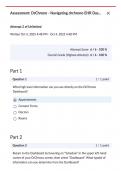
Assessment: DrChrono - Navigating drchrono EHR Das... X
Attempt 2 of Unlimited
Written Oct 4, 2025 4:48 PM - Oct 4, 2025 4:48 PM
Attempt Score 6/ 6-100 %
Overall Grade (Highest Attempt) - 100 %
Part 1
Question 1 1/ 1 point
What high level information can you see directly on the DrChrono
Dashboard?
@ Appointments
(O Consent Forms
(O Doctors
(O Rooms
Part 2
Question 2 1/ 1 point
Return to the Dashboard by hovering on “Schedule” in the upper left-hand
corner of your DrChrono screen, then select “Dashboard.” What type(s) of
information can you determine from the Dashboard?
, (O Claims expected by end of day
@ Claims in process
(O Claims a specific patient has a question about
(O Claims that are overdue
Question 3 1/ 1 point
Now return to the Live Claims Feed. Are there any patients in the claims
database with Anthem as the payer?
O Yes
@ No
Question 4 1/ 1 point
Still in the Live Claims Feed area, look to the second row of options near the
top of your DrChrono window. First, click or tap the “down arrow” within the
Billing St: (Status) field. Then uncheck “All Statuses,” next check “Internal
Review,’ then click or tap in the white area of the same box to close it. Now
click or tap the blue “Update Filter” button found to the right of the Live
Claims Feed options.
Pick the option that best describes what you have just done:
(O Filtered DrChrono so that only settled billing claims are displayed
(O Filtered DrChrono so that only paid in full billing claims are displayed
Filtered DrChrono so that only billing claims with a balance due are
O displayed
@ Filtered DrChrono so that only internal review billing claims are displayed
Part 3
, Question 5 1/ 1 point
As a provider, the messages section of the dashboard shows which of the
following? Select all that apply.
eRx Requests
Outbound Referrals
D Voice mails
Communications via fax
Question 6 1/ 1 point
By viewing the Messages section of the DrChrono Dashboard, you can readily
see if there are any outstanding messages regarding which of the following?
(O Pathology Results
@ Referrals
(O Outgoing Mail
(O Patient Forms
Attempt 2 of Unlimited
Written Oct 4, 2025 4:48 PM - Oct 4, 2025 4:48 PM
Attempt Score 6/ 6-100 %
Overall Grade (Highest Attempt) - 100 %
Part 1
Question 1 1/ 1 point
What high level information can you see directly on the DrChrono
Dashboard?
@ Appointments
(O Consent Forms
(O Doctors
(O Rooms
Part 2
Question 2 1/ 1 point
Return to the Dashboard by hovering on “Schedule” in the upper left-hand
corner of your DrChrono screen, then select “Dashboard.” What type(s) of
information can you determine from the Dashboard?
, (O Claims expected by end of day
@ Claims in process
(O Claims a specific patient has a question about
(O Claims that are overdue
Question 3 1/ 1 point
Now return to the Live Claims Feed. Are there any patients in the claims
database with Anthem as the payer?
O Yes
@ No
Question 4 1/ 1 point
Still in the Live Claims Feed area, look to the second row of options near the
top of your DrChrono window. First, click or tap the “down arrow” within the
Billing St: (Status) field. Then uncheck “All Statuses,” next check “Internal
Review,’ then click or tap in the white area of the same box to close it. Now
click or tap the blue “Update Filter” button found to the right of the Live
Claims Feed options.
Pick the option that best describes what you have just done:
(O Filtered DrChrono so that only settled billing claims are displayed
(O Filtered DrChrono so that only paid in full billing claims are displayed
Filtered DrChrono so that only billing claims with a balance due are
O displayed
@ Filtered DrChrono so that only internal review billing claims are displayed
Part 3
, Question 5 1/ 1 point
As a provider, the messages section of the dashboard shows which of the
following? Select all that apply.
eRx Requests
Outbound Referrals
D Voice mails
Communications via fax
Question 6 1/ 1 point
By viewing the Messages section of the DrChrono Dashboard, you can readily
see if there are any outstanding messages regarding which of the following?
(O Pathology Results
@ Referrals
(O Outgoing Mail
(O Patient Forms