

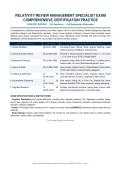
RELATIVITY REVIEW MANAGEMENT SPECIALIST EXAM
COMPREHENSIVE CERTIFICATION PRACTICE
2026/2027 EDITION • 150 Questions • Full Explanatory Rationales
A comprehensive, publication-grade practice examination aligned with the official Relativity Review Management Specialist
certification blueprint and RelativityOne standards. Covers review workflow architecture, Review Center prioritized review,
dtSearch query design, automated and manual redactions, layout engineering, email threading and Active Learning, Pivot
dashboards, reviewer productivity KPIs, and complex multi-domain scenario analysis.
Exam Domain Section Questions Core Subject Matter & Review Competencies
1. Review Workflows 35 Qs (Q1–Q35) First/second pass, Review Center queues, batching, viewer
modes, Document Intelligence, Markup History
2. Searching & Data Analysis 25 Qs (Q36–Q60) Personal vs Shared searches, dtSearch syntax (*, ?, w/n, pre/n,
~, %, #), Save as List, STRs, Concept Search
3. Redactions & Markups 25 Qs (Q61–Q85) 4 redaction modes (Basic/Full/Inverse/Mass), 4 visibility options,
Redact Audits, QC cards (Rule/Placed/Expected), burns
4. Layouts & Fields 20 Qs (Q86–Q105) Layout builder, Repeat Columns, Single/Multiple-Choice pickers,
Yes/No radio buttons, relational fields, propagation
5. Analytics & Optimization 15 Qs Email Threading (inclusive emails, duplicate spares), Active
(Q106–Q120) Learning (Richness, Elusion), Language ID, Mass actions
6. Visualizations & Reporting 15 Qs Pivot reports (Group By vs Pivot On), Stacked Bar charts,
(Q121–Q135) Reviewer Statistics (DPH, active vs pause), pacing forecasting
7. Integrated Scenarios 15 Qs Complex multi-domain scenarios: pacing drops, overturn rates,
(Q136–Q150) Redact QC, privilege protection, multi-lingual triage
EXAM SPECIFICATIONS & INSTRUCTIONS
• Cognitive Distribution: 30% Recall (definitions, interface tools, standard operators), 50% Application (workflow setups,
search logic, redaction QC, layout design), 20% Analysis (complex review management scenarios, performance bottleneck
resolution, statistical validation).
• Format: 150 Multiple-Choice Questions (A–D, exactly one correct marked [CORRECT]) followed by official Answer Key and
Rationale.
• Study Strategy: Practice under timed conditions (75 minutes for 100 questions in the official exam) to master workflow
optimization, search syntax, and reporting.
Turn the page to begin the examination.
Relativity Review Management Specialist Examination (2026/2027 Edition) | Page 1
,Section 1: Document Review Workflows – First/Second Pass, Review Center, Layouts,
Markup History (35 questions)
First-pass triage vs. second-pass privilege review, Review Center prioritized review queues, batch sets and family preservation,
viewer modes (Native, Image, Text, Production), Document Intelligence annotations, persistent highlight sets, and right-click
Markup Set History.
Q1: What is the fastest and most direct method for a review manager to determine who applied a specific redaction,
the exact timestamp when it was created, and the associated Markup Set?
A. Right-click the specific redaction directly within the Document Viewer to inspect the Markup Set History
[CORRECT]
B. Export the entire document audit log to an Excel spreadsheet and filter by user
C. Navigate to the Case Administration tab and run a full workspace audit report
D. Open the production set and view the redaction text overlay
Correct Answer: A
Rationale: Right-clicking a redaction in the Core Reviewer Interface displays its Markup Set History, instantly showing the user,
timestamp, and markup set.
Q2: In the Relativity Core Reviewer Interface, which feature displays 'Comments' as an annotation across every
supported document type (such as Word documents, PDFs, and presentations)?
A. Persistent Highlight Tracking
B. Document Intelligence [CORRECT]
C. Extracted Text Converter
D. Review Center Card
Correct Answer: B
Rationale: Document Intelligence identifies and displays hidden annotations, tracked changes, and comments across all
supported file types in the viewer.
Q3: What is the primary objective of a 'First-Pass Document Review' in a standard eDiscovery workflow?
A. Creating a comprehensive privilege log with detailed legal descriptions for trial exhibits
B. Finalizing exact redaction coordinates for production sets
C. Making initial determinations on responsiveness/relevance, identifying potential privilege, and tagging broad issue
categories [CORRECT]
D. Translating foreign language documents into English
Correct Answer: C
Rationale: First-pass review focuses on broad triage: categorizing responsiveness, identifying potential privilege, and applying
initial issue tags.
Q4: How does a 'Second-Pass Document Review' differ functionally from a First-Pass Review?
A. It is performed exclusively by contract paralegals to verify page counts
B. It discards all coding applied during first pass to restart review from scratch
C. It is strictly used for testing OCR text accuracy
D. It involves detailed substantive review, conducting precise privilege and confidential redactions, drafting privilege
log entries, and identifying key/hot documents for depositions [CORRECT]
Correct Answer: D
Rationale: Second-pass review conducts granular analysis on first-pass responsive/privileged documents, applying precise
redactions and drafting privilege logs.
Q5: What is the primary function of 'Review Center' in RelativityOne?
A. Centralizing, automating, and managing prioritized review projects, AI-driven queues, and reviewer assignments
with real-time performance tracking [CORRECT]
B. Managing billing invoices for external law firms
Relativity Review Management Specialist Examination (2026/2027 Edition) | Page 2
, C. Exporting load files directly to FTP servers
D. Archiving deleted workspace databases
Correct Answer: A
Rationale: Review Center is Relativity's centralized administrative framework for creating and monitoring prioritized review
queues, Active Learning projects, and reviewer workflows.
Q6: In Review Center, what is the key operational difference between a 'Prioritized Review Queue' and a 'Standard
Batch Review'?
A. Standard Batch Review only works on audio files
B. Prioritized Review dynamically serves the next most relevant or high-priority document based on machine learning
rankings, whereas Standard Batch Review distributes static pre-defined batches [CORRECT]
C. Prioritized Review requires manual check-out of 500-document batches
D. Standard Batch Review does not record reviewer coding decisions
Correct Answer: B
Rationale: Prioritized Review continuously feeds reviewers the highest-ranked documents using machine learning models,
whereas standard batching assigns fixed, pre-allocated document sets.
Q7: When configuring a Batch Set in Relativity, what does the 'Family Field' setting ensure?
A. That reviewers can only view documents created by their relatives
B. That attachments are permanently deleted from parent emails
C. That entire document families (such as an email parent and all attached spreadsheets) remain together within the
same review batch to preserve context [CORRECT]
D. That all documents are sorted alphabetically by author surname
Correct Answer: C
Rationale: Setting the Family Field (e.g., Parent Document ID) ensures that attachments are not split across different batches or
reviewers, maintaining crucial review context.
Q8: What happens when a reviewer clicks 'Check In as Completed' on an assigned review batch?
A. All documents in the batch are permanently deleted from the workspace
B. The documents are automatically published to a public web portal
C. The reviewer's user account is deactivated
D. The batch status updates to completed, releasing it from the reviewer's active queue and making its metrics
available for review manager reporting [CORRECT]
Correct Answer: D
Rationale: Checking in a batch as completed updates workflow tracking, unlocks documents, and signals to the review manager
that all documents in the batch have been coded.
Q9: Which viewer mode in the Core Reviewer Interface displays the document in its native formatted state without
requiring pre-imaging?
A. Native Viewer Mode [CORRECT]
B. Extracted Text Mode
C. Image Viewer Mode
D. Production Viewer Mode
Correct Answer: A
Rationale: Native Viewer mode renders files in their original software appearance directly in the browser without generating
TIFF/PDF images.
Q10: What is the purpose of 'Persistent Highlight Sets' (PHS) in the Document Viewer?
A. To permanently redact text across all production sets
B. To automatically highlight key terms, phrases, or dtSearch search results in user-defined colors throughout
document text and metadata [CORRECT]
C. To bold the author's name in email headers
Relativity Review Management Specialist Examination (2026/2027 Edition) | Page 3
, D. To count the total number of vowels in a document
Correct Answer: B
Rationale: Persistent Highlight Sets automatically apply customizable color-coded highlights to designated keywords, privilege
terms, or search queries across documents.
Q11: How can a review manager ensure that reviewers code parent emails and their attachments consistently for
responsiveness?
A. By disabling the save button on the layout
B. By requiring reviewers to print every attachment
C. By enabling 'Family Propagation' on the responsiveness field or utilizing layout validation rules and Related Items
panes [CORRECT]
D. By converting all attachments into text files
Correct Answer: C
Rationale: Enabling field propagation on the Family relationship automatically applies the parent's responsiveness coding to all
attachments, ensuring consistent family coding.
Q12: In the Core Reviewer Interface, what does the 'Related Items Pane' allow reviewers to inspect?
A. The personal email accounts of the review team
B. A list of upcoming court trial dates
C. Workspace database disk performance
D. Contextually associated documents, including Family Groups, Email Threads, Near Duplicates, and Duplicate
Spares [CORRECT]
Correct Answer: D
Rationale: The Related Items pane provides instant visibility and coding access to relational groups like email chains, duplicate
spares, near duplicates, and family members.
Q13: What is the function of the 'Summary Bar' at the top of the Review Center queue dashboard?
A. It provides real-time summary statistics including total documents reviewed, remaining queue size, relevance rate,
and estimated time to completion [CORRECT]
B. It displays the current weather at the data center
C. It lists all rejected user login attempts
D. It displays the server CPU temperature
Correct Answer: A
Rationale: The Summary Bar gives review managers high-level operational visibility into project velocity, total reviewed
documents, relevance yield, and completion estimates.
Q14: What is the purpose of 'Keyboard Shortcuts' in the Relativity Document Viewer?
A. To reboot the reviewer's workstation
B. To allow reviewers to rapidly apply coding choices, navigate documents, and trigger viewer actions using custom
key combinations, boosting review speed [CORRECT]
C. To send instant messages to opposing counsel
D. To bypass layout validation rules
Correct Answer: B
Rationale: Keyboard shortcuts accelerate review velocity by letting reviewers toggle coding options and navigate between
documents using key bindings (e.g., Alt+Shift+1).
Q15: When setting up a Review Center queue with 'Active Learning', what minimum condition must be met before
starting the queue?
A. All documents must be printed and scanned
B. Every reviewer must pass a bar exam
C. An Active Learning project with an indexed text analytics set and designated classification field (e.g.,
Responsiveness) must be linked to the queue [CORRECT]
Relativity Review Management Specialist Examination (2026/2027 Edition) | Page 4
COMPREHENSIVE CERTIFICATION PRACTICE
2026/2027 EDITION • 150 Questions • Full Explanatory Rationales
A comprehensive, publication-grade practice examination aligned with the official Relativity Review Management Specialist
certification blueprint and RelativityOne standards. Covers review workflow architecture, Review Center prioritized review,
dtSearch query design, automated and manual redactions, layout engineering, email threading and Active Learning, Pivot
dashboards, reviewer productivity KPIs, and complex multi-domain scenario analysis.
Exam Domain Section Questions Core Subject Matter & Review Competencies
1. Review Workflows 35 Qs (Q1–Q35) First/second pass, Review Center queues, batching, viewer
modes, Document Intelligence, Markup History
2. Searching & Data Analysis 25 Qs (Q36–Q60) Personal vs Shared searches, dtSearch syntax (*, ?, w/n, pre/n,
~, %, #), Save as List, STRs, Concept Search
3. Redactions & Markups 25 Qs (Q61–Q85) 4 redaction modes (Basic/Full/Inverse/Mass), 4 visibility options,
Redact Audits, QC cards (Rule/Placed/Expected), burns
4. Layouts & Fields 20 Qs (Q86–Q105) Layout builder, Repeat Columns, Single/Multiple-Choice pickers,
Yes/No radio buttons, relational fields, propagation
5. Analytics & Optimization 15 Qs Email Threading (inclusive emails, duplicate spares), Active
(Q106–Q120) Learning (Richness, Elusion), Language ID, Mass actions
6. Visualizations & Reporting 15 Qs Pivot reports (Group By vs Pivot On), Stacked Bar charts,
(Q121–Q135) Reviewer Statistics (DPH, active vs pause), pacing forecasting
7. Integrated Scenarios 15 Qs Complex multi-domain scenarios: pacing drops, overturn rates,
(Q136–Q150) Redact QC, privilege protection, multi-lingual triage
EXAM SPECIFICATIONS & INSTRUCTIONS
• Cognitive Distribution: 30% Recall (definitions, interface tools, standard operators), 50% Application (workflow setups,
search logic, redaction QC, layout design), 20% Analysis (complex review management scenarios, performance bottleneck
resolution, statistical validation).
• Format: 150 Multiple-Choice Questions (A–D, exactly one correct marked [CORRECT]) followed by official Answer Key and
Rationale.
• Study Strategy: Practice under timed conditions (75 minutes for 100 questions in the official exam) to master workflow
optimization, search syntax, and reporting.
Turn the page to begin the examination.
Relativity Review Management Specialist Examination (2026/2027 Edition) | Page 1
,Section 1: Document Review Workflows – First/Second Pass, Review Center, Layouts,
Markup History (35 questions)
First-pass triage vs. second-pass privilege review, Review Center prioritized review queues, batch sets and family preservation,
viewer modes (Native, Image, Text, Production), Document Intelligence annotations, persistent highlight sets, and right-click
Markup Set History.
Q1: What is the fastest and most direct method for a review manager to determine who applied a specific redaction,
the exact timestamp when it was created, and the associated Markup Set?
A. Right-click the specific redaction directly within the Document Viewer to inspect the Markup Set History
[CORRECT]
B. Export the entire document audit log to an Excel spreadsheet and filter by user
C. Navigate to the Case Administration tab and run a full workspace audit report
D. Open the production set and view the redaction text overlay
Correct Answer: A
Rationale: Right-clicking a redaction in the Core Reviewer Interface displays its Markup Set History, instantly showing the user,
timestamp, and markup set.
Q2: In the Relativity Core Reviewer Interface, which feature displays 'Comments' as an annotation across every
supported document type (such as Word documents, PDFs, and presentations)?
A. Persistent Highlight Tracking
B. Document Intelligence [CORRECT]
C. Extracted Text Converter
D. Review Center Card
Correct Answer: B
Rationale: Document Intelligence identifies and displays hidden annotations, tracked changes, and comments across all
supported file types in the viewer.
Q3: What is the primary objective of a 'First-Pass Document Review' in a standard eDiscovery workflow?
A. Creating a comprehensive privilege log with detailed legal descriptions for trial exhibits
B. Finalizing exact redaction coordinates for production sets
C. Making initial determinations on responsiveness/relevance, identifying potential privilege, and tagging broad issue
categories [CORRECT]
D. Translating foreign language documents into English
Correct Answer: C
Rationale: First-pass review focuses on broad triage: categorizing responsiveness, identifying potential privilege, and applying
initial issue tags.
Q4: How does a 'Second-Pass Document Review' differ functionally from a First-Pass Review?
A. It is performed exclusively by contract paralegals to verify page counts
B. It discards all coding applied during first pass to restart review from scratch
C. It is strictly used for testing OCR text accuracy
D. It involves detailed substantive review, conducting precise privilege and confidential redactions, drafting privilege
log entries, and identifying key/hot documents for depositions [CORRECT]
Correct Answer: D
Rationale: Second-pass review conducts granular analysis on first-pass responsive/privileged documents, applying precise
redactions and drafting privilege logs.
Q5: What is the primary function of 'Review Center' in RelativityOne?
A. Centralizing, automating, and managing prioritized review projects, AI-driven queues, and reviewer assignments
with real-time performance tracking [CORRECT]
B. Managing billing invoices for external law firms
Relativity Review Management Specialist Examination (2026/2027 Edition) | Page 2
, C. Exporting load files directly to FTP servers
D. Archiving deleted workspace databases
Correct Answer: A
Rationale: Review Center is Relativity's centralized administrative framework for creating and monitoring prioritized review
queues, Active Learning projects, and reviewer workflows.
Q6: In Review Center, what is the key operational difference between a 'Prioritized Review Queue' and a 'Standard
Batch Review'?
A. Standard Batch Review only works on audio files
B. Prioritized Review dynamically serves the next most relevant or high-priority document based on machine learning
rankings, whereas Standard Batch Review distributes static pre-defined batches [CORRECT]
C. Prioritized Review requires manual check-out of 500-document batches
D. Standard Batch Review does not record reviewer coding decisions
Correct Answer: B
Rationale: Prioritized Review continuously feeds reviewers the highest-ranked documents using machine learning models,
whereas standard batching assigns fixed, pre-allocated document sets.
Q7: When configuring a Batch Set in Relativity, what does the 'Family Field' setting ensure?
A. That reviewers can only view documents created by their relatives
B. That attachments are permanently deleted from parent emails
C. That entire document families (such as an email parent and all attached spreadsheets) remain together within the
same review batch to preserve context [CORRECT]
D. That all documents are sorted alphabetically by author surname
Correct Answer: C
Rationale: Setting the Family Field (e.g., Parent Document ID) ensures that attachments are not split across different batches or
reviewers, maintaining crucial review context.
Q8: What happens when a reviewer clicks 'Check In as Completed' on an assigned review batch?
A. All documents in the batch are permanently deleted from the workspace
B. The documents are automatically published to a public web portal
C. The reviewer's user account is deactivated
D. The batch status updates to completed, releasing it from the reviewer's active queue and making its metrics
available for review manager reporting [CORRECT]
Correct Answer: D
Rationale: Checking in a batch as completed updates workflow tracking, unlocks documents, and signals to the review manager
that all documents in the batch have been coded.
Q9: Which viewer mode in the Core Reviewer Interface displays the document in its native formatted state without
requiring pre-imaging?
A. Native Viewer Mode [CORRECT]
B. Extracted Text Mode
C. Image Viewer Mode
D. Production Viewer Mode
Correct Answer: A
Rationale: Native Viewer mode renders files in their original software appearance directly in the browser without generating
TIFF/PDF images.
Q10: What is the purpose of 'Persistent Highlight Sets' (PHS) in the Document Viewer?
A. To permanently redact text across all production sets
B. To automatically highlight key terms, phrases, or dtSearch search results in user-defined colors throughout
document text and metadata [CORRECT]
C. To bold the author's name in email headers
Relativity Review Management Specialist Examination (2026/2027 Edition) | Page 3
, D. To count the total number of vowels in a document
Correct Answer: B
Rationale: Persistent Highlight Sets automatically apply customizable color-coded highlights to designated keywords, privilege
terms, or search queries across documents.
Q11: How can a review manager ensure that reviewers code parent emails and their attachments consistently for
responsiveness?
A. By disabling the save button on the layout
B. By requiring reviewers to print every attachment
C. By enabling 'Family Propagation' on the responsiveness field or utilizing layout validation rules and Related Items
panes [CORRECT]
D. By converting all attachments into text files
Correct Answer: C
Rationale: Enabling field propagation on the Family relationship automatically applies the parent's responsiveness coding to all
attachments, ensuring consistent family coding.
Q12: In the Core Reviewer Interface, what does the 'Related Items Pane' allow reviewers to inspect?
A. The personal email accounts of the review team
B. A list of upcoming court trial dates
C. Workspace database disk performance
D. Contextually associated documents, including Family Groups, Email Threads, Near Duplicates, and Duplicate
Spares [CORRECT]
Correct Answer: D
Rationale: The Related Items pane provides instant visibility and coding access to relational groups like email chains, duplicate
spares, near duplicates, and family members.
Q13: What is the function of the 'Summary Bar' at the top of the Review Center queue dashboard?
A. It provides real-time summary statistics including total documents reviewed, remaining queue size, relevance rate,
and estimated time to completion [CORRECT]
B. It displays the current weather at the data center
C. It lists all rejected user login attempts
D. It displays the server CPU temperature
Correct Answer: A
Rationale: The Summary Bar gives review managers high-level operational visibility into project velocity, total reviewed
documents, relevance yield, and completion estimates.
Q14: What is the purpose of 'Keyboard Shortcuts' in the Relativity Document Viewer?
A. To reboot the reviewer's workstation
B. To allow reviewers to rapidly apply coding choices, navigate documents, and trigger viewer actions using custom
key combinations, boosting review speed [CORRECT]
C. To send instant messages to opposing counsel
D. To bypass layout validation rules
Correct Answer: B
Rationale: Keyboard shortcuts accelerate review velocity by letting reviewers toggle coding options and navigate between
documents using key bindings (e.g., Alt+Shift+1).
Q15: When setting up a Review Center queue with 'Active Learning', what minimum condition must be met before
starting the queue?
A. All documents must be printed and scanned
B. Every reviewer must pass a bar exam
C. An Active Learning project with an indexed text analytics set and designated classification field (e.g.,
Responsiveness) must be linked to the queue [CORRECT]
Relativity Review Management Specialist Examination (2026/2027 Edition) | Page 4


