

Written by students who passed Immediately available after payment Read online or as PDF Wrong document? Swap it for free 4.6 TrustPilot
logo-home
Document preview thumbnail
Preview 2 out of 6 pages
Exam (elaborations)

**CompTIA Exam Questions & Complete A+ Graded Answers | CompTIA IT Fundamentals, Ports & Connectors, Display Technologies, USB, FireWire, Thunderbolt, Power, BIOS/UEFI, File Systems & RAID | Latest Updated 2026/2027 | Instant Download**

Document preview thumbnail
Preview 2 out of 6 pages

## CompTIA Exam Questions & Complete A+ Graded Answers — Latest Updated 2026/2027 Prepare for your **CompTIA exam** with this comprehensive collection of exam questions and supplied A+ graded answers covering essential **IT hardware, computer components, ports and connectors, display technologies, storage, file systems, power systems, firmware, partitioning, RAID, and troubleshooting terminology**. This resource is based directly on the material provided and is organized around important CompTIA concepts and terminology that students should recognize when reviewing computer hardware and infrastructure topics. ### What You’ll Find Inside The material provides extensive coverage of **computer ports, video standards, peripheral connections, storage technologies, power protection, firmware, file systems, partitioning, and RAID configurations**. ### Ports & Connectors Review common and legacy computer ports and connection standards, including: * PS/2 ports * VGA ports * DVI * DisplayPort * HDMI * S/PDIF * F connectors * BNC connectors * S-Video * Component video * MIDI/Joystick ports * ST fiber connectors * SC fiber connectors * LC fiber connectors * USB connectors * Mini USB * Micro USB * USB 3 Type-B * FireWire * Thunderbolt The material helps distinguish connector types, their intended uses, signal characteristics, and important specifications. ### ️ Display & Graphics Technologies Review major historical and modern graphics standards, including: * CGA * EGA * VGA * SVGA * XGA * XGA+ * Wide XGA * Wide XGA+ * Super XGA * WSXGA+ * Ultra XGA * WUXGA The resource also covers important display terminology and resolution concepts useful for **CompTIA hardware and display-related questions**. ### USB Standards & Speeds The material includes USB terminology and specifications covering: * USB device limits * USB 1.0/1.1 * Low-speed USB * Full-speed USB * USB 2.0 Hi-Speed * USB 3.0 SuperSpeed * USB 3.1 SuperSpeed+ * USB cable-length concepts * USB connector variations ### ⚡ FireWire & Thunderbolt Review **IEEE 1394a and IEEE 1394b FireWire**, including terminology surrounding FireWire 400, FireWire 800, connector types, speeds, cable lengths, and device connectivity. The resource also covers **Thunderbolt 1, Thunderbolt 2, and Thunderbolt 3**, including connector and performance terminology. ### Power & Electrical Concepts Study important power-related concepts such as: * UPS * SPS * Online UPS * Line-interactive UPS * Active PFC * EMI Understand the terminology associated with **power protection, power conditioning, electromagnetic interference, standby power, and uninterrupted power systems**. ### BIOS, UEFI & System Firmware The material covers essential firmware and platform-security terminology, including: * BIOS * UEFI * TPM * Secure Boot * NMI * NIC * FRU * EPROM * EEPROM These concepts are particularly useful when reviewing **system firmware, hardware initialization, security, and replaceable computer components**. ### File Systems Review major file-system concepts, including: * FAT16 * FAT32 * exFAT * NTFS * HFS+ * ext4 * MFT * EFS The material includes terminology involving **file-system capabilities, partition limitations, permissions, encryption, compatibility, and operating-system storage formats**. ### Storage, RAID & Disk Technologies The resource covers several important storage technologies and configurations, including: * SSD * HDD-related terminology * SMART * JBOD * RAID * RAID 0 * RAID 1 * RAID 5 * RAID 1+0 / RAID 10 Review concepts such as **striping, mirroring, parity, redundancy, disk monitoring, and storage configurations**. ### ️ MBR, GPT & Partitioning The material also covers disk-partitioning concepts, including: * MBR * GPT * GUID * Partition tables * MBR limitations * UEFI-related partitioning concepts * Disk-capacity terminology * Number of supported partitions These concepts are useful for understanding how operating systems and computers organize and boot from storage devices. ###

Content preview

Science Computer Science Computer Graphics


Comptia Exam Questions Verified and
Provided with A+ Graded Answers
Latest Updated 2026


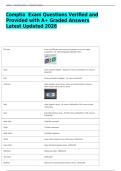
PS/2 port 6-pin mini DIN port that connects keyboards or mice on legacy
computers; not interchangeable between them


CGA Color Graphics Adapter - Supports 4 colors at 320x200 or 2 colors at
640x200


EGA Enhanced Graphics Adapter - 16 colors at 640x350


VGA port Video Graphics Array; 15-pin, three-row D-subminiature connector.
Other names: DB-15, DE-15, HD-15


VGA Video Graphics Array - 16 colors at 640x480 or 256 colors at lower
resolutions


XGA Extended Graphics Array - 65,536 colors at 800x600 or 256 colors at
1024x768


Wide XGA 1366x768 resolution


XGA+ 1152x864 resolution


Wide XGA+ 1440x900 resolution


SVGA Super Video Graphics Array, 16M colors, 1280x1024


Super XGA Super Extended Graphics Array, 1400x1050


WSXGA+ Widescreen SGA+ 1680x1050


Ultra XGA 1600x1200


WUXGA Widescreen Ultra Extended Graphics Array - 1920x1200

, DVI port Digital Visual Interface; accepts both analog and digital signals but only
through specific connectors. DVI-D, DVI-A, and DVI-A/D or DVI-I. DVI-I
and DVI-D also support Dual-Link connections by having extra pins.


DisplayPort Compact 20-pin connector; supports up to 2560 x 1600 and 120 Hz
refresh rates. Can drive up to four displays by a single port and is
capable of signal encryption and transmission of audio. Also comes in
Mini Displayport.


HDMI High Definition Multimedia Interface; also comes in mini and micro
variations


S/PDIF Sony/Phillips Digital Interface; digital audio output that comes in both
electrical and optical variations. Electrical usually uses RCA on coax,
optical uses fiber.


RG-6 cable Coaxial connection 75 Ohms


RG-59 cable Coaxial connection 75Ohms


F connector Coaxial connector, pin center, outer threaded ring


Component video Uses 3 RCA connectors that split the signal into its components, 1 for
brightness and 2 for color (Yellow, red, white)


S-Video Sends video signal from a computer to a TV, shaped similarly to PS/2

Document information

Uploaded on
September 3, 2026
Number of pages
6
Written in
2026/2027
Type
Exam (elaborations)
Contains
Questions & answers
$16.99

Wrong document? Swap it for free Within 14 days of purchase and before downloading, you can choose a different document. You can simply spend the amount again.
Written by students who passed
Immediately available after payment
Read online or as PDF

Seller avatar
Reputation scores are based on the amount of documents a seller has sold for a fee and the reviews they have received for those documents. There are three levels: Bronze, Silver and Gold. The better the reputation, the more your can rely on the quality of the sellers work.
LectDeniz
5.0
(1)
Sold
21
Followers
16
Items
5281
Last sold
10 months ago


Why students choose Stuvia

Created by fellow students, verified by reviews

Quality you can trust: written by students who passed their tests and reviewed by others who've used these notes.

Didn't get what you expected? Choose another document

No worries! You can instantly pick a different document that better fits what you're looking for.

Pay as you like, start learning right away

No subscription, no commitments. Pay the way you're used to via credit card and download your PDF document instantly.

Student with book image

“Bought, downloaded, and aced it. It really can be that simple.”

Alisha Student

Working on your references?

Create accurate citations in APA, MLA and Harvard with our free citation generator.

Working on your references?

Frequently asked questions

