

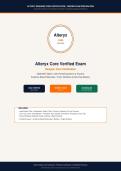
ALTERYX DESIGNER CORE CERTIFICATION | VERIFIED EXAM PREPARATION
2026/2027 EDITION | 200 VERIFIED QUESTIONS | EVIDENCE-BASED RATIONALES
Alteryx
CORE
CERTIFIED
Alteryx Core Verified Exam
Designer Core Certification
2026/2027 Edition | 200 Verified Questions & Answers
Evidence-Based Rationales | Tools, Workflow & Data Prep Mastery
200Q VERIFIED NEWEST EXAM RATIONALES
REAL EXAM 2026/2027 EVIDENCE-BASED
INCLUDES:
• Input/Output Tools • Preparation: Select, Filter, Formula, Cleansing, Text to Columns
• Join: Join, Union, Find Replace • Transform: Sort, Sample, Summarize, Transpose, Cross Tab
• Parse, Blending, Workflow Config, Interface & Best Practices
• Verified Answers + Evidence-Based Rationales | Borders + Page Numbers
Alteryx Designer Core Certification | Professional Certification | Not affiliated with Alteryx
Confidential Study Guide - Educational Purposes Only | 2026/2027 Edition
,Input Output Tools Foundation
Description: Input Data supports CSV XLSX YXDB YXDC JSON XML databases ODBC file browse delimiters sheet selection first row field names start line, Output Data
writes CSV XLSX YXDB database overwrite file sheet append create new sheet take file table name from field dynamic output, Browse displays data debugging profile
metadata map disable remove before final save performance, Record ID sequential number starting 1 custom start counting preserving original order after sort unique
identifier.
Preparation Tools
Description: Select renames reorders deselects fields changes data type size description optimizing performance remove unnecessary fields early, Filter custom
expression [Field]='Value' AND [Num]>100 OR Contains([Text],'test') operators AND OR NOT parentheses True False anchors Basic vs Custom, Formula creates new or
updates existing expression IF [Sales]>1000 THEN [Sales]*0.1 ELSE 0 ENDIF functions ToNumber ToString DateTimeParse Contains Substring Math, Text to Columns
splits column into multiple columns or rows delimiter comma tab space custom fixed width split to rows new row per delimiter, Data Cleansing replaces nulls 0 blank
removes leading trailing whitespace tabs line breaks duplicate whitespace modifies case Upper Lower Title removes letters numbers punctuation.
Join Blending Transform
Description: Join J L R J joined matching keys inner join L left unmatched R right unmatched join by record position specific field, Union stacks vertically appends rows auto
config by name matches by name by position matches order manual custom mapping mismatched warning, Find Replace finds value lookup R input based on key main L
input append fields or replace field or replace entire first occurrence VLOOKUP Excel more powerful, Unique U unique first occurrence D duplicate subsequent duplicates
based on specified fields deduplication, Sort ascending A-Z 0-9 descending Z-A 9-0 order fields determines sort priority first primary second secondary, Sample First N Last
N Random N records or N percent 1 in N every Nth Skip 1st N, Summarize Groups By aggregation Sum Average Min Max Count Count Distinct Concatenate First Last,
Transpose rotates columns to rows Key Field keep Data Fields transpose creates Name original field name Value original value tall data, Cross Tab opposite Transpose
rows to columns Group By stays rows Header values become new column names Values fill Aggregation.
Page 2 - Alteryx Core 200Q 2026/2027
,Question 1: Q1: Input Data tool file types?
A. Supports CSV XLSX YXDB JSON XML databases ODBC browse delimiters sheet selection first row field names
B. Only CSV
C. Only YXDB
D. No file types
CORRECT ANSWER: A. Supports CSV XLSX YXDB JSON XML databases ODBC browse delimiters sheet selection first row field names
RATIONALE:
Evidence-based rationale: Supports CSV XLSX YXDB JSON XML databases ODBC browse delimiters sheet selection first row field names. Core exam tests practical
application of this tool in Designer workflow, configuration options, and best practices for performance optimization.
Question 2: Q2: Output Data tool overwrite vs append?
A. Only appends
B. Only overwrites
C. Writes file or database overwrite file sheet append create new sheet take file name from field
D. Cannot write to database
CORRECT ANSWER: C. Writes file or database overwrite file sheet append create new sheet take file name from field
RATIONALE:
Evidence-based rationale: Writes file or database overwrite file sheet append create new sheet take file name from field. Core exam tests practical application of this tool
in Designer workflow, configuration options, and best practices for performance optimization.
Question 3: Q3: Select tool purpose?
A. Only changes type
B. Only renames
C. Cannot deselect
D. Renames reorders deselects fields changes data type size description optimizing performance remove unnecessary fields early
CORRECT ANSWER: D. Renames reorders deselects fields changes data type size description optimizing performance remove unnecessary
fields early
RATIONALE:
Evidence-based rationale: Renames reorders deselects fields changes data type size description optimizing performance remove unnecessary fields early. Core exam
tests practical application of this tool in Designer workflow, configuration options, and best practices for performance optimization.
Question 4: Q4: Filter tool custom syntax?
A. Only simple filter
B. Custom expression [Field]='Value' AND [Num]>100 OR Contains([Text],'test') AND OR NOT () True False
C. Cannot use AND OR
D. Only numeric
CORRECT ANSWER: B. Custom expression [Field]='Value' AND [Num]>100 OR Contains([Text],'test') AND OR NOT () True False
RATIONALE:
Evidence-based rationale: Custom expression [Field]='Value' AND [Num]>100 OR Contains([Text],'test') AND OR NOT () True False. Core exam tests practical
application of this tool in Designer workflow, configuration options, and best practices for performance optimization.
Question 5: Q5: Formula tool syntax?
A. Creates new or updates existing IF [Sales]>1000 THEN [Sales]*0.1 ELSE 0 ENDIF functions DateTime String Math
B. Only creates new
C. Only updates existing
D. No IF THEN
CORRECT ANSWER: A. Creates new or updates existing IF [Sales]>1000 THEN [Sales]*0.1 ELSE 0 ENDIF functions DateTime String Math
RATIONALE:
Evidence-based rationale: Creates new or updates existing IF [Sales]>1000 THEN [Sales]*0.1 ELSE 0 ENDIF functions DateTime String Math. Core exam tests practical
application of this tool in Designer workflow, configuration options, and best practices for performance optimization.
Question 6: Q6: Text to Columns delimiters?
A. Only fixed width
B. Only splits to columns not rows
C. Splits column into multiple columns or rows delimiter comma space custom or fixed width
D. No delimiter option
CORRECT ANSWER: C. Splits column into multiple columns or rows delimiter comma space custom or fixed width
RATIONALE:
Evidence-based rationale: Splits column into multiple columns or rows delimiter comma space custom or fixed width. Core exam tests practical application of this tool in
Designer workflow, configuration options, and best practices for performance optimization.
Question 7: Q7: Data Cleansing null handling?
A. Only changes case
B. Only replaces nulls
C. Cannot remove whitespace
D. Replaces nulls 0 blank removes leading trailing whitespace modifies case upper lower title removes punctuation
CORRECT ANSWER: D. Replaces nulls 0 blank removes leading trailing whitespace modifies case upper lower title removes punctuation
RATIONALE:
Evidence-based rationale: Replaces nulls 0 blank removes leading trailing whitespace modifies case upper lower title removes punctuation. Core exam tests practical
application of this tool in Designer workflow, configuration options, and best practices for performance optimization.
Question 8: Q8: Join tool J L R outputs?
Page 3 - Alteryx Core 200Q 2026/2027
, A. J left unmatched
B. J joined matching keys inner join L left unmatched R right unmatched
C. L joined
D. R joined
CORRECT ANSWER: B. J joined matching keys inner join L left unmatched R right unmatched
RATIONALE:
Evidence-based rationale: J joined matching keys inner join L left unmatched R right unmatched. Core exam tests practical application of this tool in Designer workflow,
configuration options, and best practices for performance optimization.
Question 9: Q9: Union tool auto config by name vs position?
A. Stacks vertically auto config by name matches by name by position matches order manual custom mapping handles mismatched
B. Only auto by name
C. Only auto by position
D. Cannot handle mismatched
CORRECT ANSWER: A. Stacks vertically auto config by name matches by name by position matches order manual custom mapping handles
mismatched
RATIONALE:
Evidence-based rationale: Stacks vertically auto config by name matches by name by position matches order manual custom mapping handles mismatched. Core exam
tests practical application of this tool in Designer workflow, configuration options, and best practices for performance optimization.
Question 10: Q10: Find Replace VLOOKUP?
A. Only appends
B. Only replaces
C. Finds value in lookup table appends or replaces field from lookup based on matching key like VLOOKUP
D. Cannot VLOOKUP
CORRECT ANSWER: C. Finds value in lookup table appends or replaces field from lookup based on matching key like VLOOKUP
RATIONALE:
Evidence-based rationale: Finds value in lookup table appends or replaces field from lookup based on matching key like VLOOKUP. Core exam tests practical application
of this tool in Designer workflow, configuration options, and best practices for performance optimization.
Page 4 - Alteryx Core 200Q 2026/2027
2026/2027 EDITION | 200 VERIFIED QUESTIONS | EVIDENCE-BASED RATIONALES
Alteryx
CORE
CERTIFIED
Alteryx Core Verified Exam
Designer Core Certification
2026/2027 Edition | 200 Verified Questions & Answers
Evidence-Based Rationales | Tools, Workflow & Data Prep Mastery
200Q VERIFIED NEWEST EXAM RATIONALES
REAL EXAM 2026/2027 EVIDENCE-BASED
INCLUDES:
• Input/Output Tools • Preparation: Select, Filter, Formula, Cleansing, Text to Columns
• Join: Join, Union, Find Replace • Transform: Sort, Sample, Summarize, Transpose, Cross Tab
• Parse, Blending, Workflow Config, Interface & Best Practices
• Verified Answers + Evidence-Based Rationales | Borders + Page Numbers
Alteryx Designer Core Certification | Professional Certification | Not affiliated with Alteryx
Confidential Study Guide - Educational Purposes Only | 2026/2027 Edition
,Input Output Tools Foundation
Description: Input Data supports CSV XLSX YXDB YXDC JSON XML databases ODBC file browse delimiters sheet selection first row field names start line, Output Data
writes CSV XLSX YXDB database overwrite file sheet append create new sheet take file table name from field dynamic output, Browse displays data debugging profile
metadata map disable remove before final save performance, Record ID sequential number starting 1 custom start counting preserving original order after sort unique
identifier.
Preparation Tools
Description: Select renames reorders deselects fields changes data type size description optimizing performance remove unnecessary fields early, Filter custom
expression [Field]='Value' AND [Num]>100 OR Contains([Text],'test') operators AND OR NOT parentheses True False anchors Basic vs Custom, Formula creates new or
updates existing expression IF [Sales]>1000 THEN [Sales]*0.1 ELSE 0 ENDIF functions ToNumber ToString DateTimeParse Contains Substring Math, Text to Columns
splits column into multiple columns or rows delimiter comma tab space custom fixed width split to rows new row per delimiter, Data Cleansing replaces nulls 0 blank
removes leading trailing whitespace tabs line breaks duplicate whitespace modifies case Upper Lower Title removes letters numbers punctuation.
Join Blending Transform
Description: Join J L R J joined matching keys inner join L left unmatched R right unmatched join by record position specific field, Union stacks vertically appends rows auto
config by name matches by name by position matches order manual custom mapping mismatched warning, Find Replace finds value lookup R input based on key main L
input append fields or replace field or replace entire first occurrence VLOOKUP Excel more powerful, Unique U unique first occurrence D duplicate subsequent duplicates
based on specified fields deduplication, Sort ascending A-Z 0-9 descending Z-A 9-0 order fields determines sort priority first primary second secondary, Sample First N Last
N Random N records or N percent 1 in N every Nth Skip 1st N, Summarize Groups By aggregation Sum Average Min Max Count Count Distinct Concatenate First Last,
Transpose rotates columns to rows Key Field keep Data Fields transpose creates Name original field name Value original value tall data, Cross Tab opposite Transpose
rows to columns Group By stays rows Header values become new column names Values fill Aggregation.
Page 2 - Alteryx Core 200Q 2026/2027
,Question 1: Q1: Input Data tool file types?
A. Supports CSV XLSX YXDB JSON XML databases ODBC browse delimiters sheet selection first row field names
B. Only CSV
C. Only YXDB
D. No file types
CORRECT ANSWER: A. Supports CSV XLSX YXDB JSON XML databases ODBC browse delimiters sheet selection first row field names
RATIONALE:
Evidence-based rationale: Supports CSV XLSX YXDB JSON XML databases ODBC browse delimiters sheet selection first row field names. Core exam tests practical
application of this tool in Designer workflow, configuration options, and best practices for performance optimization.
Question 2: Q2: Output Data tool overwrite vs append?
A. Only appends
B. Only overwrites
C. Writes file or database overwrite file sheet append create new sheet take file name from field
D. Cannot write to database
CORRECT ANSWER: C. Writes file or database overwrite file sheet append create new sheet take file name from field
RATIONALE:
Evidence-based rationale: Writes file or database overwrite file sheet append create new sheet take file name from field. Core exam tests practical application of this tool
in Designer workflow, configuration options, and best practices for performance optimization.
Question 3: Q3: Select tool purpose?
A. Only changes type
B. Only renames
C. Cannot deselect
D. Renames reorders deselects fields changes data type size description optimizing performance remove unnecessary fields early
CORRECT ANSWER: D. Renames reorders deselects fields changes data type size description optimizing performance remove unnecessary
fields early
RATIONALE:
Evidence-based rationale: Renames reorders deselects fields changes data type size description optimizing performance remove unnecessary fields early. Core exam
tests practical application of this tool in Designer workflow, configuration options, and best practices for performance optimization.
Question 4: Q4: Filter tool custom syntax?
A. Only simple filter
B. Custom expression [Field]='Value' AND [Num]>100 OR Contains([Text],'test') AND OR NOT () True False
C. Cannot use AND OR
D. Only numeric
CORRECT ANSWER: B. Custom expression [Field]='Value' AND [Num]>100 OR Contains([Text],'test') AND OR NOT () True False
RATIONALE:
Evidence-based rationale: Custom expression [Field]='Value' AND [Num]>100 OR Contains([Text],'test') AND OR NOT () True False. Core exam tests practical
application of this tool in Designer workflow, configuration options, and best practices for performance optimization.
Question 5: Q5: Formula tool syntax?
A. Creates new or updates existing IF [Sales]>1000 THEN [Sales]*0.1 ELSE 0 ENDIF functions DateTime String Math
B. Only creates new
C. Only updates existing
D. No IF THEN
CORRECT ANSWER: A. Creates new or updates existing IF [Sales]>1000 THEN [Sales]*0.1 ELSE 0 ENDIF functions DateTime String Math
RATIONALE:
Evidence-based rationale: Creates new or updates existing IF [Sales]>1000 THEN [Sales]*0.1 ELSE 0 ENDIF functions DateTime String Math. Core exam tests practical
application of this tool in Designer workflow, configuration options, and best practices for performance optimization.
Question 6: Q6: Text to Columns delimiters?
A. Only fixed width
B. Only splits to columns not rows
C. Splits column into multiple columns or rows delimiter comma space custom or fixed width
D. No delimiter option
CORRECT ANSWER: C. Splits column into multiple columns or rows delimiter comma space custom or fixed width
RATIONALE:
Evidence-based rationale: Splits column into multiple columns or rows delimiter comma space custom or fixed width. Core exam tests practical application of this tool in
Designer workflow, configuration options, and best practices for performance optimization.
Question 7: Q7: Data Cleansing null handling?
A. Only changes case
B. Only replaces nulls
C. Cannot remove whitespace
D. Replaces nulls 0 blank removes leading trailing whitespace modifies case upper lower title removes punctuation
CORRECT ANSWER: D. Replaces nulls 0 blank removes leading trailing whitespace modifies case upper lower title removes punctuation
RATIONALE:
Evidence-based rationale: Replaces nulls 0 blank removes leading trailing whitespace modifies case upper lower title removes punctuation. Core exam tests practical
application of this tool in Designer workflow, configuration options, and best practices for performance optimization.
Question 8: Q8: Join tool J L R outputs?
Page 3 - Alteryx Core 200Q 2026/2027
, A. J left unmatched
B. J joined matching keys inner join L left unmatched R right unmatched
C. L joined
D. R joined
CORRECT ANSWER: B. J joined matching keys inner join L left unmatched R right unmatched
RATIONALE:
Evidence-based rationale: J joined matching keys inner join L left unmatched R right unmatched. Core exam tests practical application of this tool in Designer workflow,
configuration options, and best practices for performance optimization.
Question 9: Q9: Union tool auto config by name vs position?
A. Stacks vertically auto config by name matches by name by position matches order manual custom mapping handles mismatched
B. Only auto by name
C. Only auto by position
D. Cannot handle mismatched
CORRECT ANSWER: A. Stacks vertically auto config by name matches by name by position matches order manual custom mapping handles
mismatched
RATIONALE:
Evidence-based rationale: Stacks vertically auto config by name matches by name by position matches order manual custom mapping handles mismatched. Core exam
tests practical application of this tool in Designer workflow, configuration options, and best practices for performance optimization.
Question 10: Q10: Find Replace VLOOKUP?
A. Only appends
B. Only replaces
C. Finds value in lookup table appends or replaces field from lookup based on matching key like VLOOKUP
D. Cannot VLOOKUP
CORRECT ANSWER: C. Finds value in lookup table appends or replaces field from lookup based on matching key like VLOOKUP
RATIONALE:
Evidence-based rationale: Finds value in lookup table appends or replaces field from lookup based on matching key like VLOOKUP. Core exam tests practical application
of this tool in Designer workflow, configuration options, and best practices for performance optimization.
Page 4 - Alteryx Core 200Q 2026/2027


