
Osman Hassan Unit 25 Maintaining Computer Systems 40116340
P4 Unit 25
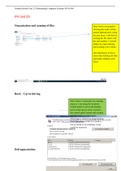
Organisation and naming of files Here I have a screenshot
showing the order of files
named appropriately using
the unit name. I did this by
naming the file name with
the unit number. I created
folders by right-clicking
and creating a new folder.
The importance of this it
saves time looking for files
and makes finding work
easier
Back – Up/Archiving
Here I have a screenshot of a backup
process. I am using the windows
control panel to access the backup
tool to back up my work. I went to
the control panel system and security
and then back up and restore .
Afterward, I clicked on setup backup.
The importance of this is if work is
lost or needs to be resetting, it can
easily be retrieved.
Defragmentation
, Osman Hassan Unit 25 Maintaining Computer Systems 40116340
Here I have completed a
defragmentation on windows 7. I
did this by going into system and
security and then I clicked on
Defragment Your Hard Drive.
And then I clicked
Defragmentation. I then clicked
on analyze disk and then clicked
OK.
This is important because, it will
clear up space and improve the
computer speed.
Deleting temporary files
In this section I deleted temporary files. I
need to navigate to systems-storage page
and then I clicked on the Temporary files
option. I then clicked on the Remove
button to delete selected temporary files.
This is important to free up space so
there is space to save important work
without resetting the computer.
Automatic scheduling and deletion of unwanted data (Deleting files)
P4 Unit 25
Organisation and naming of files Here I have a screenshot
showing the order of files
named appropriately using
the unit name. I did this by
naming the file name with
the unit number. I created
folders by right-clicking
and creating a new folder.
The importance of this it
saves time looking for files
and makes finding work
easier
Back – Up/Archiving
Here I have a screenshot of a backup
process. I am using the windows
control panel to access the backup
tool to back up my work. I went to
the control panel system and security
and then back up and restore .
Afterward, I clicked on setup backup.
The importance of this is if work is
lost or needs to be resetting, it can
easily be retrieved.
Defragmentation
, Osman Hassan Unit 25 Maintaining Computer Systems 40116340
Here I have completed a
defragmentation on windows 7. I
did this by going into system and
security and then I clicked on
Defragment Your Hard Drive.
And then I clicked
Defragmentation. I then clicked
on analyze disk and then clicked
OK.
This is important because, it will
clear up space and improve the
computer speed.
Deleting temporary files
In this section I deleted temporary files. I
need to navigate to systems-storage page
and then I clicked on the Temporary files
option. I then clicked on the Remove
button to delete selected temporary files.
This is important to free up space so
there is space to save important work
without resetting the computer.
Automatic scheduling and deletion of unwanted data (Deleting files)


