

1. BASIC PROGRAMMING CONCEPTS
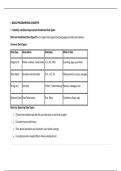
1.1 Identify and Select Appropriate Predefined Data Types
What are Predefined Data Types?Built-in types that programming languages provide automatically.
Common Data Types:
Data Type Description Examples When to Use
Integer (int) Whole numbers, no decimals -5, 0, 42, 1000 Counting, ages, quantities
Float (float) Numbers with decimals 3.14, -0.5, 2.0 Measurements, prices, averages
String (str) Text data "Hello", "Johannesburg" Names, messages, text
Boolean (bool) True/False values True, False Conditions, flags, logic
Rules for Selecting Data Types:
• Choose the smallest type that fits your data (use int not float for ages)
• Consider memory efficiency
• Think about operations you'll perform (can't divide a string)
• Consider precision needed (floats have rounding errors)
,1.2 Use Simple Input/Output and Appropriate Operators
Input Functions:
• input() - gets text from user (returns string)
• Convert types: int(), float(), bool()
Output Functions:
• print() - displays to console
• Format: f"text {variable}"
Operator Types:
Category Operators Example Result
Arithmetic +, -, , /, //, , % 3.333...
Assignment =, +=, -=, =, /= x += 5 x=x+5
Comparison ==, !=, >, <, >=, <= 5>3 True
Logical and, or, not True and False False
String + (concatenate), * (repeat) "Hi" + "!" "Hi!"
Key Points:
, • / = division (float result)
• // = integer division (no decimal)
• % = remainder (modulo)
• ** = exponent (power)
1.3 Identify and Use Selection Structures and Loop Structures
SELECTION STRUCTURES (Decision Making):
Structure When to Use Example
if Simple condition Check if score ≥ 50
if-else Two options Pass/Fail decision
if-elif-else Multiple options Grade A/B/C/D/F
nested if Complex conditions Check age AND enrollment
LOOP STRUCTURES (Iteration):
1.1 Identify and Select Appropriate Predefined Data Types
What are Predefined Data Types?Built-in types that programming languages provide automatically.
Common Data Types:
Data Type Description Examples When to Use
Integer (int) Whole numbers, no decimals -5, 0, 42, 1000 Counting, ages, quantities
Float (float) Numbers with decimals 3.14, -0.5, 2.0 Measurements, prices, averages
String (str) Text data "Hello", "Johannesburg" Names, messages, text
Boolean (bool) True/False values True, False Conditions, flags, logic
Rules for Selecting Data Types:
• Choose the smallest type that fits your data (use int not float for ages)
• Consider memory efficiency
• Think about operations you'll perform (can't divide a string)
• Consider precision needed (floats have rounding errors)
,1.2 Use Simple Input/Output and Appropriate Operators
Input Functions:
• input() - gets text from user (returns string)
• Convert types: int(), float(), bool()
Output Functions:
• print() - displays to console
• Format: f"text {variable}"
Operator Types:
Category Operators Example Result
Arithmetic +, -, , /, //, , % 3.333...
Assignment =, +=, -=, =, /= x += 5 x=x+5
Comparison ==, !=, >, <, >=, <= 5>3 True
Logical and, or, not True and False False
String + (concatenate), * (repeat) "Hi" + "!" "Hi!"
Key Points:
, • / = division (float result)
• // = integer division (no decimal)
• % = remainder (modulo)
• ** = exponent (power)
1.3 Identify and Use Selection Structures and Loop Structures
SELECTION STRUCTURES (Decision Making):
Structure When to Use Example
if Simple condition Check if score ≥ 50
if-else Two options Pass/Fail decision
if-elif-else Multiple options Grade A/B/C/D/F
nested if Complex conditions Check age AND enrollment
LOOP STRUCTURES (Iteration):


