
8/15/23, 6:27 PM Payment Success
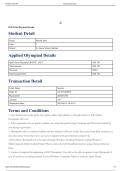
IOF Portal Payment Receipt
Student Detail
Name: Harshit Jalan
Class: 7
School: St. James School, Kolkata
Applied Olympiad Details
Spell Talent Olympiad (IFSTO) - 2023: INR 150
Total Amount: INR 150
Discount: INR 0
Total Amount Paid: INR 150
Transaction Detail
Order Status: Success
Order Id: 1813073430919
Payment ID 2043361552
Amount: 150
Transaction Date: 2023-08-15 18:26:33
Terms and Conditions
1. Any Student across the globe can register either individually or through school to IOF Online
Olympiads 2023-24.
2. After registration on our portal, student can access the portal using Username and Password created by
you during registration.
3. Olympiads will be conducted online and the students will have to take the exams from their residence or
any other place where they have access to computer with good Internet connectivity.
4 The Online Olympiads are to be taken through Windows Desktop/Windows Laptop/Windows
Tablet/Android Tablet/Android Smart Phone connected with broadband internet using Chrome Browser
Only.
5. Camera is required for appearing in IOF Olympiads. You will not be able to appear in our Olympiads if
you do not have a working camera in your Windows Computer/Tablet or Android Smart Phone.
https://iof.education/site/cfsuccess 1/2
IOF Portal Payment Receipt
Student Detail
Name: Harshit Jalan
Class: 7
School: St. James School, Kolkata
Applied Olympiad Details
Spell Talent Olympiad (IFSTO) - 2023: INR 150
Total Amount: INR 150
Discount: INR 0
Total Amount Paid: INR 150
Transaction Detail
Order Status: Success
Order Id: 1813073430919
Payment ID 2043361552
Amount: 150
Transaction Date: 2023-08-15 18:26:33
Terms and Conditions
1. Any Student across the globe can register either individually or through school to IOF Online
Olympiads 2023-24.
2. After registration on our portal, student can access the portal using Username and Password created by
you during registration.
3. Olympiads will be conducted online and the students will have to take the exams from their residence or
any other place where they have access to computer with good Internet connectivity.
4 The Online Olympiads are to be taken through Windows Desktop/Windows Laptop/Windows
Tablet/Android Tablet/Android Smart Phone connected with broadband internet using Chrome Browser
Only.
5. Camera is required for appearing in IOF Olympiads. You will not be able to appear in our Olympiads if
you do not have a working camera in your Windows Computer/Tablet or Android Smart Phone.
https://iof.education/site/cfsuccess 1/2


