
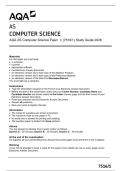
AS
COMPUTER SCIENCE
AQA AS Computer Science Paper 1 (7516/1) Study Guide 2026
Materials
For this paper you must have:
• a computer
• a printer
• appropriate software
• the Electronic Answer Document
• an electronic version and a hard copy of the Skeleton Program
• an electronic version and a hard copy of the Preliminary Material
• an electronic version of the Data File SimulationData.txt
You must not use a calculator.
Instructions
• Type the information required on the front of your Electronic Answer Document.
• Before the start of the examination make sure your Centre Number, Candidate Name and
Candidate Number are shown clearly in the footer of every page (not the front cover) of your
Electronic Answer Document.
• Enter your answers into the Electronic Answer Document.
• Answer all questions.
• Save your work at regular intervals.
Information
• The marks for questions are shown in brackets.
• The maximum mark for this paper is 75.
• No extra time is allowed for printing and collating.
• The question paper is divided into three sections.
Advice
You are advised to allocate time to each section as follows:
Section A – 20 minutes; Section B – 25 minutes; Section C – 60 minutes.
At the end of the examination
Tie together all your printed Electronic Answer Document pages and hand them to the Invigilator.
Warning
It may not be possible to issue a result for this paper if your details are not on every page of your
Electronic Answer Document.
7516/1
, 3
Complete Table 1 by hand-tracing the algorithm in Figure 1.
You may not need to use all the rows in Table 1.
You do not need to indicate that C, D1, D2 and S are strings.
The first row of Table 1 has already been completed for you.
Table 1
S1 S2 C R J X D1 D2 S
"011101" "001100" "0" ""
OUTPUT:
Copy the contents of all the unshaded cells in Table 1 into your Electronic
Answer Document.
[5 marks]
Turn over ►
COMPUTER SCIENCE
AQA AS Computer Science Paper 1 (7516/1) Study Guide 2026
Materials
For this paper you must have:
• a computer
• a printer
• appropriate software
• the Electronic Answer Document
• an electronic version and a hard copy of the Skeleton Program
• an electronic version and a hard copy of the Preliminary Material
• an electronic version of the Data File SimulationData.txt
You must not use a calculator.
Instructions
• Type the information required on the front of your Electronic Answer Document.
• Before the start of the examination make sure your Centre Number, Candidate Name and
Candidate Number are shown clearly in the footer of every page (not the front cover) of your
Electronic Answer Document.
• Enter your answers into the Electronic Answer Document.
• Answer all questions.
• Save your work at regular intervals.
Information
• The marks for questions are shown in brackets.
• The maximum mark for this paper is 75.
• No extra time is allowed for printing and collating.
• The question paper is divided into three sections.
Advice
You are advised to allocate time to each section as follows:
Section A – 20 minutes; Section B – 25 minutes; Section C – 60 minutes.
At the end of the examination
Tie together all your printed Electronic Answer Document pages and hand them to the Invigilator.
Warning
It may not be possible to issue a result for this paper if your details are not on every page of your
Electronic Answer Document.
7516/1
, 3
Complete Table 1 by hand-tracing the algorithm in Figure 1.
You may not need to use all the rows in Table 1.
You do not need to indicate that C, D1, D2 and S are strings.
The first row of Table 1 has already been completed for you.
Table 1
S1 S2 C R J X D1 D2 S
"011101" "001100" "0" ""
OUTPUT:
Copy the contents of all the unshaded cells in Table 1 into your Electronic
Answer Document.
[5 marks]
Turn over ►


