
Adobe Illustrator Shortcuts
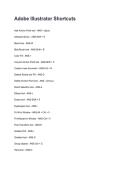
Add Anchor Point tool - ANS-+ (plus)
Artboard device - ANS-Shift + O
Blend tool - ANS-W
Blob Brush tool - ANS-Shift + B
Color Fill - ANS-<
Convert Anchor Point tool - ANS-Shift + C
Create a new document - ANS-Crtl + N
Default Stroke and Fill - ANS-D
Delete Anchor Point tool - ANS-- (minus)
Direct Selection tool - ANS-A
Ellipse tool - ANS-L
Eraser tool - ANS-Shift + E
Eyedropper tool - ANS-I
Fit All in Window - ANS-Alt + Crtl + 0
Fit Artboard in Window - ANS-Crtl + 0
Free Transform tool - ANS-E
Gradient Fill - ANS->
Gradient tool - ANS-G
Group objects - ANS-Crtl + G
Hand tool - ANS-H
Add Anchor Point tool - ANS-+ (plus)
Artboard device - ANS-Shift + O
Blend tool - ANS-W
Blob Brush tool - ANS-Shift + B
Color Fill - ANS-<
Convert Anchor Point tool - ANS-Shift + C
Create a new document - ANS-Crtl + N
Default Stroke and Fill - ANS-D
Delete Anchor Point tool - ANS-- (minus)
Direct Selection tool - ANS-A
Ellipse tool - ANS-L
Eraser tool - ANS-Shift + E
Eyedropper tool - ANS-I
Fit All in Window - ANS-Alt + Crtl + 0
Fit Artboard in Window - ANS-Crtl + 0
Free Transform tool - ANS-E
Gradient Fill - ANS->
Gradient tool - ANS-G
Group objects - ANS-Crtl + G
Hand tool - ANS-H


