

Python 101
Latest uploads at Python 101. Looking for notes at Python 101? We have lots of notes, study guides and revision notes available for your school.
-
3
- 0
- 0
All courses for Python 101
-
Python 101 3
Latest content Python 101
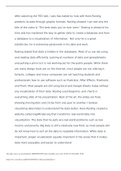
After watching the TED talk, I was fascinated by how well Hans Rosling presents its data through graphic formats. Rosling showed I can see why the title of the video is “The best stats you’ve ever seen.” Rosling is ahead of his time and has mastered the way to gather data to create a database and from a database to a visualization of information. Not only he is a great statistician; he is extremely passi
- Essay
- • 2 pages's •
-
PYTHON 101•PYTHON 101
Preview 1 out of 2 pages
Getting your document ready...
After watching the TED talk, I was fascinated by how well Hans Rosling presents its data through graphic formats. Rosling showed I can see why the title of the video is “The best stats you’ve ever seen.” Rosling is ahead of his time and has mastered the way to gather data to create a database and from a database to a visualization of information. Not only he is a great statistician; he is extremely passi
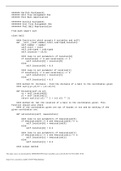
####### Karthik Kuchimanchi ####### Unit Five Assignment One ####### Pool Ball Appilication ######## Karthik Kuchimanhi ######## Unit Five Assignment One ######## Pool Ball Representation from math import sqrt class ball: #### Constructor which accepts 4 variables and self) def __init__(self,number,color,isStriped,location): r = number = color Striped = isStriped ion = [0,0] #### loop to set parameters of location[0] if location[0] >= 0 and location[0] <= 1: ion[0...
- Other
- • 2 pages's •
-
PYTHON 101•PYTHON 101
Preview 1 out of 2 pages
Getting your document ready...
####### Karthik Kuchimanchi ####### Unit Five Assignment One ####### Pool Ball Appilication ######## Karthik Kuchimanhi ######## Unit Five Assignment One ######## Pool Ball Representation from math import sqrt class ball: #### Constructor which accepts 4 variables and self) def __init__(self,number,color,isStriped,location): r = number = color Striped = isStriped ion = [0,0] #### loop to set parameters of location[0] if location[0] >= 0 and location[0] <= 1: ion[0...