6 Security, privacy and data
integrity
6.1 Data Security
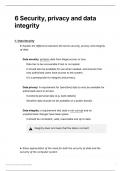
Explain the difference between the terms security, privacy and integrity
of data
Data security: protects data from illegal access or loss
Data has to be recoverable if lost or corrupted.
It should also be available for use when needed, and ensures that
only authorised users have access to the system.
It is a prerequisite for integrity and privacy.
Data privacy: A requirement for (sensitive) data to only be available for
authorised users to access.
It protects personal data (e.g. bank details)
Sensitive data should not be available on a public domain
Data integrity: a requirement that data is not corrupt and no
unauthorised changes have taken place
it should be consistent, valid, reasonable and up to date.
⚠️ Integrity does not mean that the data is correct!
Show appreciation of the need for both the security of data and the
security of the computer system
6 Security, privacy and data integrity 1
, Data is the most valuable thing owned by a company - data is invaluable
to businesses.
It is required for private/important data to be stored securely. A
computer system must be functional and only provide access to the data
in the system to authorised users. Robust security is required to protect
data on a computer system from many threats such as malware and
internal mismanagement.
Describe security measures designed to protect computer systems,
ranging from the stand-alone PC to a network of computers
System security measures aim to ensure system functionality and
prevent unauthorised access.
To protect computer system:
1. Virus checker - carries out regular system scans to detect ant
viruses and remove/deactivate them.
2. Firewall - a system designed to prevent unauthorised (internet)
access to and from a private network. Firewalls can be implemented
in both hardware and software. All messages entering or leaving the
private network pass through the firewall. It examines each message
and blocks those that do not meet some specific security checks.
3. Authentication techniques: process of determining if
someone/something is what they claim to be in order to prevent
unauthorised access to data.
a. Security token - a small item of hardware provided for each
individual user that confirms their identity.
b. User account - access to the computer system is only possible
with a user ID and the required password
c. Biometric technology - may examine a fingerprint, facial
structure, voice or the retina (eye).
d. Digital signature - can be used when sending an email - the
addition of a digital signature to the email confirms that the email
6 Security, privacy and data integrity 2
, was sent from the perceived sender.
Show understanding of the threats to computer and data security posed
by networks and the internet
The other major cause of concern is malicious software entering the
system.
The threats to the security of a system include the following types:
1. Unauthorised intrusion into the system by an individual
a. Hacking: As internet is not a stand-alone system; one cause of
concern is the hacker who is someone intent on gaining
unauthorised access to a computer system. A hacker who
achieves this aim might gain access to private data. Alternatively,
a hacker might cause problems by deleting files or causing
problems with the running of the system.
b. Brute force attack: Attackers will systematically try many
passwords until the correct one is found.
c. SQL injections: Attacker executes malicious SQL statements in a
web server’s database in order to access data in the database.
d. Denial of Service (DoS) attacks: Prevents a user from accessing
part of a network (e.g. Network Server, websites, emails and
banking applications). It can also infect many other computers
on the network with malware and turn them into ‘zombie’
computers (flood websites leaving it unavailable for legitimate
users)
2. Malicious software (malware) entering the system
a. It is software that is introduced into a system for a harmful
purpose. One category of malware is where program code is
introduced to a system which causes the computer to
malfunction. The various types of malware-containing program
code are:
i. Virus: tries to replicate itself inside other executable code.
Causes damage to files such as deleting and corrupting files
without a user’s knowledge.
6 Security, privacy and data integrity 3
integrity
6.1 Data Security
Explain the difference between the terms security, privacy and integrity
of data
Data security: protects data from illegal access or loss
Data has to be recoverable if lost or corrupted.
It should also be available for use when needed, and ensures that
only authorised users have access to the system.
It is a prerequisite for integrity and privacy.
Data privacy: A requirement for (sensitive) data to only be available for
authorised users to access.
It protects personal data (e.g. bank details)
Sensitive data should not be available on a public domain
Data integrity: a requirement that data is not corrupt and no
unauthorised changes have taken place
it should be consistent, valid, reasonable and up to date.
⚠️ Integrity does not mean that the data is correct!
Show appreciation of the need for both the security of data and the
security of the computer system
6 Security, privacy and data integrity 1
, Data is the most valuable thing owned by a company - data is invaluable
to businesses.
It is required for private/important data to be stored securely. A
computer system must be functional and only provide access to the data
in the system to authorised users. Robust security is required to protect
data on a computer system from many threats such as malware and
internal mismanagement.
Describe security measures designed to protect computer systems,
ranging from the stand-alone PC to a network of computers
System security measures aim to ensure system functionality and
prevent unauthorised access.
To protect computer system:
1. Virus checker - carries out regular system scans to detect ant
viruses and remove/deactivate them.
2. Firewall - a system designed to prevent unauthorised (internet)
access to and from a private network. Firewalls can be implemented
in both hardware and software. All messages entering or leaving the
private network pass through the firewall. It examines each message
and blocks those that do not meet some specific security checks.
3. Authentication techniques: process of determining if
someone/something is what they claim to be in order to prevent
unauthorised access to data.
a. Security token - a small item of hardware provided for each
individual user that confirms their identity.
b. User account - access to the computer system is only possible
with a user ID and the required password
c. Biometric technology - may examine a fingerprint, facial
structure, voice or the retina (eye).
d. Digital signature - can be used when sending an email - the
addition of a digital signature to the email confirms that the email
6 Security, privacy and data integrity 2
, was sent from the perceived sender.
Show understanding of the threats to computer and data security posed
by networks and the internet
The other major cause of concern is malicious software entering the
system.
The threats to the security of a system include the following types:
1. Unauthorised intrusion into the system by an individual
a. Hacking: As internet is not a stand-alone system; one cause of
concern is the hacker who is someone intent on gaining
unauthorised access to a computer system. A hacker who
achieves this aim might gain access to private data. Alternatively,
a hacker might cause problems by deleting files or causing
problems with the running of the system.
b. Brute force attack: Attackers will systematically try many
passwords until the correct one is found.
c. SQL injections: Attacker executes malicious SQL statements in a
web server’s database in order to access data in the database.
d. Denial of Service (DoS) attacks: Prevents a user from accessing
part of a network (e.g. Network Server, websites, emails and
banking applications). It can also infect many other computers
on the network with malware and turn them into ‘zombie’
computers (flood websites leaving it unavailable for legitimate
users)
2. Malicious software (malware) entering the system
a. It is software that is introduced into a system for a harmful
purpose. One category of malware is where program code is
introduced to a system which causes the computer to
malfunction. The various types of malware-containing program
code are:
i. Virus: tries to replicate itself inside other executable code.
Causes damage to files such as deleting and corrupting files
without a user’s knowledge.
6 Security, privacy and data integrity 3