
- Study guides, Class notes & Summaries
Looking for the best study guides, study notes and summaries about ? On this page you'll find 5 study documents about .

Exam (elaborations)
MAC 707 Final Exam Review (latest update) correctly answered
MAC 707 Final Exam Review (latest update) correctly answered
 BravelRadon
Exam (elaborations)
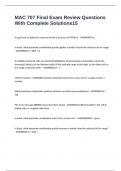
MAC 707 Final Exam Review Questions With Complete Solutions
PopularMAC 707 Final Exam Review Questions With Complete Solutions A quick way to apply the currency format is to press Ctrl+Shift+$. - ANSWERSTrue In Excel, what keystroke combination quickly applies a border around the selected cell or range? - ANSWERSCtrl + Shift + & If multiple horizontal cells are selected/highlighted, what keystroke combination copies the formula(s)/value(s) in the leftmost cell(s) of the selected range to the right, to the other cells in the range of selected cells? -...
 Bensuda

Exam (elaborations)
MAC 707 Excel Final Exam questions with complete solutions
MAC 707 Excel Final Exam questions with complete solutions
BravelRadon

Exam (elaborations)
MAC 707 Final Questions And Answers Latest Updates 2025-2026 With Correct Answers 100% With Complete Solutions.pdf
MAC 707 Final Questions And Answers Latest Updates With Correct Answers 100% With Complete S
 BRAINSCAPE1

Exam (elaborations)
MAC 707 Final Exam Questions Answered Correctly Graded A+
MAC 707 Final Exam Questions Answered Correctly Graded A+ In order to maintain consistency within your workbooks, it is important to format cells with formulas (outputs) using the same colors as cells containing assumptions and/or values (inputs). - Answers False Format cells with formulas differently from cells with inputs, so that it's easy for users to determine where values can be entered or edited. (For example, use a blue font (and/or a green cell background) for all assumptions. ...
 TutorJosh