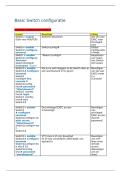
Basic Switch configuratie
Check of IP Range zeker klopt !!
Invoer Resultaat Uitleg
Switch> enable Switch# (Router#) Van de User
(Ook voor ROUTER) EXEC naar
Privileged
User
Switch> enable Switch(config)# Global
Switch# configure Configuratio
terminal n Mode
Switch > enable “Naam”(config)# Aanpassen
Switch# configure van naam
Terminal van Switch
Switch(Config)# (Of router)
hostname “naam”
Switch1> enable Als je nu wilt inloggen in de Switch dien je Beveiligen
Switch1# configure een wachtwoord in te geven van de user
terminal EXCE mode
Switch1 (>)
(config)# line (Console)
console 0
Switch1(config-
line)# password
“Wachtwoord”
Switch1 (config-
line)# login
Switch1 (config-
line)# end
Switch1#
Switch1> enable De privileged EXEC access Beveiligen
Switch1 Is beveiligd van
# configure privileged
terminal EXEC access
Switch1(config)# en (Secret
able secret password)
“Wachtwoord”
Switch1(config)# exi
t
Switch1#
Switch1> enable VTY lines 0-15 zijn beveiligd Beveiligen
Switch1# configure (0 15 kan veranderen afhankelijk van van VTY
terminal opdracht) lines (voor
Switch1(config)# lin remote
e vty 0 15 acces)
Switch1(config- (Beveiligen
line)# password van all
“wachtwoord” lines)
,Switch1(config-
line)# login
Switch1(config-
line)# end
Switch1#
Switch1> enable ALLE wachtwoorden die normaal Encrypteren
Switch1# configure zichtbaar waren in gewone tekst zijn nu van ALLE
terminal geëncrypteerd. “plaintext”
Switch1(config)# se wachtwoord
rvice password- en
encryption
Switch1(config)#
Switch1> enable Gebruik: Voor het
Switch1# show Om de actuele configuratie te bekijken van
running-config bekijken die momenteel draait op huidige
het apparaat. instellingen
Wanneer gebruiken: (ook
Na configuratie om te controleren Wachtwoord
of je instellingen (interfaces, en! )
VLANs, ACLs, etc.) goed zijn
toegepast.
Bij troubleshooting om te zien wat
er echt actief is (vs. opgeslagen in
startup-config).
Switch1> enable #Authorized Access Only# Banner
Switch1# configure berich bij
terminal begin
Switch1(config)# ba scherm
nner motd
#Authorized
Access Only#
(Show )Startup - File waar
config alle
commands
in die
worden
gebruikt als
de switch
(her)start.
Opgeslagen
in NVRAM
Switch1> enable Is de
Switch1# show huidige
running-config configuratie
Wanneer
switch
herstart
wordt, wordt
het bestand
geflushed
=> staat in
, RAM
Switch1> enable De running-config file is opgeslagen in de Running-
Switch1# copy startup-config en kan dus niet meer config
running-config verdwijnen. opslaan in
startup-config startup.
(RAM =>
NVRAM)
Switch1> enable De SVI poort (voor remote acces naar de Instellen
Switch1# configure switch) wordt ingesteld op het IP aders van IP
terminal (VLAN1)
Switch1(config)# int
erface “interface”
(vb fastEthernet
Serial)
Switch1(config-if)# i
p address “Ip
adres “
“Subnetmask”
Switch1(config-if)# n
o shutdown
Switch1(config-if)# e
xit
Switch1(config)# ip
default-gateway
“IP default
gateway”
S1(config-if)# end
(S1# copy running-
config startup-
config)
Switch1# configure Instellen
terminal default
Switch1(config)# ip gateway
default-gateway
“IP default
gateway”
S1(config-if)# end
S1# copy running-
config startup-
config
Switch1> enable Instellen
Switch1# configure IPv6
terminal
Switch1(config)# int
erface “interface”
(vb fastEthernet
Serial)
Switch1(config-if)# i
pv6 address “Ip
adres “/”prefix”
Check of IP Range zeker klopt !!
Invoer Resultaat Uitleg
Switch> enable Switch# (Router#) Van de User
(Ook voor ROUTER) EXEC naar
Privileged
User
Switch> enable Switch(config)# Global
Switch# configure Configuratio
terminal n Mode
Switch > enable “Naam”(config)# Aanpassen
Switch# configure van naam
Terminal van Switch
Switch(Config)# (Of router)
hostname “naam”
Switch1> enable Als je nu wilt inloggen in de Switch dien je Beveiligen
Switch1# configure een wachtwoord in te geven van de user
terminal EXCE mode
Switch1 (>)
(config)# line (Console)
console 0
Switch1(config-
line)# password
“Wachtwoord”
Switch1 (config-
line)# login
Switch1 (config-
line)# end
Switch1#
Switch1> enable De privileged EXEC access Beveiligen
Switch1 Is beveiligd van
# configure privileged
terminal EXEC access
Switch1(config)# en (Secret
able secret password)
“Wachtwoord”
Switch1(config)# exi
t
Switch1#
Switch1> enable VTY lines 0-15 zijn beveiligd Beveiligen
Switch1# configure (0 15 kan veranderen afhankelijk van van VTY
terminal opdracht) lines (voor
Switch1(config)# lin remote
e vty 0 15 acces)
Switch1(config- (Beveiligen
line)# password van all
“wachtwoord” lines)
,Switch1(config-
line)# login
Switch1(config-
line)# end
Switch1#
Switch1> enable ALLE wachtwoorden die normaal Encrypteren
Switch1# configure zichtbaar waren in gewone tekst zijn nu van ALLE
terminal geëncrypteerd. “plaintext”
Switch1(config)# se wachtwoord
rvice password- en
encryption
Switch1(config)#
Switch1> enable Gebruik: Voor het
Switch1# show Om de actuele configuratie te bekijken van
running-config bekijken die momenteel draait op huidige
het apparaat. instellingen
Wanneer gebruiken: (ook
Na configuratie om te controleren Wachtwoord
of je instellingen (interfaces, en! )
VLANs, ACLs, etc.) goed zijn
toegepast.
Bij troubleshooting om te zien wat
er echt actief is (vs. opgeslagen in
startup-config).
Switch1> enable #Authorized Access Only# Banner
Switch1# configure berich bij
terminal begin
Switch1(config)# ba scherm
nner motd
#Authorized
Access Only#
(Show )Startup - File waar
config alle
commands
in die
worden
gebruikt als
de switch
(her)start.
Opgeslagen
in NVRAM
Switch1> enable Is de
Switch1# show huidige
running-config configuratie
Wanneer
switch
herstart
wordt, wordt
het bestand
geflushed
=> staat in
, RAM
Switch1> enable De running-config file is opgeslagen in de Running-
Switch1# copy startup-config en kan dus niet meer config
running-config verdwijnen. opslaan in
startup-config startup.
(RAM =>
NVRAM)
Switch1> enable De SVI poort (voor remote acces naar de Instellen
Switch1# configure switch) wordt ingesteld op het IP aders van IP
terminal (VLAN1)
Switch1(config)# int
erface “interface”
(vb fastEthernet
Serial)
Switch1(config-if)# i
p address “Ip
adres “
“Subnetmask”
Switch1(config-if)# n
o shutdown
Switch1(config-if)# e
xit
Switch1(config)# ip
default-gateway
“IP default
gateway”
S1(config-if)# end
(S1# copy running-
config startup-
config)
Switch1# configure Instellen
terminal default
Switch1(config)# ip gateway
default-gateway
“IP default
gateway”
S1(config-if)# end
S1# copy running-
config startup-
config
Switch1> enable Instellen
Switch1# configure IPv6
terminal
Switch1(config)# int
erface “interface”
(vb fastEthernet
Serial)
Switch1(config-if)# i
pv6 address “Ip
adres “/”prefix”