Linux
Cheatsheet
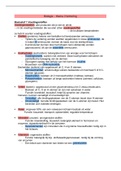
, Linux: stappenplan opstarten
1. Ga naar Azure Lab Service.
2. Ga naar Mijn virtuele machines.
3. Linux-machine opstarten.
4. PuTTY opstarten.
5. Monitor-icon klikken (Verbinding maken met de virtuele machine).
6. Verbinding maken via SSH.
7. Code komt tevoorschijn, bijv:
ssh -p 64705 adminosf@ml-lab-619493a6-af79-4545-8d81-
4686fec30f69.westeurope.cloudapp.azure.com
8. Rode Port Number ná ssh -p 64705 plakken in PuTTY → Port.
9. Groene link ná rode Port Number adminosf@ml-lab-619493a6-af79-4545-8d81-
4686fec30f69.westeurope.cloudapp.azure.com plakken in PuTTY → HostName (or IP address).
10. Wachtwoord invoeren (Let op, je ziet door Linux-security niet dat er getypt wordt, maar dat is
wel zo) en op Enter-toets klikken.
11. Ná $ (dollarteken) sudo su typen (super user do switch user) en op Enter-toets klikken om root-
rechten te krijgen.
12. Wederom wachtwoord invoeren (Let op, je ziet door Linux-security niet dat er getypt wordt,
maar dat is wel zo) en op Enter-toets klikken.
13. Je zit nu in Linux als sudo su met een # (hashtag) ervoor bij de commandline.
Linux: shortcut keys
De up arrow toets maakt het mogelijk om door de geschiedenis van de commando's te
gaan..
Met de down arrow toets ga je weer terug in de geschiedenis.
De PgUp toets laat het eerste commando zien wat je tijdens de sessie hebt getypt.
De PgDown toets laat het laatste commando zien. Je kunt natuurlijk de arrow up en
down met de Pg knoppen combineren.
De Home toets verplaatst de cursor naar het begin van de command line.
De End toets verplaatst de cursor naar het einde van de command line. Control + C heft het
huidige commando op. Het maakt de command line leeg.
●De left arrow toets verplaatst de cursor een positie naar links.
●De right arrow toets verplaatst de cursor een positie op de command line naar rechts.
●(End) moves the editing cursor to the end of the command line.
●(Del) deletes the character to the right of the insertion point.
Cheatsheet
, Linux: stappenplan opstarten
1. Ga naar Azure Lab Service.
2. Ga naar Mijn virtuele machines.
3. Linux-machine opstarten.
4. PuTTY opstarten.
5. Monitor-icon klikken (Verbinding maken met de virtuele machine).
6. Verbinding maken via SSH.
7. Code komt tevoorschijn, bijv:
ssh -p 64705 adminosf@ml-lab-619493a6-af79-4545-8d81-
4686fec30f69.westeurope.cloudapp.azure.com
8. Rode Port Number ná ssh -p 64705 plakken in PuTTY → Port.
9. Groene link ná rode Port Number adminosf@ml-lab-619493a6-af79-4545-8d81-
4686fec30f69.westeurope.cloudapp.azure.com plakken in PuTTY → HostName (or IP address).
10. Wachtwoord invoeren (Let op, je ziet door Linux-security niet dat er getypt wordt, maar dat is
wel zo) en op Enter-toets klikken.
11. Ná $ (dollarteken) sudo su typen (super user do switch user) en op Enter-toets klikken om root-
rechten te krijgen.
12. Wederom wachtwoord invoeren (Let op, je ziet door Linux-security niet dat er getypt wordt,
maar dat is wel zo) en op Enter-toets klikken.
13. Je zit nu in Linux als sudo su met een # (hashtag) ervoor bij de commandline.
Linux: shortcut keys
De up arrow toets maakt het mogelijk om door de geschiedenis van de commando's te
gaan..
Met de down arrow toets ga je weer terug in de geschiedenis.
De PgUp toets laat het eerste commando zien wat je tijdens de sessie hebt getypt.
De PgDown toets laat het laatste commando zien. Je kunt natuurlijk de arrow up en
down met de Pg knoppen combineren.
De Home toets verplaatst de cursor naar het begin van de command line.
De End toets verplaatst de cursor naar het einde van de command line. Control + C heft het
huidige commando op. Het maakt de command line leeg.
●De left arrow toets verplaatst de cursor een positie naar links.
●De right arrow toets verplaatst de cursor een positie op de command line naar rechts.
●(End) moves the editing cursor to the end of the command line.
●(Del) deletes the character to the right of the insertion point.