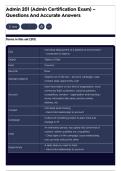
Admin 201 (Admin Certification Exam) –
Questions And Accurate Answers
Save
Terms in this set (215)
Individual deployment of a Salesforce environment
Org
- comprised of objects
Object Tables of Data
Field Columns
Records Rows
Objects out of the box - account, campaign, case,
Standard Objects
contact, lead, opportunity, user
track information on any kind of organization, most
commonly that's customers, could be partners,
Account competitors, vendors - organization level tracking -
stores information like name, phone number,
address, etc
Individual level tracking
Contact
- Hard child relationship to account
Outbound marketing project to plan, track and
Campaign
manage in SF
An interested person, has opted into some kind of
content, neither qualified nor unqualified
Lead
- Child object of the campaign, loose relationship,
one can exist without the other
A sales deal you want to track
Opportunity
- Hard child relationship to account
, Description of a customer's feedback, problem or
question
Case
- Hard child relationship to account - also attached
back to contact
Table or object most frequently used by an admin -
User
system user
Owner User - every object in Salesforce requires an owner
Paths guide users through stages of company
processes - used on account, contacts, leads,
Paths
campaign, case, contract, opportunity, order, quote
and custom object
Access from setup - name, address, primary
contact, default locale, default currency, storage
Company Profile
used, licenses available, fiscal year, currencies,
support information
Locale Settings A combination of language and location
Any FY that starts on the first of a month regardless
Standard Fiscal Year
of the month
Categorizes your fiscal year name based on the
Starting month FY year of the month the FY starts in (start in February
2020 → FY20)
Categorizes your fiscal year name based on the
Ending month FY year of the month the FY ends in (end in January
2021 → FY21)
Your fiscal year starts on a date different from the
Custom FY
first day of the month, FYs or FQs are longer/shorter
Feature request submitted to SF - admin has to
Multi Currency
approve currencies and set an exchange rate
Can't be undone - every currency field on objects
Multi Current Orgs
gets split into two columns, you can't go back
Default Currency in a Default currency settings are inherited, and able to
Multi Currency Org adjust at the user level
, What if you need to Then you use Advanced Currency Management -
reflect different currency this lets you associate date ranges for your
exchange rates over a exchange rates - ipso facto, you can "lock" in
period of time (as conversion rates for already closed opportunities
exchange rates fluctuate)
Customizing Home Page Work in Lightning App Builder
- where do you do this?
List Views vs Reports - When data spans multiple objects?
when do you use a
report?
Tasks and Events are Separate Objects
Tasks Vs. Events Tasks are your to-do list, events are what is on your
calendar
User created, marked as completed by user when
Task: To Do
done
Created as completed tasks: Due Date = Completed
Task: Call Log
Date
System created when sending email from Salesforce
or adding from separate email box
Task: Email
Created as completed tasks: Due Date = Completed
Date
User scheduled interactions, with a start and end
date, which appear on calendars
Events
Automatically marked as completed when start date
is reached
Records of the interactions your organization has
Activities with records such as your accounts, contacts and
opportunities - can be tasks or events
Open Activities Not yet completed
Activity history Completed activities
Questions And Accurate Answers
Save
Terms in this set (215)
Individual deployment of a Salesforce environment
Org
- comprised of objects
Object Tables of Data
Field Columns
Records Rows
Objects out of the box - account, campaign, case,
Standard Objects
contact, lead, opportunity, user
track information on any kind of organization, most
commonly that's customers, could be partners,
Account competitors, vendors - organization level tracking -
stores information like name, phone number,
address, etc
Individual level tracking
Contact
- Hard child relationship to account
Outbound marketing project to plan, track and
Campaign
manage in SF
An interested person, has opted into some kind of
content, neither qualified nor unqualified
Lead
- Child object of the campaign, loose relationship,
one can exist without the other
A sales deal you want to track
Opportunity
- Hard child relationship to account
, Description of a customer's feedback, problem or
question
Case
- Hard child relationship to account - also attached
back to contact
Table or object most frequently used by an admin -
User
system user
Owner User - every object in Salesforce requires an owner
Paths guide users through stages of company
processes - used on account, contacts, leads,
Paths
campaign, case, contract, opportunity, order, quote
and custom object
Access from setup - name, address, primary
contact, default locale, default currency, storage
Company Profile
used, licenses available, fiscal year, currencies,
support information
Locale Settings A combination of language and location
Any FY that starts on the first of a month regardless
Standard Fiscal Year
of the month
Categorizes your fiscal year name based on the
Starting month FY year of the month the FY starts in (start in February
2020 → FY20)
Categorizes your fiscal year name based on the
Ending month FY year of the month the FY ends in (end in January
2021 → FY21)
Your fiscal year starts on a date different from the
Custom FY
first day of the month, FYs or FQs are longer/shorter
Feature request submitted to SF - admin has to
Multi Currency
approve currencies and set an exchange rate
Can't be undone - every currency field on objects
Multi Current Orgs
gets split into two columns, you can't go back
Default Currency in a Default currency settings are inherited, and able to
Multi Currency Org adjust at the user level
, What if you need to Then you use Advanced Currency Management -
reflect different currency this lets you associate date ranges for your
exchange rates over a exchange rates - ipso facto, you can "lock" in
period of time (as conversion rates for already closed opportunities
exchange rates fluctuate)
Customizing Home Page Work in Lightning App Builder
- where do you do this?
List Views vs Reports - When data spans multiple objects?
when do you use a
report?
Tasks and Events are Separate Objects
Tasks Vs. Events Tasks are your to-do list, events are what is on your
calendar
User created, marked as completed by user when
Task: To Do
done
Created as completed tasks: Due Date = Completed
Task: Call Log
Date
System created when sending email from Salesforce
or adding from separate email box
Task: Email
Created as completed tasks: Due Date = Completed
Date
User scheduled interactions, with a start and end
date, which appear on calendars
Events
Automatically marked as completed when start date
is reached
Records of the interactions your organization has
Activities with records such as your accounts, contacts and
opportunities - can be tasks or events
Open Activities Not yet completed
Activity history Completed activities