Assignment 1:
Task 4:
P7:
Test No. Description Exp. Results Act Results Notes
1. Test - mouse click To press the right, It worked as
is appropriate for click and it will intended and the
a left-hand user. work as if it was right click took
the left click. the function of
the left click.
2. Test - monitor After 10 minutes As expected, the
turns off after ten the pc / laptop system switched
minutes. should turn to to sleep mode
sleep after 10 minutes
of inactive usage
3. Test – video Share video’s It worked as The user would
folder share folder with friends expected, by have to know the
and family by adding the email email for the
sharing it. of the friend or person that they
family in question wish to share
their videos’
folder
4. Test – Set default Changing default It worked as The user would
language. language for expected, have to reboot
example Spanish language changed their system in
into English after a reboot order to see the
changes made.
5. Test - Set Change windows It worked as If the user would
Windows Theme. default theme expected with the like to change the
optional, themes theme to a
provided by custom one, they
Microsoft. would have to
downloaded from
Microsoft app
store and then
apply it.
, P8:
Explain routine maintenance
Maintenance is crucial for any system. System require physical and internal cleaning every time in a
while, this because as they get old, they will gain more dust, and dirt which must be cleaned
physically by the user, to expect maximum performance in the system. Furthermore, they also
require cleaning internally, this is done by cleaning temporary files, cookies and cache that has been
saved in the computer in the background forming a pile of file that are of no use for the system itself
which can affect the performance of the system. This type of cleaning can be done manually by
running a few commands, however, nowadays exists tools that can do the work perfectly.
Suggests when to complete routine maintenance task
Routine maintenance is also important to keep the system clean from dust and internal rubbish. It
recommendable for a typical user to clean their system one time every month or two, due the lack
of usage. However, for a more active user it its recommendable to this two to three times per
month. On the other hand, daily users should do this process at the end of every week to maintain
the system clean and running at their best performance. However, this also depends on the internal
specifications of the system itself, as more powerful systems could hold much more rubbish without
impacting the actual performance of the system, therefore users should know their systems
specifications and decide whether they consider to be typical or daily users and then decide when
will be appropriate to perform this tasks.
M3: Evaluate performance of the system
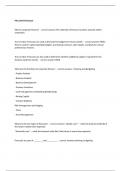
What is benchmark testing?
Benchmark is defined as a point of reference against, it is useful to compare and assess the quality of
the system hardware and software. The test can be used to compare how well a system may do
against other systems.
Benchmark testing therefore measures the constant set of results, that serves as a point reference
against those services or products in which the user would like to compare it with. For the
comparation to be fear the benchmark must be repeatable, meaning that for every alteration in the
benchmark result, the user would have to repeat the test until the results are constant.
The benchmark results are base in number values, meaning that the higher the value the faster the
hardware components, software and overall computer is.
Task 4:
P7:
Test No. Description Exp. Results Act Results Notes
1. Test - mouse click To press the right, It worked as
is appropriate for click and it will intended and the
a left-hand user. work as if it was right click took
the left click. the function of
the left click.
2. Test - monitor After 10 minutes As expected, the
turns off after ten the pc / laptop system switched
minutes. should turn to to sleep mode
sleep after 10 minutes
of inactive usage
3. Test – video Share video’s It worked as The user would
folder share folder with friends expected, by have to know the
and family by adding the email email for the
sharing it. of the friend or person that they
family in question wish to share
their videos’
folder
4. Test – Set default Changing default It worked as The user would
language. language for expected, have to reboot
example Spanish language changed their system in
into English after a reboot order to see the
changes made.
5. Test - Set Change windows It worked as If the user would
Windows Theme. default theme expected with the like to change the
optional, themes theme to a
provided by custom one, they
Microsoft. would have to
downloaded from
Microsoft app
store and then
apply it.
, P8:
Explain routine maintenance
Maintenance is crucial for any system. System require physical and internal cleaning every time in a
while, this because as they get old, they will gain more dust, and dirt which must be cleaned
physically by the user, to expect maximum performance in the system. Furthermore, they also
require cleaning internally, this is done by cleaning temporary files, cookies and cache that has been
saved in the computer in the background forming a pile of file that are of no use for the system itself
which can affect the performance of the system. This type of cleaning can be done manually by
running a few commands, however, nowadays exists tools that can do the work perfectly.
Suggests when to complete routine maintenance task
Routine maintenance is also important to keep the system clean from dust and internal rubbish. It
recommendable for a typical user to clean their system one time every month or two, due the lack
of usage. However, for a more active user it its recommendable to this two to three times per
month. On the other hand, daily users should do this process at the end of every week to maintain
the system clean and running at their best performance. However, this also depends on the internal
specifications of the system itself, as more powerful systems could hold much more rubbish without
impacting the actual performance of the system, therefore users should know their systems
specifications and decide whether they consider to be typical or daily users and then decide when
will be appropriate to perform this tasks.
M3: Evaluate performance of the system
What is benchmark testing?
Benchmark is defined as a point of reference against, it is useful to compare and assess the quality of
the system hardware and software. The test can be used to compare how well a system may do
against other systems.
Benchmark testing therefore measures the constant set of results, that serves as a point reference
against those services or products in which the user would like to compare it with. For the
comparation to be fear the benchmark must be repeatable, meaning that for every alteration in the
benchmark result, the user would have to repeat the test until the results are constant.
The benchmark results are base in number values, meaning that the higher the value the faster the
hardware components, software and overall computer is.