Zendesk Training UPDATED ACTUAL Questions and CORRECT Answers
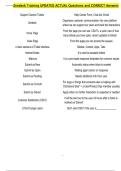
Support Channel Tickets Help Center Form, Chat bot, Email
Organizes customer communication into one platform
Zendesk
where we can support our users and track the interactions
From this page you can see: CSAT's, a quick view of how
Home Page
many tickets you have open, recent updates to tickets
Views Page From this page you can access the queues
4 main sections of Ticket Interface Sidebar, Content, Apps, Tabs
Internal Notes It is used to escalate tickets
Macros It is a pre-made response templates for common issues
Submit as New Automatic status when ticket is created
Submit as Open Waiting agent action or response
Submit as Pending Needs additional info from user
For bugs or things that someone else is helping with
Submit as On-hold
("Someone Else" = a User/Product Ops member usually)
Submit as Solved Apply when no further interaction is expected or needed
It will be sent out to the user 24 hours after a ticket is
Customer Satisfaction (CSAT)
marked as 'Solved'
U13s/Younger users Don't send CSAT if the user is
1/1
Support Channel Tickets Help Center Form, Chat bot, Email
Organizes customer communication into one platform
Zendesk
where we can support our users and track the interactions
From this page you can see: CSAT's, a quick view of how
Home Page
many tickets you have open, recent updates to tickets
Views Page From this page you can access the queues
4 main sections of Ticket Interface Sidebar, Content, Apps, Tabs
Internal Notes It is used to escalate tickets
Macros It is a pre-made response templates for common issues
Submit as New Automatic status when ticket is created
Submit as Open Waiting agent action or response
Submit as Pending Needs additional info from user
For bugs or things that someone else is helping with
Submit as On-hold
("Someone Else" = a User/Product Ops member usually)
Submit as Solved Apply when no further interaction is expected or needed
It will be sent out to the user 24 hours after a ticket is
Customer Satisfaction (CSAT)
marked as 'Solved'
U13s/Younger users Don't send CSAT if the user is
1/1