Les 1: productdesign:
Nieuwe kleur creeëren:
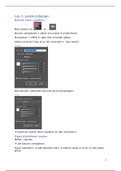
Kleur kiezen via: of
Kleuren verwijderen = select all unused prullenmand
Proceskleur = CMYK optie met of zonder global
Global verandert mee als je het verandert in ‘new swatch’
Spot kleuren (verandert ook mee als je het aanpast):
Duplicate swatch (kleur kopiëren en dan aanpassen)
Eigen bibliotheek maken
Motief 1 openen
alle kleuren verwijderen
Figuur selecteren add selected colors kleuren staan er nu bij new colour
group
1
,2
, Eerst depupliceren
= vergrendelknop
Color books pantone keuren (kan kleurtje ook zoeken op naam)
Kleurengroep opslaan save swatch libary as … opslagplaats selecteren
Open swatch libary
Ook vast zetten in werkbalk
Bitmap bestand omzetten naar vector bestand
Edit place
Bitmap ≠ vector
Bitmap is met pixels een vector zonder kan je oneindig vergroten
Window image trace
1. automatisch
2. voor foto’s
3. lage resolutie
4. grijswaarden
5. black and white
6. outline
Mode: color
Colours 30 veranderen naar 6
Expand (controlebalk bovenaan)
kijken naar de beste optie
Transparant maken
Gradient
3
Nieuwe kleur creeëren:
Kleur kiezen via: of
Kleuren verwijderen = select all unused prullenmand
Proceskleur = CMYK optie met of zonder global
Global verandert mee als je het verandert in ‘new swatch’
Spot kleuren (verandert ook mee als je het aanpast):
Duplicate swatch (kleur kopiëren en dan aanpassen)
Eigen bibliotheek maken
Motief 1 openen
alle kleuren verwijderen
Figuur selecteren add selected colors kleuren staan er nu bij new colour
group
1
,2
, Eerst depupliceren
= vergrendelknop
Color books pantone keuren (kan kleurtje ook zoeken op naam)
Kleurengroep opslaan save swatch libary as … opslagplaats selecteren
Open swatch libary
Ook vast zetten in werkbalk
Bitmap bestand omzetten naar vector bestand
Edit place
Bitmap ≠ vector
Bitmap is met pixels een vector zonder kan je oneindig vergroten
Window image trace
1. automatisch
2. voor foto’s
3. lage resolutie
4. grijswaarden
5. black and white
6. outline
Mode: color
Colours 30 veranderen naar 6
Expand (controlebalk bovenaan)
kijken naar de beste optie
Transparant maken
Gradient
3