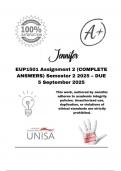
EUP1501 Assignment 2 (COMPLETE ANSWERS) Semester 2 2025 – DUE 5 September 2025; 100% correct solutions and explanations.
EUP1501 Assignment 2 (COMPLETE ANSWERS) Semester 2 2025 – DUE 5 September 2025; 100% correct solutions and explanations. EUP1501 Semester 2 - 2025 Formative Assessment 2 Microsoft Word: Create a Newsletter Read the instructions carefully, and follow them step by step. You may make adjustments where necessary. Objective: For this assessment, Students will use Microsoft Word to format and design a 2-page newsletter using the provided content. Instructions: 1. Open Microsoft Word and create a new document. 2. Set Up the Page: • Change the page layout to Landscape. • Adjust margins to Narrow (1.27 cm on all sides). 3. Enter and Format the Title: • Title: "Tech Innovations Weekly" - Font - 20, Bold, Style: Intense Quote • Subtitle 1: "Exploring the Future of Technology" - Font - 14 • Subtitle 2: Issue #1 - Assignment Dute date. Font – 14, Italics • Centre align (Title and subtitles) 4. Press Enter (to create space) 5. Insert a Header &
Connected book

- 2012
- 9789279227349
- Unknown
Written for
- Institution
- University of South Africa
- Course
- Ethical Information and Communication Technologies for Development Solutions
Document information
- Uploaded on
- August 15, 2025
- Number of pages
- 15
- Written in
- 2025/2026
- Type
- Exam (elaborations)
- Contains
- Questions & answers
Subjects
-
eup1501 assignment 2 complete answers semester 2