CONS 127 Observing the Earth from Space
Assignment 2: Where Are You? Google Earth and Geodesy
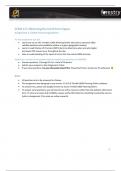
For this assignment you will…
• Learn how to use geographic coordinate systems to find and describe locations on the globe
• Apply your knowledge of datums and how they can affect geospatial location mapping
• Apply your knowledge of projection systems
Submit your answers in accordance with the posted quiz questions (in CANVAS):
• Answer questions 1 through 16, for a total of 50 points.
• Submit your answers to the Assignment 2 Quiz.
• If you have questions, try your discussion board first. Please feel free to email your TA
otherwise !
&
%
$
#
"
Websites referenced
• Google Earth Web
• Compare Map Projections
• Convert Geographic Units
• What UTM Zone am I in?
• Movable Type Scripts
Notes
• Questions 1-16 can be found at the end of this assignment. Please use these as reference, then
submit your answers to the Assignment 2 Quiz on Canvas
• Please ask assignment questions via the Assignment 2 discussion board, this way your peers can
also benefit from your question. Or, email the TA (email found on Canvas page for this
assignment).
• Some websites, including Google Earth Web and Compare Map Projections, are only fully
accessible through a small number of internet browsers. The websites are fully accessible via
Google Chrome, Mozilla Firefox and Microsoft Edge.
• If the YouTube videos are not available in your country than you should use UBC’s VPN server.
Note that the videos are not essential for making this assignment.
• You are not expected to memorize every property of each map projection.
• Pay close attention to detail and formatting when working with spatial data. Follow the provided
formatting instructions for the coordinates fill-in-the-blanks question to receive full marks.
1
, Note on online research
To answer some questions, especially true/false, you will need to use online resources other than the
websites referenced above. A key learning outcome of these assignments is for students to become
more comfortable retrieving reliable information from the internet. While Wikipedia itself is not
considered a proper academic reference, it can serve as a useful starting point. To ensure accuracy and
credibility, always verify information by consulting trustworthy sources such as:
• University or government websites (e.g., those ending in .edu or .gov).
• Peer-reviewed journal articles and primary research studies.
• Reputable organizations or institutions in the relevant field (e.g., NASA, National Geographic,
etc.).
• Published books or academic databases (e.g., JSTOR, PubMed, ProQuest).
This approach helps ensure that your work is supported by reliable and authoritative information. When
in doubt, aim to use resources that are transparent about their sources and evidence, and feel free to
post in the discussion board or email your TA.
2
Assignment 2: Where Are You? Google Earth and Geodesy
For this assignment you will…
• Learn how to use geographic coordinate systems to find and describe locations on the globe
• Apply your knowledge of datums and how they can affect geospatial location mapping
• Apply your knowledge of projection systems
Submit your answers in accordance with the posted quiz questions (in CANVAS):
• Answer questions 1 through 16, for a total of 50 points.
• Submit your answers to the Assignment 2 Quiz.
• If you have questions, try your discussion board first. Please feel free to email your TA
otherwise !
&
%
$
#
"
Websites referenced
• Google Earth Web
• Compare Map Projections
• Convert Geographic Units
• What UTM Zone am I in?
• Movable Type Scripts
Notes
• Questions 1-16 can be found at the end of this assignment. Please use these as reference, then
submit your answers to the Assignment 2 Quiz on Canvas
• Please ask assignment questions via the Assignment 2 discussion board, this way your peers can
also benefit from your question. Or, email the TA (email found on Canvas page for this
assignment).
• Some websites, including Google Earth Web and Compare Map Projections, are only fully
accessible through a small number of internet browsers. The websites are fully accessible via
Google Chrome, Mozilla Firefox and Microsoft Edge.
• If the YouTube videos are not available in your country than you should use UBC’s VPN server.
Note that the videos are not essential for making this assignment.
• You are not expected to memorize every property of each map projection.
• Pay close attention to detail and formatting when working with spatial data. Follow the provided
formatting instructions for the coordinates fill-in-the-blanks question to receive full marks.
1
, Note on online research
To answer some questions, especially true/false, you will need to use online resources other than the
websites referenced above. A key learning outcome of these assignments is for students to become
more comfortable retrieving reliable information from the internet. While Wikipedia itself is not
considered a proper academic reference, it can serve as a useful starting point. To ensure accuracy and
credibility, always verify information by consulting trustworthy sources such as:
• University or government websites (e.g., those ending in .edu or .gov).
• Peer-reviewed journal articles and primary research studies.
• Reputable organizations or institutions in the relevant field (e.g., NASA, National Geographic,
etc.).
• Published books or academic databases (e.g., JSTOR, PubMed, ProQuest).
This approach helps ensure that your work is supported by reliable and authoritative information. When
in doubt, aim to use resources that are transparent about their sources and evidence, and feel free to
post in the discussion board or email your TA.
2