Objectives
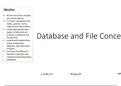
By the end of this chapter,
you will be able to:
m create a database with
tables, queries, forms,
reports and relationships
assign appropriate data
types to fields and set
primary, compound and
foreign keys
understand relationships,
Database and File Concep
entity relationship
diagrams and referential
integrity
evaluate the difference
between a flat file, and
relational and hierarchical
databases
A LEVEL ICT 20-Aug-20 MR
,Objectives
Create a database
By the end of this chapter, Key Terms
you will be able to:
m create a database with
tables, queries, forms, • Database: structured method of storing data
reports and relationships
assign appropriate data • Table: a set of similar data (about people, places, o
types to fields and set or events)
primary, compound and
foreign keys • Record: Within a table are rows known as records.
understand relationships,
entity relationship
common word for entity
diagrams and referential
integrity
• Entity: Each record is an entity which is a set of da
evaluate the difference one single thing (person, place, object or event).
between a flat file, and
relational and hierarchical • Each entity has categories of information. These
databases categories are known as attributes or fields.
• Attribute: a category of information within an enti
A LEVEL ICT 20-Aug-20 MR
,Objectives
Create a database
By the end of this chapter, Key Terms
you will be able to:
m create a database with
tables, queries, forms, • Field: a common word for attribute
reports and relationships
assign appropriate data • Primary key: a field that contains the unique ident
types to fields and set
primary, compound and a record
foreign keys
understand relationships, • One of the fields will be known as the primary key.
entity relationship primary key contains a unique value for each recor
diagrams and referential
integrity means that each value can only exist once in that t
evaluate the difference it is possible to identify each record using the prim
between a flat file, and
relational and hierarchical
databases
• Database management system: software used to m
a database
A LEVEL ICT 20-Aug-20 MR
, Objectives
File Formats
By the end of this chapter, Note:
you will be able to:
m create a database with • Generic file formats enable data to be transferred
tables, queries, forms,
reports and relationships between software.
assign appropriate data
types to fields and set
primary, compound and
foreign keys
understand relationships,
entity relationship
* They do not include any formatting and only include ess
diagrams and referential data.
integrity
evaluate the difference
• .txt and .csv are generic file formats
between a flat file, and
relational and hierarchical
databases
A LEVEL ICT 20-Aug-20 MR
By the end of this chapter,
you will be able to:
m create a database with
tables, queries, forms,
reports and relationships
assign appropriate data
types to fields and set
primary, compound and
foreign keys
understand relationships,
Database and File Concep
entity relationship
diagrams and referential
integrity
evaluate the difference
between a flat file, and
relational and hierarchical
databases
A LEVEL ICT 20-Aug-20 MR
,Objectives
Create a database
By the end of this chapter, Key Terms
you will be able to:
m create a database with
tables, queries, forms, • Database: structured method of storing data
reports and relationships
assign appropriate data • Table: a set of similar data (about people, places, o
types to fields and set or events)
primary, compound and
foreign keys • Record: Within a table are rows known as records.
understand relationships,
entity relationship
common word for entity
diagrams and referential
integrity
• Entity: Each record is an entity which is a set of da
evaluate the difference one single thing (person, place, object or event).
between a flat file, and
relational and hierarchical • Each entity has categories of information. These
databases categories are known as attributes or fields.
• Attribute: a category of information within an enti
A LEVEL ICT 20-Aug-20 MR
,Objectives
Create a database
By the end of this chapter, Key Terms
you will be able to:
m create a database with
tables, queries, forms, • Field: a common word for attribute
reports and relationships
assign appropriate data • Primary key: a field that contains the unique ident
types to fields and set
primary, compound and a record
foreign keys
understand relationships, • One of the fields will be known as the primary key.
entity relationship primary key contains a unique value for each recor
diagrams and referential
integrity means that each value can only exist once in that t
evaluate the difference it is possible to identify each record using the prim
between a flat file, and
relational and hierarchical
databases
• Database management system: software used to m
a database
A LEVEL ICT 20-Aug-20 MR
, Objectives
File Formats
By the end of this chapter, Note:
you will be able to:
m create a database with • Generic file formats enable data to be transferred
tables, queries, forms,
reports and relationships between software.
assign appropriate data
types to fields and set
primary, compound and
foreign keys
understand relationships,
entity relationship
* They do not include any formatting and only include ess
diagrams and referential data.
integrity
evaluate the difference
• .txt and .csv are generic file formats
between a flat file, and
relational and hierarchical
databases
A LEVEL ICT 20-Aug-20 MR