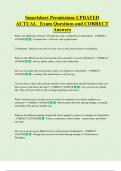
Smartsheet Permissions UPDATED
ACTUAL Exam Questions and CORRECT
Answers
What is the difference between a licensed user and a collaborator in Smartsheet? - CORRECT
ANSWER - Licensed user - a full user with a paid license
Collaborator - limited access who can only view or edit certain sheets or workspaces
What are the different levels of access that can be granted to a user in Smartsheet? - CORRECT
ANSWER - Owner, admin, editor, viewer, and collaborator
How can you audit who has accessed a sheet or workspace in Smartsheet? - CORRECT
ANSWER - Looking at the sheet history or activity log
Can you share a sheet with someone outside of your organization and still maintain control over
their access to the data in the sheet? - CORRECT ANSWER - Yes, you can use a public
link. They will not be able to edit or change anything on the sheet
What is the best way to revoke access to a sheet or workspace for a former employee or
contractor? - CORRECT ANSWER - Remove them from the sharing settings, or transfer
ownership of the sheet to another user
What are the different sharing settings that can be applied to a sheet or workspace in Smartsheet?
- CORRECT ANSWER - Viewer, commenter, Admin, Editor - cannot share, and Editor -
can share
How can a user be given different levels of permission in Smartsheet? - CORRECT
ANSWER - Change their access level in the Sharing settings of a Smartsheet or
Workspace
, What functions can an Owner perform in a Smartsheet? - CORRECT ANSWER - An
Owner can perform all functions in a Smartsheet, including sharing, editing, and deleting sheets.
They can also change their own level of permission or transfer ownership of a sheet
What functions can an Admin perform in a Smartsheet? - CORRECT ANSWER - An
Admin can perform most functions in a Smartsheet, including sharing, editing, and deleting
sheets. However, they cannot transfer ownership of a sheet or change their own level of
permission
What functions can an Editor perform in a Smartsheet? - CORRECT ANSWER - • Editor -
can share: Can edit unlocked sheet contents, add documents, comment, and share with
collaborators but can't modify the column layout
• Editor - cannot share: Can edit sheet unlocked contents, add documents, and comment but can't
modify the column layout or share with collaborators
What functions can a Viewer perform in a Smartsheet? - CORRECT ANSWER - A Viewer
can only view content in a Smartsheet and cannot edit or share the sheet
Can a Viewer edit or make changes to a Smartsheet? - CORRECT ANSWER - No, a
Viewer cannot edit or make changes to a Smartsheet
Can a Viewer share a Smartsheet with other users? - CORRECT ANSWER - No, a Viewer
cannot share opr modify a Smartsheet
Can an Editor add a row or column in a Smartsheet? - CORRECT ANSWER - No, an
Editor can edit cells, but not add rows or columns in a Smartsheet
Can a Viewer add a comment to a cell in a Smartsheet? - CORRECT ANSWER - No, a
Viewer cannot add a comment to a cell in a Smartsheet
Can an Admin change the Owner of a Smartsheet? - CORRECT ANSWER - No, an
Admin cannot change the Owner of a Smartsheet; only an Owner can transfer ownership
ACTUAL Exam Questions and CORRECT
Answers
What is the difference between a licensed user and a collaborator in Smartsheet? - CORRECT
ANSWER - Licensed user - a full user with a paid license
Collaborator - limited access who can only view or edit certain sheets or workspaces
What are the different levels of access that can be granted to a user in Smartsheet? - CORRECT
ANSWER - Owner, admin, editor, viewer, and collaborator
How can you audit who has accessed a sheet or workspace in Smartsheet? - CORRECT
ANSWER - Looking at the sheet history or activity log
Can you share a sheet with someone outside of your organization and still maintain control over
their access to the data in the sheet? - CORRECT ANSWER - Yes, you can use a public
link. They will not be able to edit or change anything on the sheet
What is the best way to revoke access to a sheet or workspace for a former employee or
contractor? - CORRECT ANSWER - Remove them from the sharing settings, or transfer
ownership of the sheet to another user
What are the different sharing settings that can be applied to a sheet or workspace in Smartsheet?
- CORRECT ANSWER - Viewer, commenter, Admin, Editor - cannot share, and Editor -
can share
How can a user be given different levels of permission in Smartsheet? - CORRECT
ANSWER - Change their access level in the Sharing settings of a Smartsheet or
Workspace
, What functions can an Owner perform in a Smartsheet? - CORRECT ANSWER - An
Owner can perform all functions in a Smartsheet, including sharing, editing, and deleting sheets.
They can also change their own level of permission or transfer ownership of a sheet
What functions can an Admin perform in a Smartsheet? - CORRECT ANSWER - An
Admin can perform most functions in a Smartsheet, including sharing, editing, and deleting
sheets. However, they cannot transfer ownership of a sheet or change their own level of
permission
What functions can an Editor perform in a Smartsheet? - CORRECT ANSWER - • Editor -
can share: Can edit unlocked sheet contents, add documents, comment, and share with
collaborators but can't modify the column layout
• Editor - cannot share: Can edit sheet unlocked contents, add documents, and comment but can't
modify the column layout or share with collaborators
What functions can a Viewer perform in a Smartsheet? - CORRECT ANSWER - A Viewer
can only view content in a Smartsheet and cannot edit or share the sheet
Can a Viewer edit or make changes to a Smartsheet? - CORRECT ANSWER - No, a
Viewer cannot edit or make changes to a Smartsheet
Can a Viewer share a Smartsheet with other users? - CORRECT ANSWER - No, a Viewer
cannot share opr modify a Smartsheet
Can an Editor add a row or column in a Smartsheet? - CORRECT ANSWER - No, an
Editor can edit cells, but not add rows or columns in a Smartsheet
Can a Viewer add a comment to a cell in a Smartsheet? - CORRECT ANSWER - No, a
Viewer cannot add a comment to a cell in a Smartsheet
Can an Admin change the Owner of a Smartsheet? - CORRECT ANSWER - No, an
Admin cannot change the Owner of a Smartsheet; only an Owner can transfer ownership