Written by students who passed Immediately available after payment Read online or as PDF Wrong document? Swap it for free 4.6 TrustPilot
logo-home
Exam (elaborations)

CodeHS Unit Four JavaScript & Graphics Questions and Answers Latest Update Already Passed

Rating
-
Sold
-
Pages
18
Grade
A+
Uploaded on
20-02-2025
Written in
2024/2025

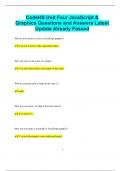
CodeHS Unit Four JavaScript & Graphics Questions and Answers Latest Update Already Passed How do you create a circle in JavaScript graphics? Use new Circle() with a specified radius. How can you set the color of a shape? Use setColor() with a color name or hex code. Which command adds a shape to the canvas? add() How do you remove an object from the canvas? Use remove(). How can you make a rectangle in JavaScript graphics? Use new Rectangle() with width and height. 2 How do you draw a line between two points? Use new Line() with starting and ending coordinates. How can you make text appear on the canvas? Use new Text() with the message and font size. Which method is used to change the position of an object? setPosition() How do you make an object move smoothly across the screen? Use a while loop with move(). How can you change the background color of the canvas? Use setBackgroundColor(). How do you make an object visible after hiding it? Use add() again to add it back to the canvas. 3 Which command is used to draw an oval? Use new Oval() with width and height. How can you change the font size of displayed text? Use setFont() with the desired size. How do you make an object move up the screen? Use move(0, -distance). How can you create a gradient effect? Overlay semi-transparent shapes with different colors. How do you check if two objects are touching? Use getX() and getY() to compare positions. Which method changes the size of a shape? Use setSize() or setRadius() for circles. 4 How can you rotate a shape on the canvas? It's not directly supported; simulate by moving points. How do you make a bouncing animation? Use a loop to reverse direction when hitting canvas edges. How can you make an object disappear temporarily?

Show more Read less
Institution
CodeHS Unit Four JavaScript & Graphics
Course
CodeHS Unit Four JavaScript & Graphics

Content preview

CodeHS Unit Four JavaScript &
Graphics Questions and Answers Latest
Update Already Passed
How do you create a circle in JavaScript graphics?


✔✔ Use new Circle() with a specified radius.


How can you set the color of a shape?


✔✔ Use setColor() with a color name or hex code.


Which command adds a shape to the canvas?


✔✔ add()


How do you remove an object from the canvas?


✔✔ Use remove().


How can you make a rectangle in JavaScript graphics?


✔✔ Use new Rectangle() with width and height.


1

,How do you draw a line between two points?


✔✔ Use new Line() with starting and ending coordinates.


How can you make text appear on the canvas?


✔✔ Use new Text() with the message and font size.


Which method is used to change the position of an object?


✔✔ setPosition()


How do you make an object move smoothly across the screen?


✔✔ Use a while loop with move().


How can you change the background color of the canvas?


✔✔ Use setBackgroundColor().


How do you make an object visible after hiding it?


✔✔ Use add() again to add it back to the canvas.


2

, Which command is used to draw an oval?


✔✔ Use new Oval() with width and height.


How can you change the font size of displayed text?


✔✔ Use setFont() with the desired size.


How do you make an object move up the screen?


✔✔ Use move(0, -distance).


How can you create a gradient effect?


✔✔ Overlay semi-transparent shapes with different colors.


How do you check if two objects are touching?


✔✔ Use getX() and getY() to compare positions.


Which method changes the size of a shape?


✔✔ Use setSize() or setRadius() for circles.


3

Written for

Institution
CodeHS Unit Four JavaScript & Graphics
Course
CodeHS Unit Four JavaScript & Graphics

Document information

Uploaded on
February 20, 2025
Number of pages
18
Written in
2024/2025
Type
Exam (elaborations)
Contains
Questions & answers

Subjects

$10.49
Get access to the full document:

Wrong document? Swap it for free Within 14 days of purchase and before downloading, you can choose a different document. You can simply spend the amount again.
Written by students who passed
Immediately available after payment
Read online or as PDF


Also available in package deal

Thumbnail
Package deal
CodeHS JavaScript Bundled Exams Questions and Answers Latest Versions (2025/2026) (Complete and Accurate)
-
7 2025
$ 19.50 More info

Get to know the seller

Seller avatar
Reputation scores are based on the amount of documents a seller has sold for a fee and the reviews they have received for those documents. There are three levels: Bronze, Silver and Gold. The better the reputation, the more your can rely on the quality of the sellers work.
BrilliantScores Chamberlain College Of Nursng
View profile
Follow You need to be logged in order to follow users or courses
Sold
2884
Member since
4 year
Number of followers
2237
Documents
16205
Last sold
23 hours ago
latest updated documents, correct, verified & graded A study materials

get bundles, documents, test banks, case studies, shadow health's, ATIs, HESIs, study guides, summary, assignments & every kind of study materials.

3.8

782 reviews

5
391
4
118
3
118
2
38
1
117

Why students choose Stuvia

Created by fellow students, verified by reviews

Quality you can trust: written by students who passed their tests and reviewed by others who've used these notes.

Didn't get what you expected? Choose another document

No worries! You can instantly pick a different document that better fits what you're looking for.

Pay as you like, start learning right away

No subscription, no commitments. Pay the way you're used to via credit card and download your PDF document instantly.

Student with book image

“Bought, downloaded, and aced it. It really can be that simple.”

Alisha Student

Working on your references?

Create accurate citations in APA, MLA and Harvard with our free citation generator.

Working on your references?

Frequently asked questions