Unit-2
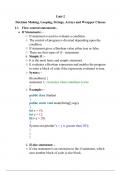
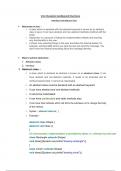
Decision Making, Looping, Strings, Arrays and Wrapper Classes
1.1 Flow control statements:-
If Statements: -
o If statement is used to evaluate a condition.
o The control of program is diverted depending upon the
condition.
o If statement gives a Boolean value either true or false.
o There are four types of if – statements.
i. Simple if : -
o It is the most basic and simple statement.
o It evaluates a Boolean expression and enables the program
to enter a block of code if the expression evaluates to true.
o Syntax: -
if(condition) {
statement 1; //executes when condition is true
}
o Example: -
public class Student
{
public static void main(String[] args)
{
int x = 10;
int y = 12;
if(x+y > 20)
{
System.out.println("x + y is greater than 20");
}
}
}
ii. If-else statement: -
o If else statement is an extension to the if statement, which
uses another block of code is else block.
,o Else block is executed if the condition of the if-block is
evaluated as false.
o Syntax: -
if(condition)
{
statement 1; //executes when condition is true
}
Else
{
statement 2; //executes when condition is false
}
o Example: -
public class Student
{
public static void main(String[] args)
{
int x = 10;
int y = 12;
if(x+y < 10)
{
System.out.println("x + y is less than 10");
}
else
{
System.out.println("x + y is greater than 20");
}
}
}
iii.If-else-if ladder: -
o The if-else-if statement contains the if-statement following
by multiple else-if statements.
o We can say that it is the chain of if-else statements that
create a decision tree where the program may enter in the
block of code where the condition Is true.
, o We can also define an else statement at the end of the
chain.
o Syntax: -
if(condition 1) {
statement 1; //executes when condition 1 is true
}
else if(condition 2) {
statement 2; //executes when condition 2 is true
}
else {
statement 2; //executes when all the conditions are false
}
o Example: -
public class Student
{
public static void main(String[] args)
{
String city = "Delhi";
if(city == "Gandhinagar")
{
System.out.println("city is Gandhinagar ");
}
else if (city == "Noida")
{
System.out.println("city is noida");
}else if(city == "Agra")
{
System.out.println("city is agra");
}
else
{
System.out.println(city);
}
}
}
Decision Making, Looping, Strings, Arrays and Wrapper Classes
1.1 Flow control statements:-
If Statements: -
o If statement is used to evaluate a condition.
o The control of program is diverted depending upon the
condition.
o If statement gives a Boolean value either true or false.
o There are four types of if – statements.
i. Simple if : -
o It is the most basic and simple statement.
o It evaluates a Boolean expression and enables the program
to enter a block of code if the expression evaluates to true.
o Syntax: -
if(condition) {
statement 1; //executes when condition is true
}
o Example: -
public class Student
{
public static void main(String[] args)
{
int x = 10;
int y = 12;
if(x+y > 20)
{
System.out.println("x + y is greater than 20");
}
}
}
ii. If-else statement: -
o If else statement is an extension to the if statement, which
uses another block of code is else block.
,o Else block is executed if the condition of the if-block is
evaluated as false.
o Syntax: -
if(condition)
{
statement 1; //executes when condition is true
}
Else
{
statement 2; //executes when condition is false
}
o Example: -
public class Student
{
public static void main(String[] args)
{
int x = 10;
int y = 12;
if(x+y < 10)
{
System.out.println("x + y is less than 10");
}
else
{
System.out.println("x + y is greater than 20");
}
}
}
iii.If-else-if ladder: -
o The if-else-if statement contains the if-statement following
by multiple else-if statements.
o We can say that it is the chain of if-else statements that
create a decision tree where the program may enter in the
block of code where the condition Is true.
, o We can also define an else statement at the end of the
chain.
o Syntax: -
if(condition 1) {
statement 1; //executes when condition 1 is true
}
else if(condition 2) {
statement 2; //executes when condition 2 is true
}
else {
statement 2; //executes when all the conditions are false
}
o Example: -
public class Student
{
public static void main(String[] args)
{
String city = "Delhi";
if(city == "Gandhinagar")
{
System.out.println("city is Gandhinagar ");
}
else if (city == "Noida")
{
System.out.println("city is noida");
}else if(city == "Agra")
{
System.out.println("city is agra");
}
else
{
System.out.println(city);
}
}
}