Relativity Review Certification 8.1 - Part 3: Core
Reviewer Interface well answered to pass graded A+
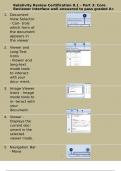
1. Document
View Selector
- Con- trols
which form of
the document
appears in
the viewer
2. Viewer and
Long-Text
Icons
- Viewer and
long-text
mode tools
to interact
with your
docu- ment.
3. Image Viewer
Icons - Image
mode tools to
in- teract with
your
document.
4. Viewer -
Displays the
current doc-
ument in the
selected
viewer mode.
5. Navigation Bar
- Move
1/
27
, Relativity Review Certification 8.1 - Part 3: Core
Reviewer Interface well answered to pass graded A+
through the
returned set
of
documents.
2/
27
, Relativity Review Certification 8.1 - Part 3: Core
Reviewer Interface well answered to pass graded A+
6.Interface Toggle Options Strip - Toggle options to customize your viewer settings.
7. Coding
Layouts and
Forms - Cus-
tomizable
coding forms
for docu-
ment review.
8. Related Items
Strip - Access
a document's
relat- ed items,
such as family
and dupli-
cates.
9. Persistent
High- light
Sets Pane
- Displays hit
counts for high-
lighted search
terms and per-
sistent highlight
sets.
10. What is the Band- If you experience latency or performance issues while loading a
3/
27
Reviewer Interface well answered to pass graded A+
1. Document
View Selector
- Con- trols
which form of
the document
appears in
the viewer
2. Viewer and
Long-Text
Icons
- Viewer and
long-text
mode tools
to interact
with your
docu- ment.
3. Image Viewer
Icons - Image
mode tools to
in- teract with
your
document.
4. Viewer -
Displays the
current doc-
ument in the
selected
viewer mode.
5. Navigation Bar
- Move
1/
27
, Relativity Review Certification 8.1 - Part 3: Core
Reviewer Interface well answered to pass graded A+
through the
returned set
of
documents.
2/
27
, Relativity Review Certification 8.1 - Part 3: Core
Reviewer Interface well answered to pass graded A+
6.Interface Toggle Options Strip - Toggle options to customize your viewer settings.
7. Coding
Layouts and
Forms - Cus-
tomizable
coding forms
for docu-
ment review.
8. Related Items
Strip - Access
a document's
relat- ed items,
such as family
and dupli-
cates.
9. Persistent
High- light
Sets Pane
- Displays hit
counts for high-
lighted search
terms and per-
sistent highlight
sets.
10. What is the Band- If you experience latency or performance issues while loading a
3/
27