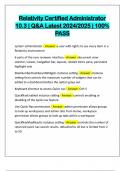
Relativity Certified Administrator 10.3 | Q&A Latest 2024/2025 | 100% PASS
Relativity Certified Administrator 10.3 | Q&A Latest 2024/2025 | 100% PASS system administrator - Answer -a user with rights to see every item in a Relativity environment 6 parts of the core reviewer interface - Answer -document view selector, viewer, navigation bar, layouts, related items pane, persistent highlight sets MaxNumberDashboardWidgets instance setting - Answer -Instance setting that controls the maximum number of widgets that can be added to a dashboard before the option grays out Keyboard shortcut to access Quick nav - Answer -Ctrl+/ QuickNavEnabled instance setting - Answer -controls enabling or disabling of the quick nav feature Use Quick Nav permissions - Answer -admin permission allows groups to look up workspaces and admin tabs from Home, workspace permission allows groups to look up tabs within a workspace QuickNavMaxResults instance setting - Answer -controls the number of returned quick nav search results. defaulted to 20 but is limited from 2 to 50what are the various login methods to relativity? - Answer -password only, password: two factor, active directory, integrated authentication, client certificate, RSA, openID connect, and SAML 2.0 What non-alpha-numeric characters are not allowed in passwords? - Answer -,",<,> Relativity objects need to be dynamic in order to be exported - Answer - yes Parent tabs cannot be included in an exported application - Answer -yes System fields cannot be exported as part of an application export - Answer -yes
Written for
- Institution
- Relativity
- Course
- Relativity
Document information
- Uploaded on
- February 4, 2025
- Number of pages
- 28
- Written in
- 2024/2025
- Type
- Exam (elaborations)
- Contains
- Questions & answers
Subjects
-
relativity certified administrator 103 qa 2024
-
relativity certified administrator 103 qa 2025
-
system administrator answer a user with rights

Also available in package deal