Relativity Documentation —Viewer Exam | Q&A Latest 2024/2025 | 100% PASS
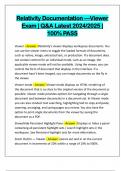
Relativity Documentation —Viewer Exam | Q&A Latest 2024/2025 | 100% PASS Viewer - Answer -Relativity's viewer displays workspace documents. You can use the viewer menu to toggle the loaded formats of documents, such as native, image, extracted text, or production. If a document does not contain content for an individual mode, such as an image, the applicable viewer mode will not be available. Using the viewer, you can control the form of document that displays in the interface. If a document hasn't been imaged, you can image documents on the fly in the viewer. Viewer mode - Answer -Viewer mode displays an HTML rendering of the document that is as close to the original version of the document as possible. Viewer mode provides options for navigating through a single document and between documents in a document set. In Viewer mode you can also conduct text searching, highlighting text to copy and paste, zooming, arranging, and saving pages you review. You also have the option to print single documents from th
Written for
- Institution
- Relativity
- Course
- Relativity
Document information
- Uploaded on
- February 4, 2025
- Number of pages
- 11
- Written in
- 2024/2025
- Type
- Exam (elaborations)
- Contains
- Questions & answers
Subjects
-
relativity documentation viewer exam 2024
-
relativity documentation viewer exam 2025
-
viewer answer relativitys viewer displays work

Also available in package deal