©FYNDLAY 2024/2025 ALL RIGHTS RESERVED.
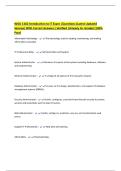
Microsoft Word: Lesson 11 Review Exam
Questions With Correct Answers (Verified
And Updated)
Fields correspond to the column heading in the data file. - Answer✔True
It is a good practice to check for errors before completing the merge process - Answer✔True
Mail merge fields are enclosed by - Answer✔Chevrons (<< >>)
Mail merge fields are inserted in a document using a data source file. - Answer✔True
The Address Block will also include the Greeting Line. - Answer✔False
The data source is a file that contains the information to be merged into a document, for
example, names and addresses. - Answer✔True
The edit recipient's list allows you to make changes to the list of recipients and decide which one
will receive your letter. - Answer✔True
The main document does not contain the same text or graphics for each merged document. -
Answer✔False
To merge information into your main document, you must first connect the document to a(n) -
Answer✔Data Source
What is the first step in performing a mail merge? - Answer✔Set up the Main Document
When a user selects the Current Record under the Finish & Merge menu, which document will
appear in a new document screen? - Answer✔From where your insertion point is placed in the
main document
When mail merge fields have been inserted into a document, Word will automatically replace
them with information from a data source when the - Answer✔Mail merge is performed
When previewing the mail merge document, Word replaces the merge fields with -
Answer✔Actual Data
When you save the main document, you also save - Answer✔Its connection to the data file
1|Page
Microsoft Word: Lesson 11 Review Exam
Questions With Correct Answers (Verified
And Updated)
Fields correspond to the column heading in the data file. - Answer✔True
It is a good practice to check for errors before completing the merge process - Answer✔True
Mail merge fields are enclosed by - Answer✔Chevrons (<< >>)
Mail merge fields are inserted in a document using a data source file. - Answer✔True
The Address Block will also include the Greeting Line. - Answer✔False
The data source is a file that contains the information to be merged into a document, for
example, names and addresses. - Answer✔True
The edit recipient's list allows you to make changes to the list of recipients and decide which one
will receive your letter. - Answer✔True
The main document does not contain the same text or graphics for each merged document. -
Answer✔False
To merge information into your main document, you must first connect the document to a(n) -
Answer✔Data Source
What is the first step in performing a mail merge? - Answer✔Set up the Main Document
When a user selects the Current Record under the Finish & Merge menu, which document will
appear in a new document screen? - Answer✔From where your insertion point is placed in the
main document
When mail merge fields have been inserted into a document, Word will automatically replace
them with information from a data source when the - Answer✔Mail merge is performed
When previewing the mail merge document, Word replaces the merge fields with -
Answer✔Actual Data
When you save the main document, you also save - Answer✔Its connection to the data file
1|Page