100% satisfaction guarantee Immediately available after payment Both online and in PDF No strings attached 4.2 TrustPilot
logo-home
Exam (elaborations)

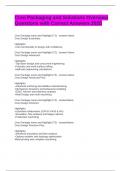
Creo Packaging and Solutions Overview Questions with Correct Answers 2025

Rating
-
Sold
-
Pages
12
Grade
A+
Uploaded on
02-01-2025
Written in
2024/2025

Creo Packaging and Solutions Overview Questions with Correct Answers 2025 Creo Package name and Highlight (T1) Name: Creo Design Essentials: Highlights: -Core functionality to design with confidence Creo Package name and Highlight (T2) Name: Creo Design Advanced: Highlights: -Top-down design and concurrent engineering -Prismatic and multi-surface milling -Mathcad engineering calculations Creo Package name and Highlight (T3) Name: Creo Design Advanced Plus: Highlights: -Advanced surfacing and additive manufacturing -Mechanism dynamics and behavioral modeling -GD&T Advisor and tolerance analysis -Mold Design and mold machining Creo Package name and Highlight (T4) Name: Creo Design Premium: Highlights: -Extended collaboration (CATIA V4/V5 & NX) -Simulation, flow analysis and fatigue advisor -Production machining Creo Package name and Highlight (T5) Name: Creo Design Premium Plus: Highlights: -Advanced simulation and flow analysis -Options modeler and topology optimization Metal printing and complete machining What is included in (T1) Creo Parametric Collaboration Extensions for Inventor and Solidworks Simulation Elite Flexible Modeling Extension Design Exploration Extension Piping and Cabling Extension Render Studio Extension Intelligent Fastner Extension Advanced Framework Extension Legacy Data Migration Extension Human Factors Extension Human Factors Analysis Extension Mathcad Express What is included in (T2) T1 and Advanced Assembly Extension Prismatic and Multi-Surfaces Milling Extension Mathcad What is included in (T3) T1-2 and Additive Manufacturing Extension - Standard Interactive Surface Design Extension II (ISDX II) Behavioral Modeling Extension Mechanism Dynamics Extension (MDO) Tolerance Analysis Extension powered by CETOL Technology GD&T Advisor Extension Tool Design Extension (TDO) Expert Moldbase Extension (EMX) High Speed Milling Plus Extension Layout Extension What is included in (T4) T1-3 and Collaboration Extensions for CATIA V4 and V5 Collaboration Extension for NX Simulation Extension Fatigue Advisor Extension Flow Analysis GD&T Advisor Plus Production Machining Extension NC Sheetmetal Extension What is included in (T5) T1-4 and Advanced Simulation Extension Complete Machining Extension Flow Analysis Plus Options Modeler Extension Topology Optimization -Creo GTO Additive Manufacturing Extension-Plus Creo Parametric Core Capabilities Creo Augmented Reality Creo Unite Technology Import DataDoctor 2D Detailing and Documentation 3D Model Annotation (MBD) Part and Assembly Modeling Weld Design Freestyle Surface Design Parametric Surfacing Sheetmetal Part Design Plastic Part Design Design Resuse and Automation Assembly management and Performance Mechanism Design Model Animation Design for Additive Manufacturing Performance Advisor Rich, Embedded Learning Tools Creo Augmented Reality (AR) Definition: Business Value: Who Needs It: Definition: Creo AR Design Share (Easily create and securely share AR Experiences managing models and viewer access) Business Value: •Enhance the customer experience using AR to visualize products in the real world •Enable virtual design collaboration using AR to facilitate effective design reviews •Solicit and apply expertise and knowledge using AR to connect disparate teams •Enable non-CAD users to interact, explore and engage using AR Protect IP by preventing access to CAD data Who Needs it: Every customer that needs to securely communicate, collaborate and share CAD data with engineers, suppliers, partners and non-CAD users •Fully control authoring and accessibility of your company’s AR experiences Creo Collaboration Extensions Definition: Who Needs It? Definition Easily integrate and work with data from CATIA V4/V5, SolidWorks, Siemens NX and Inventor. Who Needs It? Every customer that needs to integrate and work with data from Catia, Solidworks, Siemens NX and Inventor Creo Simulation Extension Definition: Who Needs It? Definition: Analyze and optimize the structural integrity of part and assembly models Who needs it? The target customer must avoid product failures to mitigate risk of warranty, service, repair and liability Creo Parametric- Import Data Doctor Definition: Who Needs It? Technology/Capability: Automate the "repair" and "clean-up" of imported geometry Who Needs It? Customers that work with imported data and require the ability to repair translated geometry that has missing information, geometry gaps and errors •Data does not always translate 100% Technology/Capability: •Tools to Repair, Modify and Featurize imported geometry •Repair tools – used to make geometry solid or improve the quality of imported surfaces and edges •Modification tools – used to move, replace, and manipulate imported geometry •Featurization tools – used to convert non-analytic geometry to analytic geometry and create curves and surfaces within the imported data Creo Parametric- Unite Technology Definition Who Needs It Technology and Capability Definition: Capabilities to support multi-CAD Collaboration and Consolidation Who Needs It: Every customer that needs to integrate and work with design data from OEMs and outsourced design partners (components, subsystems, etc.) •The typical company uses an average of 2.7 CAD systems Technology and Capability: •Easily integrate and work with data from any CAD source •Directly import CATIA V4/V5, SolidWorks, Solid Edge and Inventor formats •Directly open CATIA V4/V5, Siemens NX, SolidWorks and Inventor Creo Parametric- 2D Detailing and Documentation Definition Who needs it? Technology/Capability Definition: Simplified creation and documentation of detailed manufacturing requirements Who needs it? Every customers that needs to document product specifications and manufacturing details Technology/Capability: •Automated creation of drawings using standard templates •Fast drawing “cleanup” of dimensions, notes and annotations •Automatic creation of associative BOMs •Automatic creation of views and balloon callouts •Easily creation of dimensions, geometric tolerances, annotations, etc. •Support for all industry standards (ANSE, ISO, ASME and JIS)

Show more Read less
Institution
CREO
Course
CREO


Whoops! We can’t load your doc right now. Try again or contact support.

Written for

Institution
CREO
Course
CREO

Document information

Uploaded on
January 2, 2025
Number of pages
12
Written in
2024/2025
Type
Exam (elaborations)
Contains
Questions & answers

Subjects

Content preview

Creo Packaging and Solutions Overview
Questions with Correct Answers 2025

Creo Package name and Highlight (T1) - answer Name:
Creo Design Essentials:

Highlights:
-Core functionality to design with confidence

Creo Package name and Highlight (T2) - answer Name:
Creo Design Advanced:

Highlights:
-Top-down design and concurrent engineering
-Prismatic and multi-surface milling
-Mathcad engineering calculations

Creo Package name and Highlight (T3) - answer Name:
Creo Design Advanced Plus:

Highlights:
-Advanced surfacing and additive manufacturing
-Mechanism dynamics and behavioral modeling
-GD&T Advisor and tolerance analysis
-Mold Design and mold machining

Creo Package name and Highlight (T4) - answerName:
Creo Design Premium:

Highlights:
-Extended collaboration (CATIA V4/V5 & NX)
-Simulation, flow analysis and fatigue advisor
-Production machining

Creo Package name and Highlight (T5) - answerName:
Creo Design Premium Plus:

Highlights:
-Advanced simulation and flow analysis
-Options modeler and topology optimization
Metal printing and complete machining

, What is included in (T1) - answerCreo Parametric
Collaboration Extensions for Inventor and Solidworks
Simulation Elite
Flexible Modeling Extension
Design Exploration Extension
Piping and Cabling Extension
Render Studio Extension
Intelligent Fastner Extension
Advanced Framework Extension
Legacy Data Migration Extension
Human Factors Extension
Human Factors Analysis Extension
Mathcad Express

What is included in (T2) - answerT1 and
Advanced Assembly Extension
Prismatic and Multi-Surfaces Milling Extension
Mathcad

What is included in (T3) - answerT1-2 and
Additive Manufacturing Extension - Standard
Interactive Surface Design Extension II (ISDX II)
Behavioral Modeling Extension
Mechanism Dynamics Extension (MDO)
Tolerance Analysis Extension powered by CETOL Technology
GD&T Advisor Extension
Tool Design Extension (TDO)
Expert Moldbase Extension (EMX)
High Speed Milling Plus Extension
Layout Extension

What is included in (T4) - answerT1-3 and
Collaboration Extensions for CATIA V4 and V5
Collaboration Extension for NX
Simulation Extension
Fatigue Advisor Extension
Flow Analysis
GD&T Advisor Plus
Production Machining Extension
NC Sheetmetal Extension

What is included in (T5) - answerT1-4 and
Advanced Simulation Extension
Complete Machining Extension
Flow Analysis Plus
Options Modeler Extension

Get to know the seller

Seller avatar
Reputation scores are based on the amount of documents a seller has sold for a fee and the reviews they have received for those documents. There are three levels: Bronze, Silver and Gold. The better the reputation, the more your can rely on the quality of the sellers work.
julianah420 Phoenix University
View profile
Follow You need to be logged in order to follow users or courses
Sold
657
Member since
2 year
Number of followers
324
Documents
34028
Last sold
1 week ago
NURSING,TESTBANKS,ASSIGNMENT,AQA AND ALL REVISION MATERIALS

On this page, you find all documents, package deals, and flashcards offered by seller julianah420

4.3

149 reviews

5
101
4
20
3
8
2
5
1
15

Recently viewed by you

Why students choose Stuvia

Created by fellow students, verified by reviews

Quality you can trust: written by students who passed their tests and reviewed by others who've used these notes.

Didn't get what you expected? Choose another document

No worries! You can instantly pick a different document that better fits what you're looking for.

Pay as you like, start learning right away

No subscription, no commitments. Pay the way you're used to via credit card and download your PDF document instantly.

Student with book image

“Bought, downloaded, and aced it. It really can be that simple.”

Alisha Student

Frequently asked questions