

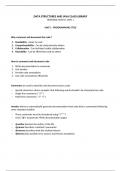
DATA STRUCTURES AND JAVA CLASS LIBRARY
PERSONAL NOTES ( S2M1 )
UNIT 1 - PROGRAMMING STYLE
Why comment and document the code ?
1. Readability - Easier to read
2. Comprehensibility - Can be understood by others
3. Collaboration - Can facilitate fruitful collaboration
4. Reusability - Can be effectively used by others
How to comment and document code
1. Write documentation in comments
2. Use Javadoc
3. Provide code annotations
4. Use code conventions effectively
Comments are used to describe and document source code
- Special characters inform compiler that following words shouldn’t be interpreted as code
- Single-line comments ( “//” )
- Multi-line comments ( "/* */”)
Javadoc allows to automatically generate documentation from code that is commented following
some standard notation
- These comments must be introduced using (“/**”)
- Uses (“@”) to generate HTML documentation pages
- @author denotes the author of the file
- @param describes a method’s parameter
- @returns describes what the method returns
- @throws lists possible error sources and thrown exceptions
, Code Annotations add metadata to source code
- Annotations start with (“@”)
- Used to annotate classes, methods and attributes
- Helps developers recognize errors more quickly
- @Override marks methods that override the methods of a superclass
- @Deprecated marks classes, methods and attributes that shouldn’t be used in new code
Code Conventions is a standardized way of structuring and formatting code improving readability
- Package names in lowercase
- Name classes and interfaces as nouns starting with capital letter
- Camel case when name consists of multiple words
- Name methods as verbs
- Fully capitalize constants
- Order related items together
- Declare variables at beginning of code block
- Write each declaration on separate line
- Group sections using blank lines
- Indent code properly using (“{}”)
UNIT 2 - WORKING WITH OBJECTS
How to work effectively with objects
String representation
- Method toString() outputs any object content to the console as a string
- It reduces programming effort and unnecessary concatenations of strings
Equality operator (“==”) compares the identity of objects, not content
- Compares whether two data types refer to the same object
- Primitive data types are easily compared
- Complex data types, doesn’t compare content of objects
PERSONAL NOTES ( S2M1 )
UNIT 1 - PROGRAMMING STYLE
Why comment and document the code ?
1. Readability - Easier to read
2. Comprehensibility - Can be understood by others
3. Collaboration - Can facilitate fruitful collaboration
4. Reusability - Can be effectively used by others
How to comment and document code
1. Write documentation in comments
2. Use Javadoc
3. Provide code annotations
4. Use code conventions effectively
Comments are used to describe and document source code
- Special characters inform compiler that following words shouldn’t be interpreted as code
- Single-line comments ( “//” )
- Multi-line comments ( "/* */”)
Javadoc allows to automatically generate documentation from code that is commented following
some standard notation
- These comments must be introduced using (“/**”)
- Uses (“@”) to generate HTML documentation pages
- @author denotes the author of the file
- @param describes a method’s parameter
- @returns describes what the method returns
- @throws lists possible error sources and thrown exceptions
, Code Annotations add metadata to source code
- Annotations start with (“@”)
- Used to annotate classes, methods and attributes
- Helps developers recognize errors more quickly
- @Override marks methods that override the methods of a superclass
- @Deprecated marks classes, methods and attributes that shouldn’t be used in new code
Code Conventions is a standardized way of structuring and formatting code improving readability
- Package names in lowercase
- Name classes and interfaces as nouns starting with capital letter
- Camel case when name consists of multiple words
- Name methods as verbs
- Fully capitalize constants
- Order related items together
- Declare variables at beginning of code block
- Write each declaration on separate line
- Group sections using blank lines
- Indent code properly using (“{}”)
UNIT 2 - WORKING WITH OBJECTS
How to work effectively with objects
String representation
- Method toString() outputs any object content to the console as a string
- It reduces programming effort and unnecessary concatenations of strings
Equality operator (“==”) compares the identity of objects, not content
- Compares whether two data types refer to the same object
- Primitive data types are easily compared
- Complex data types, doesn’t compare content of objects


