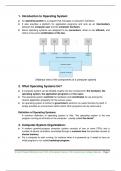
1. Introduction to Operating System:
An operating system is a program that manages a computer’s hardware.
It also provides a platform for application programs and acts as an intermediary
between the computer user and the computer hardware.
Some operating systems are designed to be convenient, others to be efficient, and
others to be some combination of the two.
[Abstract view of the components of a computer system]
2. What Operating Systems Do?
A computer system can be divided roughly into four components: the hardware, the
operating system, the application programs and the users.
The operating system controls the hardware and coordinates its use among the
various application programs for the various users.
An operating system is similar to government; performs no useful function by itself. It
simply provides an environment within which other programs can do useful work.
Definition of Operating Systems:
A common definition of operating system is that: “the operating system is the one
program running at all times on the computer - usually called the kernel”.
3. Computer-System Organization:
A modern general-purpose computer system consists of one or more CPUs and a
number of device controllers connected through a common bus that provides access to
shared memory.
For a computer to start running, for instance when it is powered up, it needs to have an
initial program to run called bootstrap program.
Sri Jyoti Prakash Mohanta, Asst. Prof. of Computer Science, F.M. Autonomous College, Balasore. Page 1
, It is stored within the computer hardware in read-only memory (ROM) and loads OS
from secondary storage device to main memory (RAM).
When the system is fully booted the system waits for some events to occur.
The occurrence of an event is usually signalled by an interrupt from either the hardware
or the software.
Hardware may trigger an interrupt at any time by sending a signal to the CPU, usually by
the way of the system bus.
Software may trigger an interrupt by executing a special operation called a system call
(also called a monitor call).
When the CPU is interrupted, it stops what it is doing and immediately transfers
execution to a fixed location.
The fixed location usually contains the starting address where the service routine for
the interrupt is located.
The interrupt service routine executes the service routine and on completion, the CPU
resumes the interrupted computation.
[A modern computer system]
4. Operating-System Structure:
An operating system provides the environment within which programs are executed.
A single program cannot keep either the CPU or the I/O devices busy at all times. This
requires multiprogramming. Multiprogramming increases CPU utilization by organizing
jobs so that the CPU always has one job to execute.
Multiprogramming requires several jobs in main memory simultaneously. Since main
memory is too small to accommodate all jobs, the jobs are kept initially on the disk.
The operating system picks and begins to execute one of the jobs in memory. The job
may have to wait for some task, such as an I/O operation, to complete.
In a non-multi-programmed system, the CPU would sit idle. In a multi-programmed
system, the operating system simply switches to, and executes, another job. When that
job needs to wait, the CPU switches to another job, and so on.
Sri Jyoti Prakash Mohanta, Asst. Prof. of Computer Science, F.M. Autonomous College, Balasore. Page 2
An operating system is a program that manages a computer’s hardware.
It also provides a platform for application programs and acts as an intermediary
between the computer user and the computer hardware.
Some operating systems are designed to be convenient, others to be efficient, and
others to be some combination of the two.
[Abstract view of the components of a computer system]
2. What Operating Systems Do?
A computer system can be divided roughly into four components: the hardware, the
operating system, the application programs and the users.
The operating system controls the hardware and coordinates its use among the
various application programs for the various users.
An operating system is similar to government; performs no useful function by itself. It
simply provides an environment within which other programs can do useful work.
Definition of Operating Systems:
A common definition of operating system is that: “the operating system is the one
program running at all times on the computer - usually called the kernel”.
3. Computer-System Organization:
A modern general-purpose computer system consists of one or more CPUs and a
number of device controllers connected through a common bus that provides access to
shared memory.
For a computer to start running, for instance when it is powered up, it needs to have an
initial program to run called bootstrap program.
Sri Jyoti Prakash Mohanta, Asst. Prof. of Computer Science, F.M. Autonomous College, Balasore. Page 1
, It is stored within the computer hardware in read-only memory (ROM) and loads OS
from secondary storage device to main memory (RAM).
When the system is fully booted the system waits for some events to occur.
The occurrence of an event is usually signalled by an interrupt from either the hardware
or the software.
Hardware may trigger an interrupt at any time by sending a signal to the CPU, usually by
the way of the system bus.
Software may trigger an interrupt by executing a special operation called a system call
(also called a monitor call).
When the CPU is interrupted, it stops what it is doing and immediately transfers
execution to a fixed location.
The fixed location usually contains the starting address where the service routine for
the interrupt is located.
The interrupt service routine executes the service routine and on completion, the CPU
resumes the interrupted computation.
[A modern computer system]
4. Operating-System Structure:
An operating system provides the environment within which programs are executed.
A single program cannot keep either the CPU or the I/O devices busy at all times. This
requires multiprogramming. Multiprogramming increases CPU utilization by organizing
jobs so that the CPU always has one job to execute.
Multiprogramming requires several jobs in main memory simultaneously. Since main
memory is too small to accommodate all jobs, the jobs are kept initially on the disk.
The operating system picks and begins to execute one of the jobs in memory. The job
may have to wait for some task, such as an I/O operation, to complete.
In a non-multi-programmed system, the CPU would sit idle. In a multi-programmed
system, the operating system simply switches to, and executes, another job. When that
job needs to wait, the CPU switches to another job, and so on.
Sri Jyoti Prakash Mohanta, Asst. Prof. of Computer Science, F.M. Autonomous College, Balasore. Page 2