Name: Date:
Solution Manual For
CompTIA Security+ Guide to Network Security Fundamentals 8th Edition 2025 by Mark Ciampa
Chapter 1-15
Module 1
Labs included in this module:
Lab 1.1: Online Research—Certification Research
Lab 1.2: Confidentiality, Integrity, and Availability (CIA)
Lab 1.3: Online Research—Information Security Resources
Lab 1.4: Threat Actors
Lab 1.5: Identification, Authentication, Authorization, and Accounting (IAAA)
CompTIA Security+ Exam Objectives
Domain Lab
General Security Concepts 1.1, 1.2, 1.3, 1.5
Threats, Vulnerabilities, and Mitigation 1.4
Website links change frequently. If a link in the following activities no longer works, use a
search engine such as Google or Bing to search for the information.
Lab 1.1 Online Research—Certification Research
Estimated Time: 30 minutes
Objectives
In today’s competitive job market, attaining an industry certification helps validate your skills and
showcases your knowledge. Certification shows potential or current employers that you
,understand industry standards, have studied the subject matter in depth, and have researched
your field of interest.
After completing this lab, you will be able to do the following:
Identify the components of the CompTIA Security+ certification exam.
Evaluate the exam objectives and necessary information to take the exam.
Certification Objectives
Objectives for the CompTIA Security+ exam:
1.0 General Security Concepts
Materials Required
This lab requires the following:
A computer or mobile device with Internet access
Activity
In this lab, you search the Internet for information related to the CompTIA Security+ exam.
1. Open your web browser and go to https://www.comptia.org/certifications/security.
2. Click EXAM DETAILS for an overview of the exam requirements (i.e., the number of
questions and passing scores).
3. In the “Get Practice Questions and Exam Objectives” area, enter your information,
select all the check boxes, and then click SUBMIT.
4. Click the appropriate exam objectives link to open, download, and review the objectives.
5. Return to the exam details and then click the appropriate practice questions link to
open, download, and review the questions. They give you an idea of the exam format
and required knowledge.
6. Answer the practice question and submit the answers to your instructor.
7. Do further research and write a half-page summary on what CompTIA does, its role in
the IT field, and other certifications you might be interested in.
, Solution Guidance:
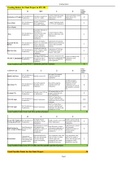
See the rubric, Security+_8e_Activity Rubric, provided on the Instructor Companion
Site.
Lab 1.2 Confidentiality, Integrity, and Availability (CIA)
Estimated Time: 40 minutes
Objectives
Information security professionals are concerned with protecting data’s confidentiality (only
authorized users have access), integrity (the data is authentic, accurate, and reliable), and
availability (data is accessible when needed). Observing these concepts and principles helps to
protect that data. As an information security professional, you must understand how data can
be compromised. Responding to phishing attempts by clicking phony links in email or text
messages, responding to false advertising, and visiting look-alike websites can jeopardize your
information. Phishing is a way threat actors attempt to gain access to your information.
After completing this lab, you will be able to do the following:
Identify ways to ensure you are protecting your data.
Evaluate and compare methods used to attempt to access your data.
Certification Objectives
Objectives for the CompTIA Security+ exam:
1.2 Summarize fundamental security concepts.
Materials Required
This lab requires the following:
A computer or mobile device with Internet access
Activity
In this lab, you use the Internet to see how familiar you are with attempts to steal your data.
1. Can you spot when you’re being phished? Open your web browser and go to
https://phishingquiz.withgoogle.com.
, 2. Click TAKE THE QUIZ and follow the prompts to take a quiz and see how aware you are
when encountering requests for your information.
3. Once completed, review and analyze the results and retake the quiz, if necessary.
4. How is your phishing IQ? Use your browser to go to
https://www.sonicwall.com/phishing-iq-test.
5. Read the information on the SonicWall page and then click TAKE THE QUIZ. Follow the
prompts and instructions to complete the quiz.
6. Once completed, review and analyze the results and retake the quiz, if necessary.
7. Take another phishing quiz. Use your browser to go to
https://www.opendns.com/phishing-quiz.
8. Read the information on the OpenDNS page and then click GET STARTED! to take the quiz.
9. Once completed, review and analyze the results and retake the quiz, if necessary.
10. Based on the information provided and further research, list three phishing methods
(i.e., spear phishing, whaling, vishing, and/or email phishing) that you can share with
your family and friends to help them stay protected. You explore phishing in more detail
in Module 2 of the core text.
Solution Guidance:
Students can list spear phishing, whaling, vishing, and/or email phishing and detail
what they are and how to protect against them. See the rubric,
Security+_8e_Activity Rubric, provided on the Instructor Companion Site.
Solution Manual For
CompTIA Security+ Guide to Network Security Fundamentals 8th Edition 2025 by Mark Ciampa
Chapter 1-15
Module 1
Labs included in this module:
Lab 1.1: Online Research—Certification Research
Lab 1.2: Confidentiality, Integrity, and Availability (CIA)
Lab 1.3: Online Research—Information Security Resources
Lab 1.4: Threat Actors
Lab 1.5: Identification, Authentication, Authorization, and Accounting (IAAA)
CompTIA Security+ Exam Objectives
Domain Lab
General Security Concepts 1.1, 1.2, 1.3, 1.5
Threats, Vulnerabilities, and Mitigation 1.4
Website links change frequently. If a link in the following activities no longer works, use a
search engine such as Google or Bing to search for the information.
Lab 1.1 Online Research—Certification Research
Estimated Time: 30 minutes
Objectives
In today’s competitive job market, attaining an industry certification helps validate your skills and
showcases your knowledge. Certification shows potential or current employers that you
,understand industry standards, have studied the subject matter in depth, and have researched
your field of interest.
After completing this lab, you will be able to do the following:
Identify the components of the CompTIA Security+ certification exam.
Evaluate the exam objectives and necessary information to take the exam.
Certification Objectives
Objectives for the CompTIA Security+ exam:
1.0 General Security Concepts
Materials Required
This lab requires the following:
A computer or mobile device with Internet access
Activity
In this lab, you search the Internet for information related to the CompTIA Security+ exam.
1. Open your web browser and go to https://www.comptia.org/certifications/security.
2. Click EXAM DETAILS for an overview of the exam requirements (i.e., the number of
questions and passing scores).
3. In the “Get Practice Questions and Exam Objectives” area, enter your information,
select all the check boxes, and then click SUBMIT.
4. Click the appropriate exam objectives link to open, download, and review the objectives.
5. Return to the exam details and then click the appropriate practice questions link to
open, download, and review the questions. They give you an idea of the exam format
and required knowledge.
6. Answer the practice question and submit the answers to your instructor.
7. Do further research and write a half-page summary on what CompTIA does, its role in
the IT field, and other certifications you might be interested in.
, Solution Guidance:
See the rubric, Security+_8e_Activity Rubric, provided on the Instructor Companion
Site.
Lab 1.2 Confidentiality, Integrity, and Availability (CIA)
Estimated Time: 40 minutes
Objectives
Information security professionals are concerned with protecting data’s confidentiality (only
authorized users have access), integrity (the data is authentic, accurate, and reliable), and
availability (data is accessible when needed). Observing these concepts and principles helps to
protect that data. As an information security professional, you must understand how data can
be compromised. Responding to phishing attempts by clicking phony links in email or text
messages, responding to false advertising, and visiting look-alike websites can jeopardize your
information. Phishing is a way threat actors attempt to gain access to your information.
After completing this lab, you will be able to do the following:
Identify ways to ensure you are protecting your data.
Evaluate and compare methods used to attempt to access your data.
Certification Objectives
Objectives for the CompTIA Security+ exam:
1.2 Summarize fundamental security concepts.
Materials Required
This lab requires the following:
A computer or mobile device with Internet access
Activity
In this lab, you use the Internet to see how familiar you are with attempts to steal your data.
1. Can you spot when you’re being phished? Open your web browser and go to
https://phishingquiz.withgoogle.com.
, 2. Click TAKE THE QUIZ and follow the prompts to take a quiz and see how aware you are
when encountering requests for your information.
3. Once completed, review and analyze the results and retake the quiz, if necessary.
4. How is your phishing IQ? Use your browser to go to
https://www.sonicwall.com/phishing-iq-test.
5. Read the information on the SonicWall page and then click TAKE THE QUIZ. Follow the
prompts and instructions to complete the quiz.
6. Once completed, review and analyze the results and retake the quiz, if necessary.
7. Take another phishing quiz. Use your browser to go to
https://www.opendns.com/phishing-quiz.
8. Read the information on the OpenDNS page and then click GET STARTED! to take the quiz.
9. Once completed, review and analyze the results and retake the quiz, if necessary.
10. Based on the information provided and further research, list three phishing methods
(i.e., spear phishing, whaling, vishing, and/or email phishing) that you can share with
your family and friends to help them stay protected. You explore phishing in more detail
in Module 2 of the core text.
Solution Guidance:
Students can list spear phishing, whaling, vishing, and/or email phishing and detail
what they are and how to protect against them. See the rubric,
Security+_8e_Activity Rubric, provided on the Instructor Companion Site.