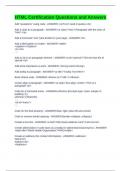
HTML Certification Questions and Answers
Add "quotations" using code - ANSWER-<q>Text I need in quotes.</q>
Add a class to a paragraph - ANSWER-<p class="intro">Paragraph with the class of
"intro".</p>
Add a horizontal "rule" (aka divider) to your page - ANSWER-<hr>
Add a title/caption to a table - ANSWER-<table>
<caption></caption>
<tr></tr>
...
Add an id to an paragraph element - ANSWER-<p id="special">This text has the id
special.</p>
Add extra importance a word - ANSWER-<strong>word</strong>
Add tooltip to paragraph - ANSWER-<p title="Tooltip Text Here">
Basic iframe code - ANSWER-<iframe src="URL"></iframe>
Center align a paragraph - ANSWER-<p style="text-align: center;">This is a
paragraph.</p>
Code for a horizontal menu - ANSWER-ul#menu {list-style-type: none; margin: 0;
padding: 0;}
ul#menu li {float:left;}
...
<ul id="menu">
...
Code for the float property - ANSWER-float: right; (also left and center)
Code to remove border spacing - ANSWER-{border-collapse: collapse;}
Create a text link - ANSWER-<a href="http://www.address.com/">Link text</a>
Create abbreviation in code (acts as a tooltip for abbreviations/acronyms) - ANSWER-
<abbr title="World Health Organization">WHO</abbr>
Create an address (for contact information) - ANSWER-<address>
Name<br>
Address<br>
</address>
Add "quotations" using code - ANSWER-<q>Text I need in quotes.</q>
Add a class to a paragraph - ANSWER-<p class="intro">Paragraph with the class of
"intro".</p>
Add a horizontal "rule" (aka divider) to your page - ANSWER-<hr>
Add a title/caption to a table - ANSWER-<table>
<caption></caption>
<tr></tr>
...
Add an id to an paragraph element - ANSWER-<p id="special">This text has the id
special.</p>
Add extra importance a word - ANSWER-<strong>word</strong>
Add tooltip to paragraph - ANSWER-<p title="Tooltip Text Here">
Basic iframe code - ANSWER-<iframe src="URL"></iframe>
Center align a paragraph - ANSWER-<p style="text-align: center;">This is a
paragraph.</p>
Code for a horizontal menu - ANSWER-ul#menu {list-style-type: none; margin: 0;
padding: 0;}
ul#menu li {float:left;}
...
<ul id="menu">
...
Code for the float property - ANSWER-float: right; (also left and center)
Code to remove border spacing - ANSWER-{border-collapse: collapse;}
Create a text link - ANSWER-<a href="http://www.address.com/">Link text</a>
Create abbreviation in code (acts as a tooltip for abbreviations/acronyms) - ANSWER-
<abbr title="World Health Organization">WHO</abbr>
Create an address (for contact information) - ANSWER-<address>
Name<br>
Address<br>
</address>